Apify Pricing 2026: Plans, Credits and Web Scraping Costs
 16 min read
Apify pricing starts at $19 per month for its first paid plan, and that fee becomes prepaid usage you can spend across Apify Store Actors, your own Actors, compute, proxies, storage, and data transfer. For affiliate marketers, the real question is not the subscription fee alone.
Web scraping costs can move quickly once SERP checks, residential proxy traffic, concurrent jobs, and browser-heavy Actors enter the mix, so the right plan is the one that matches your monthly scraping load without wasting prepaid credits.
Key Takeaways from Apify Pricing
How Apify Billing Uses Your Prepaid Balance
Each subscription includes prepaid platform usage. Eligible Actor charges, proxies, compute, storage, and data transfer spend that balance.
For regular monthly billing, calculate your invoice like this:
Plan fee + usage above the included allowance + separate add-ons and applicable taxes.
Your plan fee already buys the included balance. Add only excess usage when calculating Apify scraping costs, so you do not count the same spend twice.
However, Apify Actor pricing changes how the meter runs. Check the individual Actor before estimating a job.
Also, a result can mean different things across scrapers. Product details, reviews, and extra enrichment may trigger different billable events.
For affiliate research, price the fields you actually need. Paying for additional contact details makes little sense when your comparison table only needs product prices.
Apify Subscription Plans and Included Usage
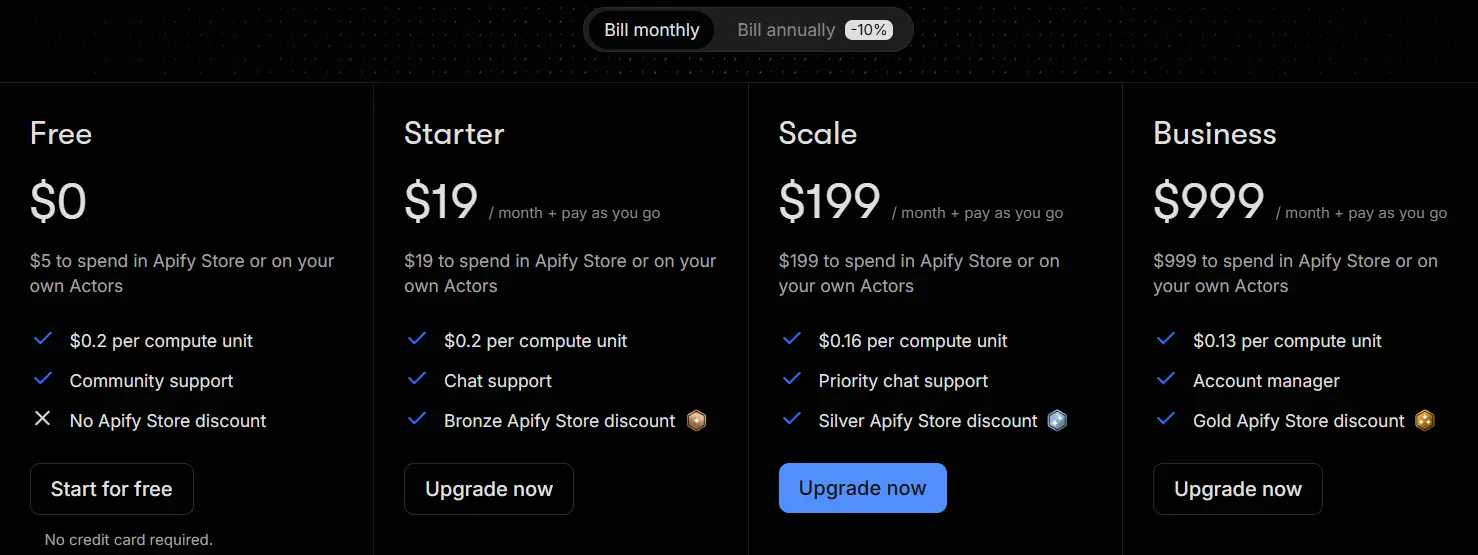
Apify uses subscription pricing mixed with usage billing. Your monthly fee becomes prepaid credit for Apify Store purchases or platform usage, then extra consumption is charged separately.
| Plan | Monthly Price | Included Prepaid Usage | Max Concurrent Runs |
|---|---|---|---|
| Free | $0 | $5/month | 5 |
| Starter | $19 + usage | $19/month | 32 |
| Scale | $199 + usage | $199/month | 128 |
| Business | $999 + usage | $999/month | 256 |
| Enterprise | Custom | Unlimited | Custom |
The key point is simple.
A paid plan is not a flat unlimited subscription.
It is a base commitment that includes spend, followed by pay as you go pricing after that allowance is consumed.
1. Apify Free Plan: Best for Cost Testing
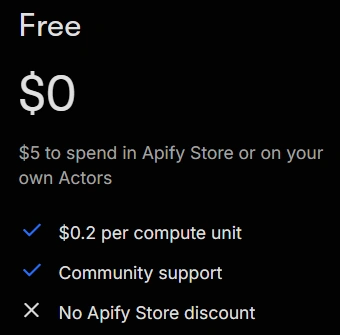
The Free plan costs $0 and includes $5 in monthly usage. It is the cleanest way to measure how expensive your chosen Actors, proxies, and runs actually are.
You get a $0.20 Apify compute unit cost, up to 16 GB Actor RAM, five concurrent runs, five included datacenter proxy IPs, and community support.
This tier is useful for checking one workflow before paying.
The limit is financial rather than cosmetic because access stops after the free prepaid usage is exhausted.
The catch is that free usage does not roll over.
If a campaign scraper or SEO data pull burns the $5 early, you wait for the next cycle or upgrade.
2. Apify Starter Plan: $19 for Regular Small Jobs
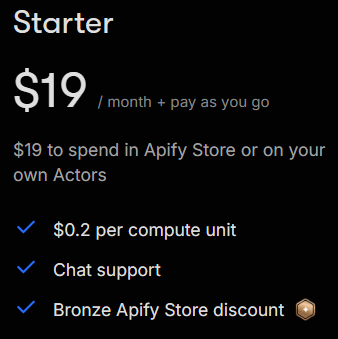
Starter costs $19 per month plus usage and gives you $19 of prepaid spend.
For solo operators and lean teams, this is the first plan that feels practical for recurring jobs.
Its value comes from more capacity, more included datacenter IPs, chat support, and Bronze Apify Store pricing discounts.
AFFDude recommendation: pick Starter after the Free plan proves your monthly usage is real.
Do not upgrade just because $19 looks cheap if your jobs only consume a few dollars.
3. Apify Scale Plan: $199 for Growing Automation Volume
Scale costs $199 per month plus usage, with $199 included as prepaid platform spend. This is where Apify starts giving meaningful unit cost reductions.
Residential proxy pricing falls to $7.50/GB. Google SERP proxies fall to $2 per 1,000, and Unblocker pricing drops to $1.25 per 1,000 requests.
You also move to 256 GB Actor RAM and 128 concurrent runs. Datacenter proxy capacity rises to 200 included IPs, then $0.80 per additional IP.
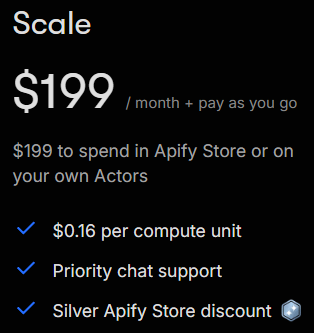
For affiliate data feeds, ad research jobs, large SERP pulls, or scheduled competitor monitoring, Scale is the plan to inspect once your monthly spend approaches its commitment.
4. Apify Business Plan: $999 for Heavy Workloads
Business costs $999 per month plus usage and includes $999 in prepaid spend. It is priced for large recurring workloads where lower unit rates can offset the bigger commitment.
Account manager support
Business supports up to 512 GB Actor RAM and 256 concurrent runs. It also includes 500 datacenter IPs, with extra IPs priced at $0.60 each.
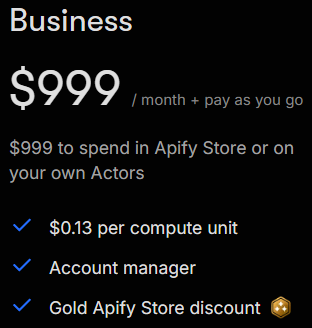
The plan is hard to justify for irregular scraping. It becomes more sensible when recurring consumption already sits near four figures and lower rates produce measurable monthly savings.
5. Enterprise Quotes for Custom Data Requirements
Apify Enterprise pricing is negotiated. There is no fixed public subscription amount to use in your budget.
Bring a clear brief: target domains, required fields, refresh frequency, and expected monthly output. Those details make competing quotes easier to assess.
For a large affiliate network, the commercial question is who handles maintenance and delivery failures. Get those responsibilities and charges written into the proposal.
Creator Pricing for Affiliates Building Their Own Actors
The Apify Creator plan costs $1 per month, paid as $6 upfront for six months.
This is a restricted developer offer. It does not provide full Store access, so it cannot replace Starter for every ready-made scraper.
We would consider it for an affiliate with development skills building a custom merchant workflow. Include the time spent writing and maintaining that code.
The bonus is available once. After cancellation, you cannot subscribe to the Creator plan again.
Compute Units and Proxy Charges That Change Your Bill
Apify compute units depend on allocated memory and runtime. One CU equals one GB of allocated RAM running for one hour.
Therefore, a two GB job lasting 15 minutes consumes 0.5 CU. Those measures compute only; other applicable charges remain separate.
Use these platform usage rates when the Actor bills resources separately.
| Resource | Free and Starter | Scale | Business |
|---|---|---|---|
| Compute per CU | $0.20 | $0.16 | $0.13 |
| Residential proxy per GB | $8.00 | $7.50 | $7.00 |
| Google SERP proxy per 1,000 SERPs | $2.50 | $2.00 | $1.70 |
| Unblocker per 1,000 requests | $1.50 | $1.25 | $1.00 |
| External data transfer per GB | $0.20 | $0.19 | $0.18 |
Residential proxy costs deserve close attention for image-heavy merchant pages. Large downloads can consume bandwidth without adding anything useful to your offer research.
Meanwhile, datacenter proxy allowances cover 30 IPs on Starter, 200 on Scale, and 500 on Business.
Additional IPs cost $1, $0.80, and $0.60 respectively. A cheaper proxy only helps if it can complete your target job reliably.
Storage adds another meter. Stored data and operations can generate charges, including dataset reads or writes after a run finishes.
Check these costs when an automation repeatedly downloads the same export. Fetching a finished dataset again is different from running the scraper again.
A Worked Product Price Monitoring Budget
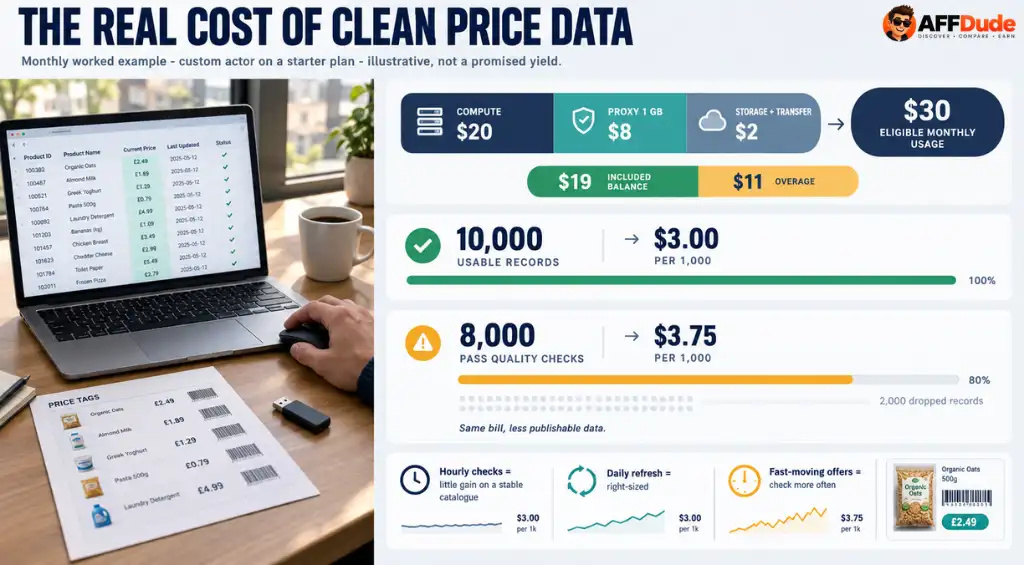
Here is an illustrative monthly calculation for a custom Actor on Starter. These are assumed workload figures, not a promised scraping yield.
Assume your jobs consume 100 compute units, one GB of residential proxy traffic, and $2 in storage and transfer.
Compute costs $20 and proxy traffic costs $8. Adding the assumed remaining charges produces $30 of eligible monthly usage.
The included balance covers the first $19. With sufficient spending permission, the remaining $11 becomes overage, making the total $30 before tax.
Now assume those jobs deliver 10,000 usable product records. The collection cost works out to $3 per 1,000 usable records.
If only 8,000 records survive your quality checks, that becomes $3.75 per 1,000. The same bill produces less publishable data.
This is why we budget against accepted output. Missing prices and repeated product variants can quietly make an apparently cheap scrape expensive.
Next, test your intended refresh frequency. Checking an unchanged catalogue every hour may buy very little compared with a daily update.
Give fast-changing offers more frequent checks and slower categories a lighter schedule. Use the test results to estimate the next billing period.
Annual Billing and Apify Credit Expiry
Apify annual billing offers a 10% discount. Annual prepaid usage can be consumed throughout that annual billing period.
Unused standard credits expire when their billing period ends. A monthly allowance therefore does not accumulate indefinitely for a future launch.
We would establish a repeatable workload before committing annually. A discount loses its appeal if your site changes direction and the purchased allowance sits unused.
The annual subscription discount does not automatically reduce every additional charge.
Apify Pricing Compared With Three Scraping Alternatives
For affiliate scraping software costs, these three alternatives offer useful comparisons. Their billing units differ, so match the whole job before declaring a winner.
| Alternative | Entry paid price | Billing basis |
|---|---|---|
| Bright Data Web Scraper API | $1.50 per 1,000 records | Pay as you go for successful deliveries |
| Octoparse Standard | From $83 monthly | 100 tasks and three concurrent cloud runs |
| ScrapingBee Hobby | $19 monthly | 75,000 API credits and 25 concurrent requests |
Bright Data bundles proxies, compute, storage, transfer, and parsing into its record pricing. That can simplify estimates when the supported dataset matches your needs.
Compare its delivered fields with the chosen Apify Actor. A basic product row and an enriched record are different purchases.
Octoparse suits a preference for task-based subscriptions. Annual billing starts from $69 monthly equivalent, but residential proxies and some templates can add charges.
ScrapingBee requires careful API credit maths. A default JavaScript request uses five credits; a premium proxy request with JavaScript uses 25.
Consequently, its entry allowance covers 15,000 default requests or 3,000 premium requests with JavaScript, before extra options. Neither figure guarantees the same number of product records.
Our pick comes down to total data collection cost: subscription, necessary options, development work, and the records your affiliate pages can actually use.
Spending Controls for Scheduled Affiliate Scraping
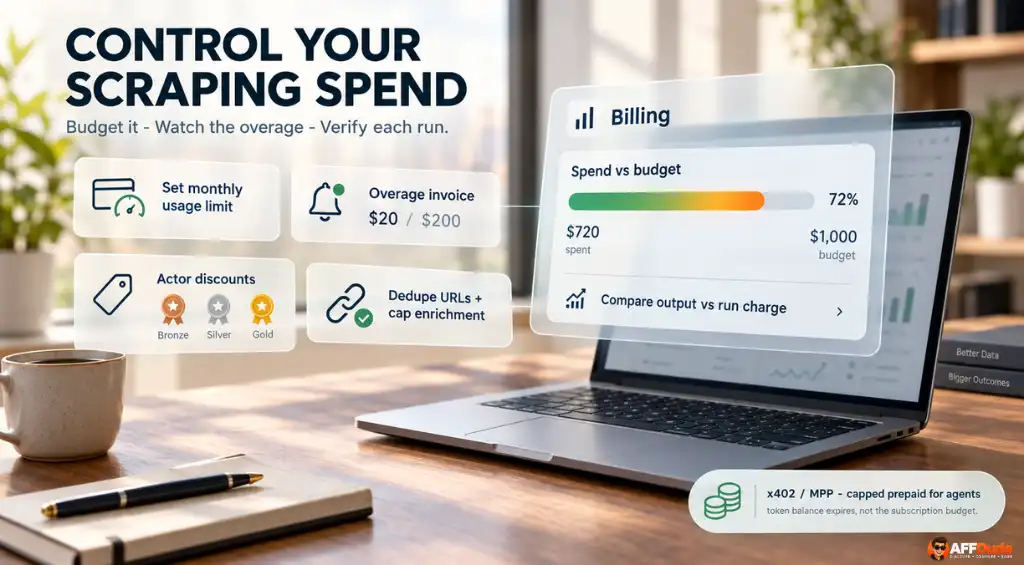
Set a monthly scraping budget before activating recurring jobs. In Billing, your usage limit controls how much the account can spend.
An overage invoice can arrive before renewal once overage reaches $20 on Starter or $200 on higher plans. Keep that timing in your cash plan.
Also, check Store discount eligibility for the exact Actor. Bronze, Silver, and Gold discounts are optional for developers, with no universal percentage.
Remove duplicate URLs before submission and restrict optional enrichment. Then compare completed output with the run charge before increasing the batch size.
For automated buying, x402 and MPP payments allow AI agents to purchase capped prepaid access without a normal Apify account.
The temporary balance expires with its token. We would keep this separate from the recurring subscription budget used for regular publishing jobs.
FAQs About Apify Pricing
How does Apify bill unsuccessful Actor runs?
Usage-priced Actors can incur compute, proxy, transfer, and storage charges before failing. Event-priced Actors depend on triggered billable events and any separately billed platform usage.
Can Apify cap costs for individual runs?
Set maxTotalChargeUsd when starting a run. It caps total run charges across pricing models; account spending limits separately control your overall billing period budget.
Can named datasets increase Apify storage charges?
Named datasets remain until you delete them, so stored volume can accumulate ongoing charges. Export necessary records and remove obsolete datasets after confirming backups.
Does Apify plan memory apply per Actor?
The advertised plan memory is shared across simultaneous jobs. Individual paid Actor runs have separate memory limits, so plan capacity does not describe one container.
How do midcycle Apify plan upgrades work?
Upgrades are prorated using the remaining billing period. You pay the price difference, while downgrades follow different rules and carry unused usage into the new plan.
Can lower Actor memory reduce scraping costs?
Sometimes. Less allocated memory reduces the hourly compute charge, but slower execution can cancel those savings. Compare total compute units across equivalent runs before changing defaults.
AFFDude Recommendation for Your Next Billing Cycle
We'd pick Starter for a smaller affiliate site once testing confirms the chosen Actor's costs. Move higher when measured demand justifies it.
Give your first recurring job one commercial purpose: keeping a buying guide current, checking valuable offers, or improving a comparison page.
Set a spending allowance that fits the page's contribution after content costs. Then review the data you actually used and the work it saved.
If that job earns its place, expand it. If the output sits untouched, cut the schedule. Your next upgrade should follow a profitable habit.
Recommended Articles