ClickUp Pricing 2026: Plans, Features, and Best Value
 13 min read
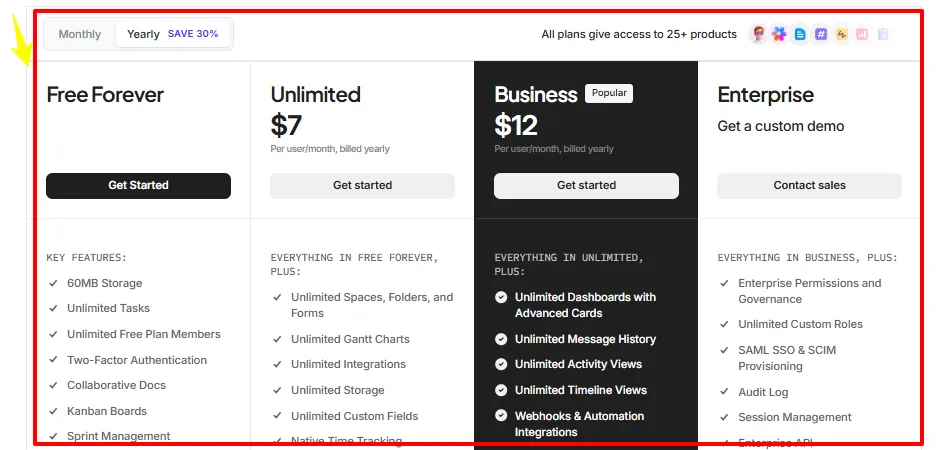
ClickUp pricing starts at $7 per user monthly with annual billing, while a Free Forever plan covers solo testing and light campaign organization.
For most affiliate teams, Unlimited offers the best starting value. Business becomes worth paying for once dashboards, proofing, workload planning, and heavier automation affect daily revenue work.
ClickUp combines tasks, docs, goals, chat, forms, time tracking, dashboards, and automation inside one affiliate project management platform.
That mix matters when your operation includes content writers, media buyers, designers, outreach staff, SEO work, coupon updates, and several affiliate sites.
Key Takeaways From ClickUp Pricing Plans
How Much Does ClickUp Cost?
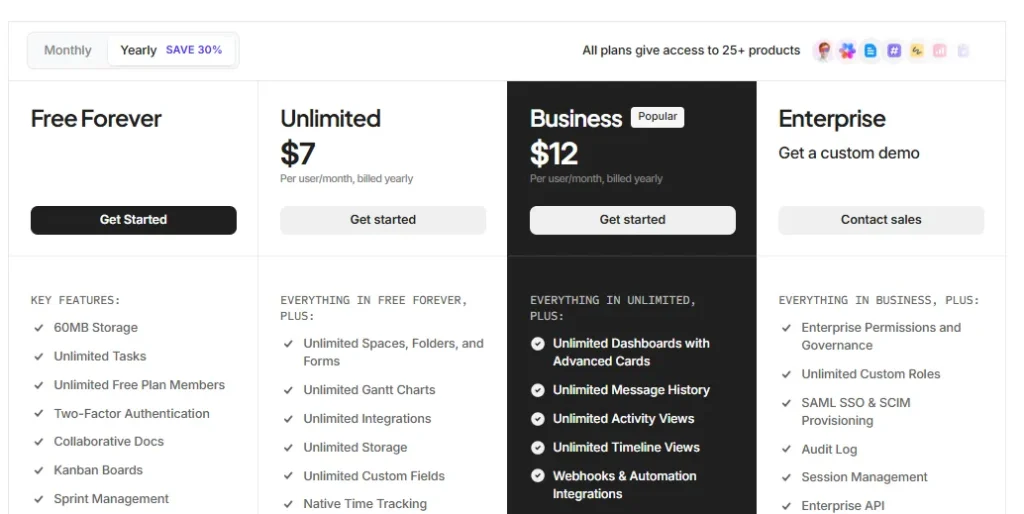
| ClickUp Plan | Annual Billing | Monthly Billing |
|---|---|---|
| Free Forever | $0 | $0 |
| Unlimited | $7 per user monthly | $10 per user monthly |
| Business | $12 per user monthly | $19 per user monthly |
| Enterprise | Custom quote | Custom quote |
Prices shown for annual plans are monthly equivalents billed for a full year.
Your final ClickUp cost per user rises when paid AI options or extra usage credits are added.
How ClickUp Billing Changes Your Real Cost
ClickUp charges for paid members on a per user basis. Therefore, adding contractors as full paid members can raise the bill faster than expected.
Guests with permission controls arrive on Unlimited, which can help an affiliate agency share selected work without opening its full Workspace.
| Ten Person Team | Annual Rate | Monthly Rate | Annual Billing Savings |
|---|---|---|---|
| Unlimited | $840 yearly | $1,200 yearly | $360 yearly |
| Business | $1,440 yearly | $2,280 yearly | $840 yearly |
ClickUp also includes a 100 percent money back guarantee.
Monthly payment is useful during a short campaign cycle or a temporary hiring phase.
However, a stable team gets a much better rate from the annual billing discount.
1. ClickUp Free Forever for Solo Affiliate Testing
Free Forever works for one person building a simple editorial calendar, partnership tracker, or campaign checklist.
It includes unlimited tasks, unlimited free members, collaborative docs, Kanban boards, sprint tools, calendar view, two factor authentication, and one form.
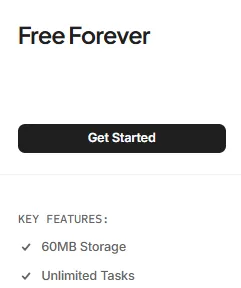
The tight storage allowance is its biggest weakness. Image assets, screenshots, media kits, and creative files can use 60MB quickly.
AFFDude verdict: Use Free Forever to test your setup, not to run a serious multi channel affiliate operation.
2. Unlimited Plan for Affiliate Marketing Teams
ClickUp Unlimited is the best starting point for a working affiliate team because it removes storage, Space, folder, form, Gantt chart, integration, and custom field limits.
At $7 yearly, it gives small teams useful control without forcing them into higher reporting costs.
For affiliate operations, the main win is centralization.
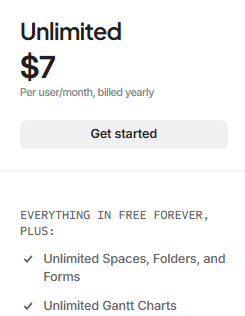
A team can track keyword briefs, content updates, affiliate links, CTA placements, partner replies, commission follow ups, and publishing dates inside one affiliate marketing workflow.
Unlimited includes 1,000 automation executions each month and 500 active rules.
That is usually enough for a small team sending status alerts, assigning editors, moving approved posts, and setting recurring checks.
AFFDude verdict: Unlimited is our pick for solo operators with contractors, niche site teams, and compact affiliate agencies.
3. Business Plan for Scaling Content Operations
Business costs $12 per user each month with yearly billing.
Its value comes from reporting depth, higher automation capacity, private collaboration areas, proofing, exports, workload tools, and stronger sign in options.
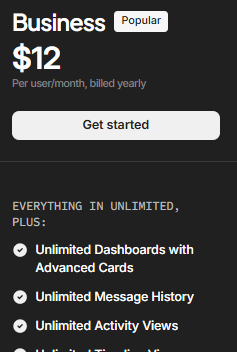
Business earns its fee when managers need to see campaign bottlenecks before revenue slips.
For example, dashboards can track overdue reviews, content velocity, partner reply status, active promotions, and workload by team member.
Proofing is especially useful for paid social creatives, display banners, comparison tables, screenshots, and advertorial assets.
Comments stay tied to the file, reducing messy approval chains across chat and email.
The higher workflow automation limits also matter for agencies operating several sites or client accounts.
AFFDude verdict: Choose Business when your team already has a repeatable process and needs clearer performance control.
4. Enterprise Pricing for Large Affiliate Companies
Enterprise pricing is quote based. It is aimed at larger organizations that need security policies, account governance, custom roles, provisioning, audits, and dedicated onboarding.
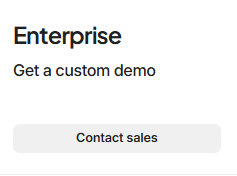
Key upgrades include SAML SSO, SCIM provisioning, audit logs, session management, custom branding, data residency, enterprise API access, and 250,000 automation executions each month.
HIPAA support, managed services, live training, and a customer success manager are available within the enterprise package.
Most independent affiliates will not need it.
Still, a large publisher, performance agency, or affiliate network may require these controls when staff access, client data, and regulatory reviews become serious concerns.
AFFDude verdict: Request a quote only when security and administration requirements are worth more than public plan simplicity.
ClickUp AI Pricing and Extra Usage Costs
ClickUp keeps AI pricing separate from its core work plans.
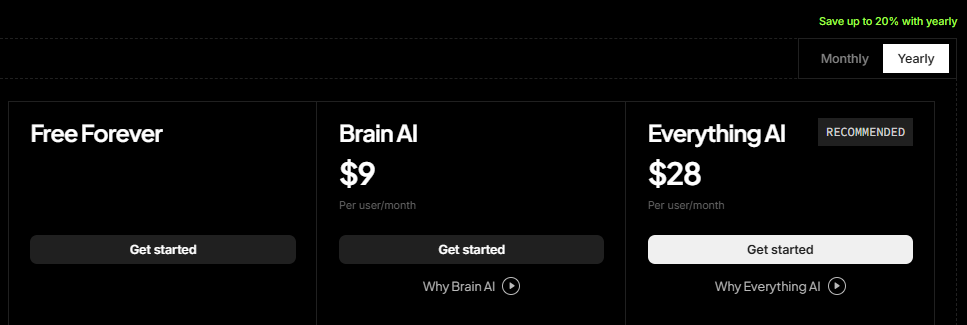
That makes the base subscription affordable, but teams should calculate AI fees before approving a large seat count.
| AI Option | Price | Main Inclusions |
|---|---|---|
| Free AI Access | $0 | Limited trials across chat, tasks, and docs |
| Brain AI | $9 per user monthly | Brain Assistant, AI chat, writing, Workspace search, and 1,500 credits |
| Everything AI | $28 per user monthly | AI Notetaker, AI fields, image generation, AI automations, agents, and 5,000 credits |
| AI Super Credits | $10 per 10,000 credits | Extra usage for agents, fields, automations, and image generation |
Brain AI can help draft briefs, summarize campaign updates, search Workspace material, and answer questions from stored project data.
Everything AI targets teams using agents, meeting notes, image generation, and AI driven operations more heavily.
A ten person team adding Brain AI pays another $90 each month.
The same team adding Everything AI pays another $280, so the AI project management tools budget can exceed the base plan fee.
ClickUp Pricing Compared With Top Competitors
| Platform | Free Plan | First Paid Plan | Higher Public Plan | Affiliate Team Take |
|---|---|---|---|---|
| ClickUp | Unlimited members | $7 Unlimited | $12 Business | Strong feature value for mixed content and campaign work |
| Asana | Up to 2 users | $10.99 Starter | $24.99 Advanced | Clean project tracking, but higher cost for portfolio controls |
| monday.com | Up to 2 seats | $9 Basic | $19 Pro | Visual boards with seat based pricing and set team sizes |
| Trello | Up to 10 collaborators | $5 Standard | $10 Premium | Cheapest paid entry, though complex reporting is more limited |
ClickUp sits between Trello's lower entry price and the higher rates charged by Asana and monday.com.
Its main pricing advantage is how much team collaboration software it places inside the $7 and $12 tiers.
Trello is attractive for simple board based work.
However, affiliates needing docs, goals, time tracking, forms, dashboards, workload views, and richer project reporting may outgrow it.
Asana and monday.com remain credible options for structured team planning.
Yet ClickUp gives budget focused affiliate teams more built in functions before reaching premium price levels.
Which ClickUp Plan Fits Your Affiliate Setup?
Solo affiliate with one site: Start free, then move to Unlimited once storage, integrations, forms, or client access become restrictive.
Small content team: Unlimited should cover briefs, writing stages, SEO checks, link updates, and publishing schedules.
Affiliate agency: Business is better for proofing, dashboards, workload planning, exports, and larger automation volume.
Large media company: Enterprise becomes relevant when SSO, audits, provisioning, legal controls, and data location requirements enter procurement.
Recommendation on ClickUp Value
Unlimited offers the sweet spot for most AFFDude users.
It gives a practical mix of campaign management software, time tracking, guest controls, storage, integrations, forms, and goals at a low seat cost.
Business is worth the jump only when dashboards and process control have a clear revenue use.
Paying more simply to feel organized is a bad move. Paying more to catch delayed launches, blocked approvals, and overloaded staff is easier to justify.
We would start with Unlimited on monthly billing while building the Workspace.
Once the team adopts it and your process stops changing every week, switch to yearly billing for the lower rate.
FAQs Related to ClickUp Pricing
Does ClickUp charge guests as paid members?
Guest billing depends on permissions and plan rules. Unlimited supports permission controlled guests, helping teams share selected projects without purchasing full member access in many cases.
How do ClickUp automation limits work monthly?
Free includes 100 executions, Unlimited includes 1,000, Business includes 5,000, and Enterprise includes 250,000 executions per Workspace during each monthly usage cycle.
Can ClickUp AI exceed monthly credit allowances?
Yes. AI plans include shared Workspace credits, and teams can purchase another 10,000 Super Credits for $10 when agent or automation usage increases later.
Does annual ClickUp billing reduce seat costs?
Yes. Unlimited drops from $10 to $7 monthly per user, while Business drops from $19 to $12 when paid through annual billing for identical plan access.
Are ClickUp integrations limited by pricing tier?
Free supports basic connected work, while Unlimited includes unlimited integrations. Business adds webhooks and advanced automation integrations for more complex campaign processes across multiple affiliate properties.
Can teams change ClickUp plans after purchase?
Teams can upgrade as requirements grow. Downgrade and billing effects depend on account timing, current subscription terms, and the remaining prepaid service period without rebuilding workflows.
Final Verdict on ClickUp Pricing
ClickUp is priced aggressively for affiliate teams that want one account for planning, communication, reporting, and execution.
The $7 Unlimited plan covers most small operations, while Business adds controls that matter after volume and headcount rise.
The biggest cost risk is not the base subscription.
It is adding paid AI to every seat without checking who will use it enough to justify the monthly increase.
Choose the plan around your present bottleneck, not a future feature wish list.
For most affiliate businesses, that keeps costs controlled while leaving enough room to scale content and campaign output.
Recommended Articles