


ClickAdilla
Advertising platform for buying and monetizing traffic with multiple formats, real-time…
ClickAdilla is a global self-serve advertising network providing diverse high-impact traffic formats like popunder, push, native, and video to maximize advertiser reach and publisher monetization.
Find your next audience.
Review the details, save your shortlist, and check the provider’s current terms.
Start Now- Ad formats
- Push · In-page push · Popunder
- Pricing models
- CPM · CPC · CPA
- Funding methods
- Wire / SWIFT · Paxum · Capitalist
Check eligibility and any method-specific limits in the full terms below.
Dude Verdict
ClickAdilla is a versatile self-serve ad network packing raw global volume, smart CPM bidding, and rich multi-format inventory that makes scaling adult and performance campaigns effortless.
- Offers / Quality8.2
- Payouts / Pricing8.0
- Tracking / Tech8.3
- Support7.9
Pros
- · Diverse ad formats including unique telegram ads.
- · Low minimum deposit for testing campaigns.
- · Fast moderation and quick campaign approval process.
- · Advanced targeting options with granular filters.
- · Responsive support and dedicated account managers.
Cons
- · High competition requires constant bid adjustments.
- · Traffic quality varies significantly across geos.
Buying terms
- Self-serve
- Yes
- Anti-fraud
- Provider states that fraud detection or anti-fraud controls are available.
- Publisher program
- Yes
Ad formats
- Push
- In-page push
- Popunder
Pricing models
- CPM
- CPC
- CPA
Strong GEOs
- Worldwide
Verticals allowed
- Nutra
Traffic type
- Adult
Deposit methods
- Wire / SWIFT
- Paxum
- Capitalist
Targeting
- os
- dayparting
Every media buyer keeps a list of traffic sources they tried once and never touched again. We wanted to know which list ClickAdilla lands on.
So we funded an account, built campaigns across formats and read every line of fine print. Our ClickAdilla review covers ad formats, Smart CPM bidding, tracking, payments and the small settings that quietly eat budget.
Short version? ClickAdilla is a cheap self-serve ad network that shines on popunder traffic and In-Page push. Adult and dating traffic is its home turf. Mainstream offers can work too, if you do your homework on sources.
Quick Dude Answer on ClickAdilla
| Best formats | Popunder, In-Page push and In-Stream video |
| How pricing works | No rate card. A real-time auction where you set the max bid |
| Entry cost | $5 minimum per campaign |
| Best verticals | Dating, iGaming, betting, utilities and subscription offers |
| Biggest catch | Default bid Autoadjust, a 10% refund fee and strict CPA rules |
| Our call | A strong second source for pop and In-Page buyers. Not our first pick for clean brand campaigns |
Key ClickAdilla Stats Every Media Buyer Should Know
Big numbers are nice. Volume only matters if the right slice converts for your offer.
What Is ClickAdilla and How Does the Ad Network Work?
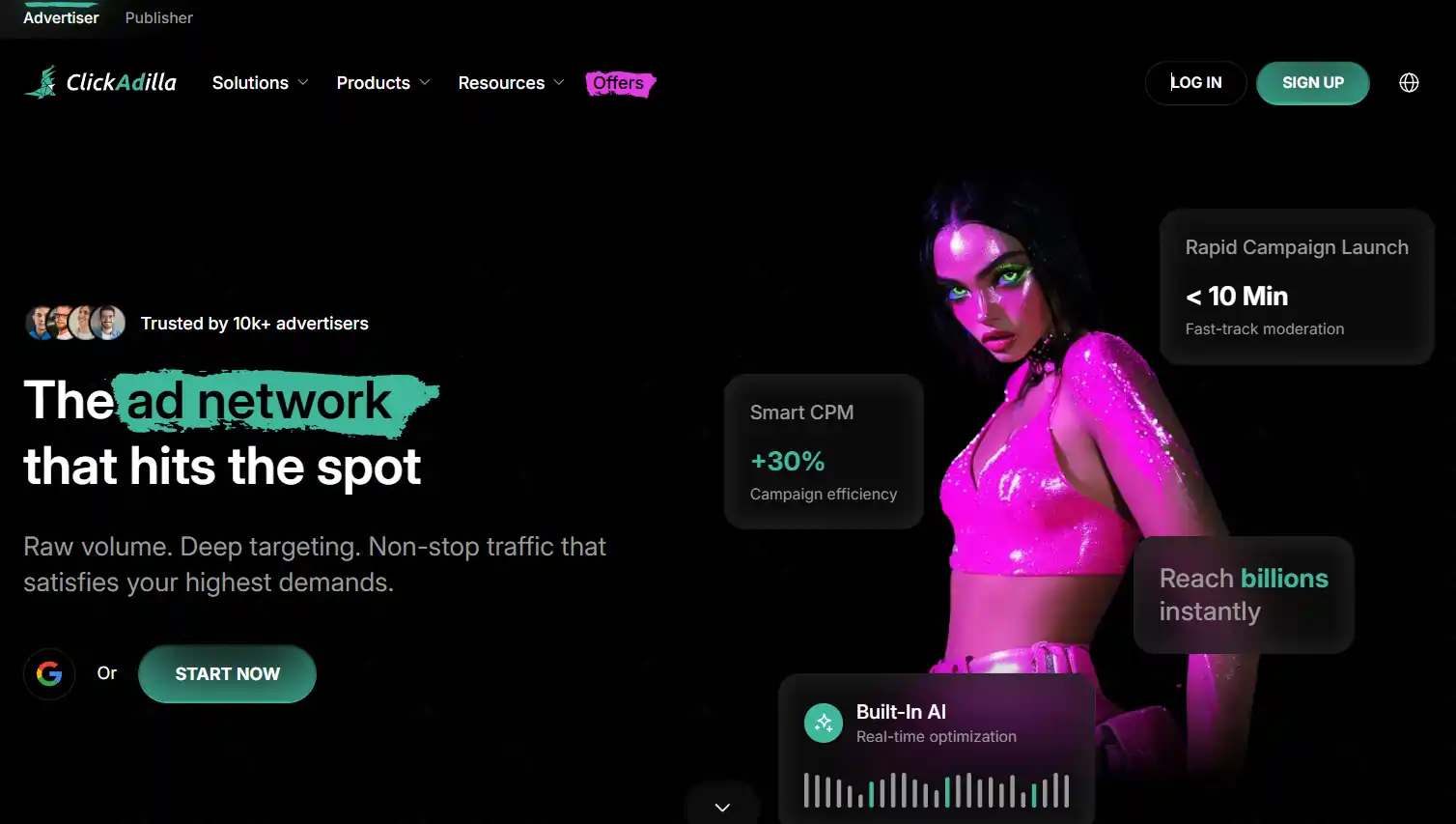
ClickAdilla is an advertising network with two sides. Advertisers buy traffic. Publishers sell it.
On the buyer side, everything runs through a real-time bidding auction. You pick a format, set targeting and enter a bid. The highest bid for an impression wins.
There's more under the hood than a basic pop network.
Its roots are in adult traffic. The “Premium” sources come from an exclusive partner, TubeCorporate, which runs adult tube sites. Keep that in mind when you plan mainstream campaigns.
Who Should Actually Use ClickAdilla
Who Should Skip It
ClickAdilla Ad Formats and Buying Models Explained
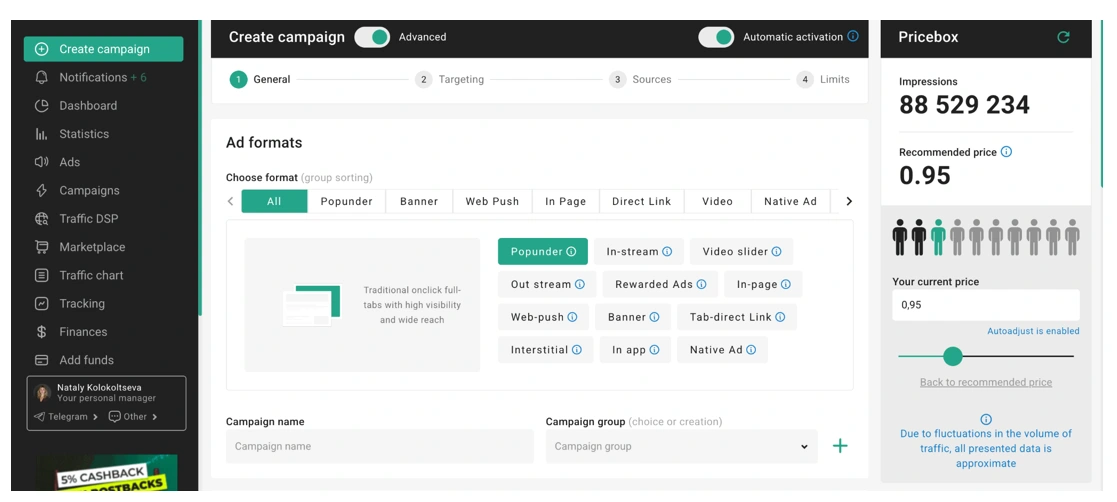
ClickAdilla runs seven ad formats. The catch is that buying models change per format. Smart CPM on one, CPC Goal on another, CPA almost everywhere.
| Format | Buying models | Creatives needed? |
|---|---|---|
| Popunder | Smart CPM, CPM, CPM Goal, CPA | No. Your landing page is the ad |
| In-Page | Smart CPM, CPM, CPC, CPC Goal, CPA | Yes. Icon, image, title, text |
| In-Stream video | Smart CPM, CPM, CPC, CPA | Yes. Video creative |
| Banner | CPM, CPC, CPM Goal, CPA | Yes. Static, animated or rich media |
| Web Push | CPC, CPC Goal, CPA | Yes. Push creative |
| Native | CPM, CPC, CPM Goal, CPA | Yes. Image with a title |
| Direct Link | CPM, CPC, CPA | No. Landing page only |
Popunder Ads and Direct Link Traffic
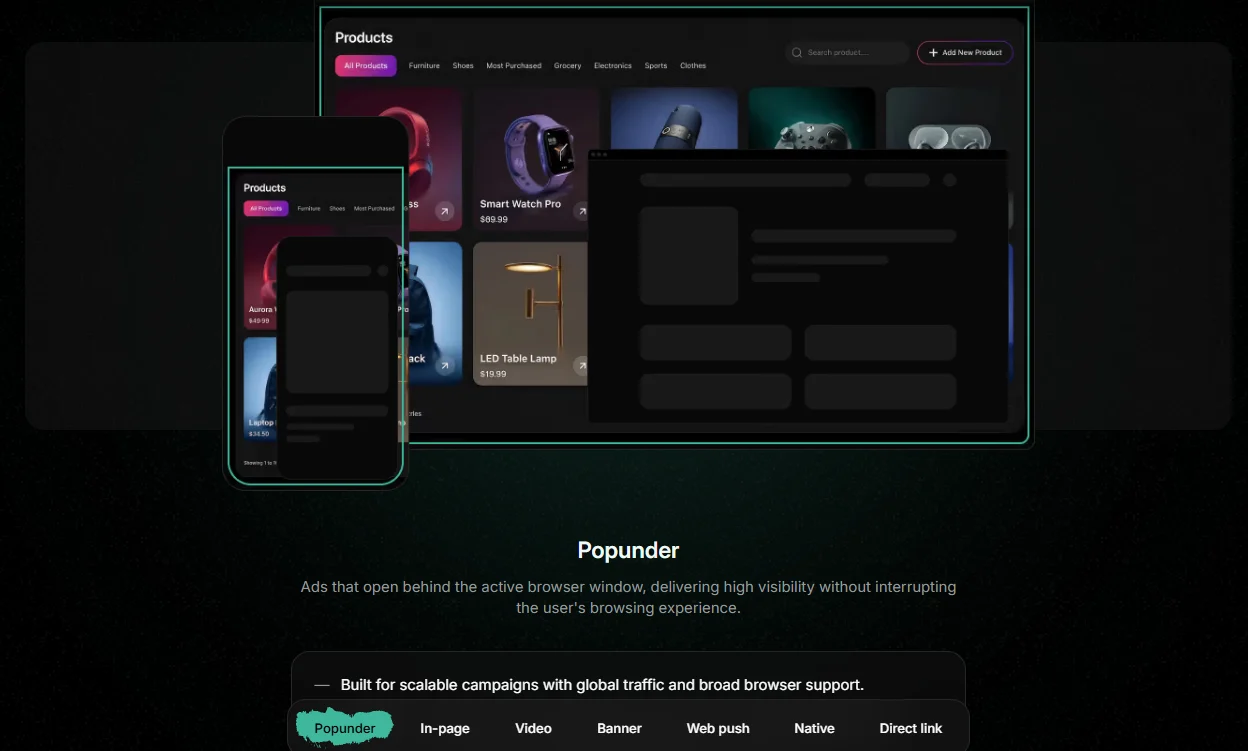
Popunder ads open a new window behind the one the user is reading. They see your page when they close or switch tabs.
No banners. No copy. Just a URL. That's why pops are the fastest way to get a first campaign live here.
Direct Link is a different animal. It's a button in a site's navigation menu that sends users straight to your offer.
Sites carry no more than two of these links each. Most of this inventory sits in the adult category, so plan your offers around that.
In-Page Push Ads and Web Push Notifications
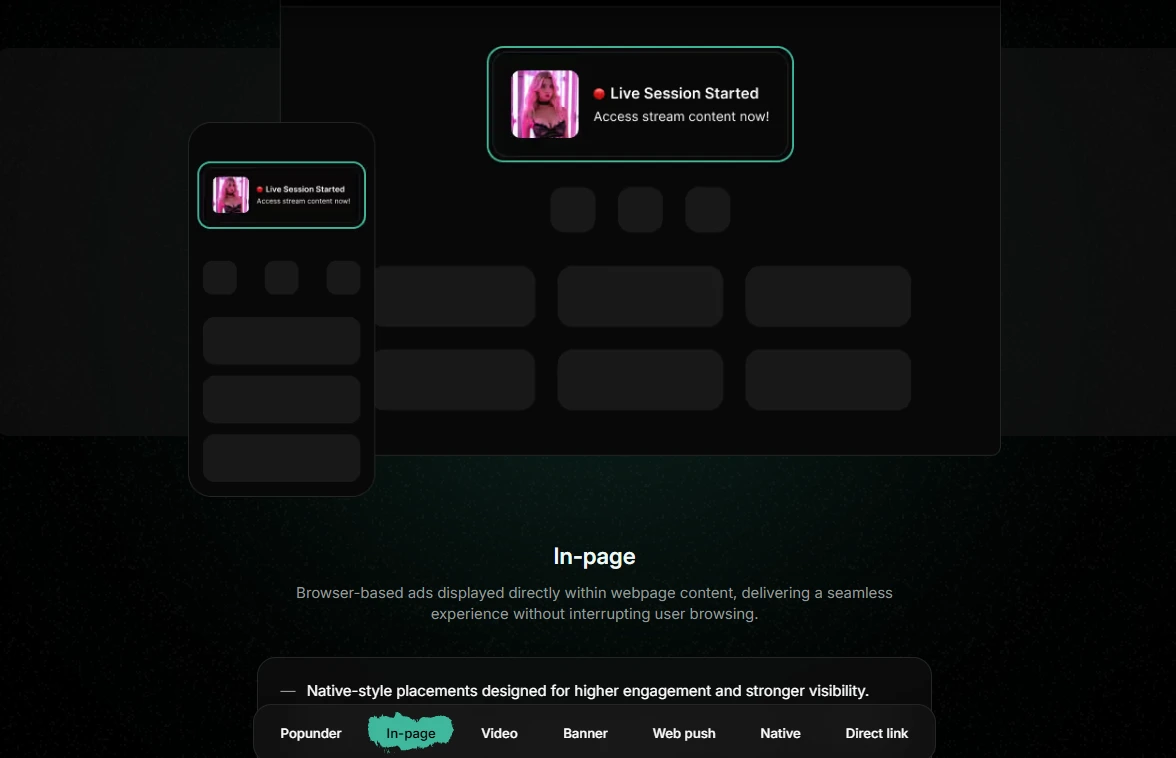
In-Page push ads look like push notifications. But they live inside the web page and stay pinned in place while the user scrolls.
No subscription is needed. That means more reach than classic push, and iOS users see them too.
Creative rules are tight, so prep assets before you sit down to build.
| In-Page element | Limit |
|---|---|
| Title | 25 characters max |
| Body text without image | 100 characters max |
| Body text with image | 35 characters max |
| Icon | 192 × 192 px |
| Main image | 360 × 240 px |
Web push notifications go to users who subscribed to a site's alerts. They show up outside the browsing session, across desktop and mobile.
Push is click-based only here. CPC, CPC Goal or CPA. No CPM option.
Banner Ads, Native Ads and In-Stream Video
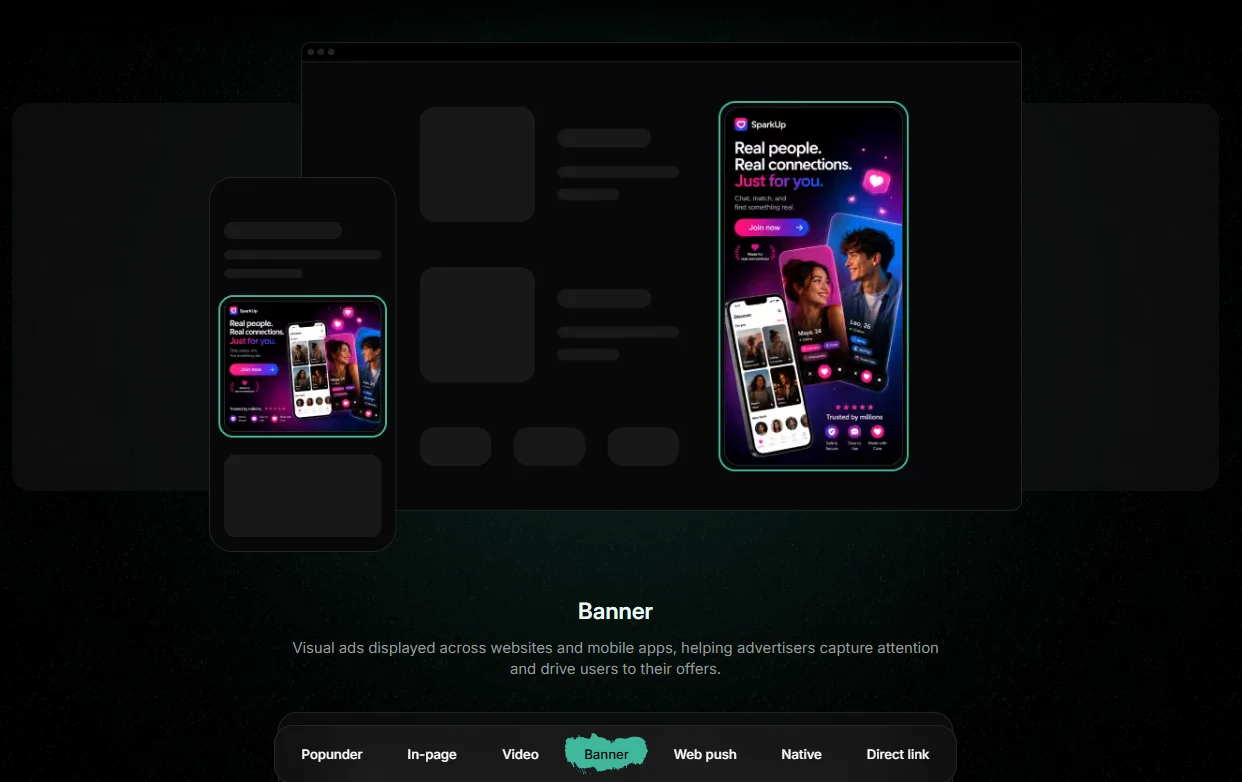
Banner ads support static, animated and rich media files. Placements are tied to specific spots on partner sites.
| Banner spot | Size | Where it shows |
|---|---|---|
| Cube Head, Middle, Footer | 300 × 250 | Main page between videos |
| NTV A, B, C | 300 × 250 | Right side of video pages (desktop and tablet) |
| Underplayer | 728 × 90 | Below the video player |
| In-Video | 300 × 250 | After the user clicks to watch (desktop and tablet) |
| Mobile Header | 300 × 100 | Top of the mobile page |
| Mobile Instant Message | 300 × 100 | Bottom of the mobile page |
| Mobile Interstitial | 300 × 250 | Full screen overlay on mobile |
Most spots sit around video content. That's the tube site heritage showing.
Native ads are a banner with a headline that blends into site content. They're built to beat banner blindness and suit softer offers like utilities or content-led nutra funnels.
In-Stream video ads come in four flavors.
RON vs Premium Sources and Popunder Traffic Types
Source choice changes your costs more than most people expect.
RON (Run of Network): A wide pool of sites. You can't pick sites up front, but you can blacklist or whitelist after data comes in. More volume, lower CPM.
Premium: Handpicked sites from TubeCorporate. You choose one or more specific sites. Less volume, higher prices, more control.
For a first campaign, we pick all sources. Then we cut the dead weight using stats. That beats guessing.
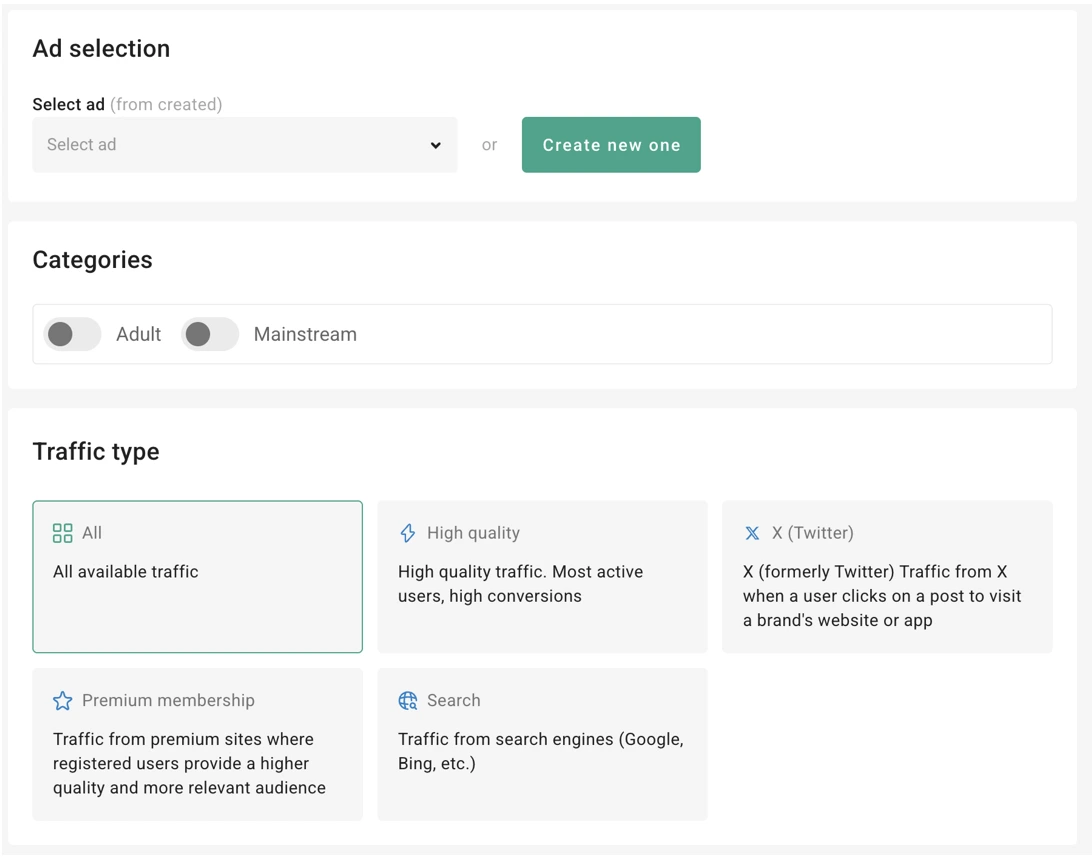
Pop buyers also get a traffic type filter in the General step. It's one of the more useful features we found.
Search traffic is the one we'd try first for mainstream sweeps. Those users were actively looking for something, so intent runs higher.
Traffic Reach, Top GEOs and Best Verticals on ClickAdilla
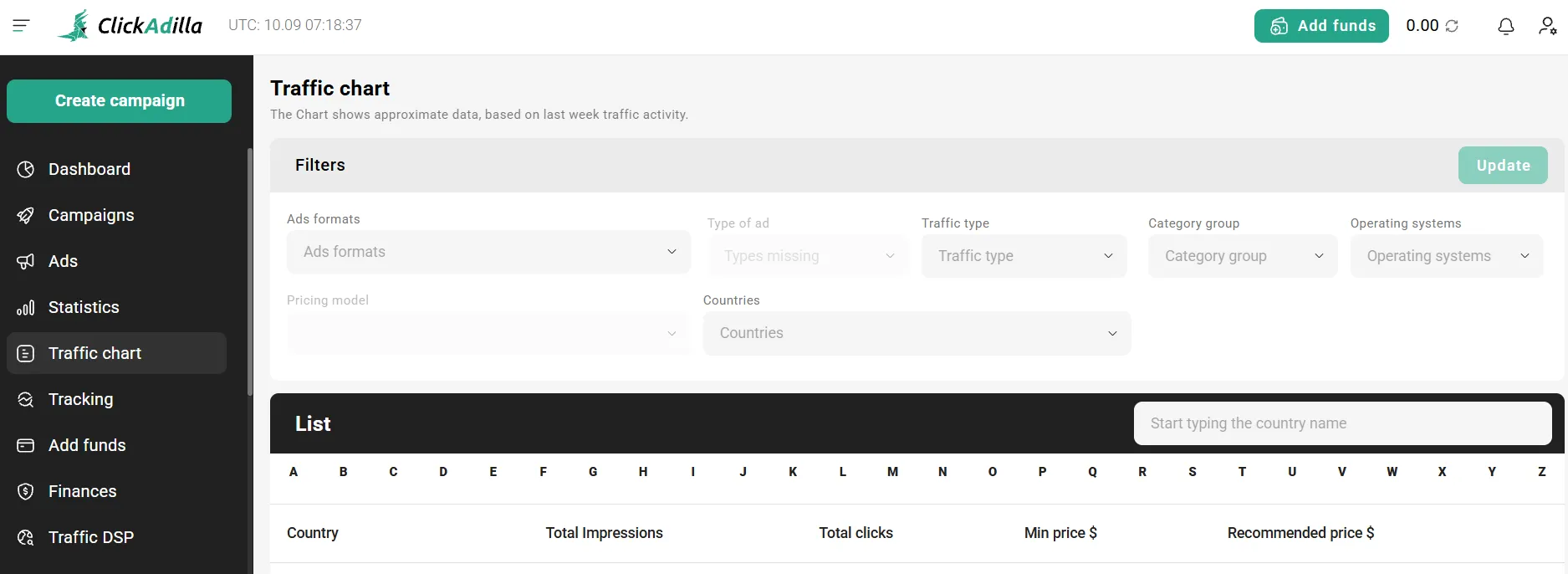
Coverage is global, so GEO choice comes down to price and offer fit. CPMs in Tier-2 and Tier-3 GEOs stay low, which helps small budgets stretch.
High-cost GEOs like Japan can still pay off. You just need higher payouts per click to cover the spend.
These are the verticals where ClickAdilla traffic makes the most sense, and how we'd pair them.
| Vertical | Formats we'd start with | Fit |
|---|---|---|
| Dating offers | Popunder, In-Page, Direct Link | Strong |
| iGaming and betting | Popunder, In-Page | Strong |
| Utilities and subscriptions | Popunder, Native | Strong |
| Nutra offers | In-Stream, Native, In-Page | Works with good creatives |
| Crypto offers | In-Stream, Native | Works with good creatives |
| Mainstream brand | Banner, Native on filtered sources | Needs careful source picks |
Moderation is also friendlier to affiliate setups than big social platforms. Smartlinks and CPA offers get approved without drama, as long as the landing page follows the ad rules.
ClickAdilla Targeting Options and Campaign Controls
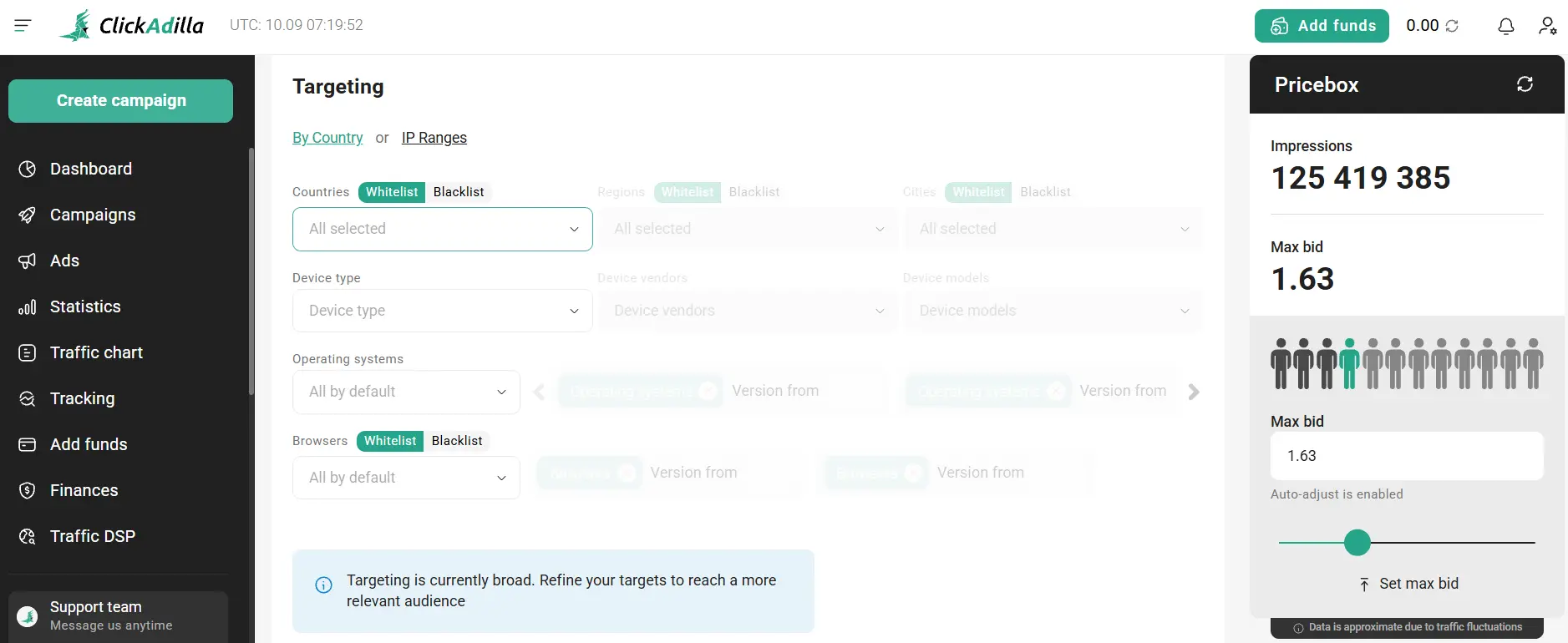
The targeting menu covers what a pop or push buyer needs. Nothing exotic, nothing missing.
One gotcha. IP range targeting can't be combined with connection type. Pick one.
Leave a field blank and it targets everything. Stack too many filters and volume falls off a cliff fast.
Frequency Capping, Dayparting and Spend Limits
Frequency capping controls how often one user sees your ad, like once per 24 hours per IP. Dayparting lets you run ads only at hours that convert.
Spend control is where ClickAdilla gets granular.
There's also a 1-Click Clone button and creative A/B split tests. We clone a winning campaign, swap one variable and let both run. Simple and fast.
Smart CPM and Automated Bid Optimization
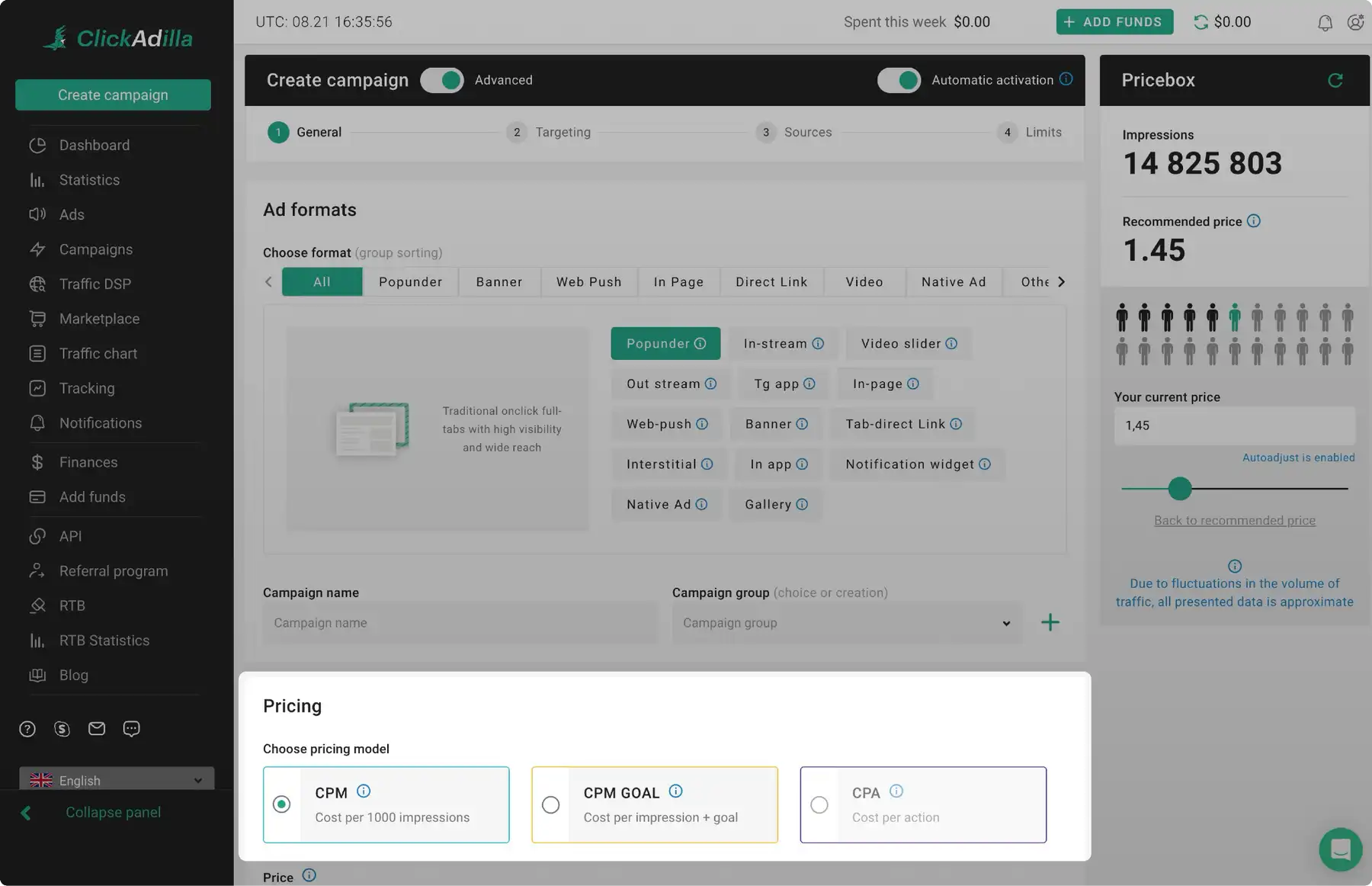
Smart CPM is ClickAdilla's auto-bidding mode. You don't set a fixed price. You set a ceiling.
The algorithm then bids the lowest amount it needs to win each impression. When competition drops, so does your bid. When it rises, the bid climbs up to your cap and no further.
It also cuts zones that don't convert, in real time. That's the part we like most, because manual zone pruning eats hours.
ClickAdilla pitches a +30% lift in campaign efficiency. No baseline comes with that number, so we treat it as marketing until our own tracker agrees.
Dude Tip: Use fixed CPM for your very first test so you know what clean traffic costs. Switch to Smart CPM once you have a target eCPM in mind. It's much easier to judge the algorithm when you have a baseline.
CPM Goal and CPA Campaign Rules You Must Know
CPM Goal uses machine learning to find segments that convert at your target cost per conversion. Good segments get more traffic. Dead ones get throttled.
CPA campaigns are stricter. You only pay for conversions, but you have to earn the right to run them.
- First you need a CPM Goal or CPC Goal campaign on one country with a goal price
- Then a 5-day trial stage starts
- Funds get reserved during that stage. The formula is the sum of your prices × 10
- Each country needs at least 10 conversions to pass
- Any edit restarts the 5 days
Countries under 10 conversions get no traffic after the trial. Fall short overall and the campaign is marked “Failed.”
The Autoadjust Setting That Raises Your Bids
Check This Before You Launch: Autoadjust is switched on by default. Once a day, if your bid sits below the recommended price, ClickAdilla raises it for you.
That keeps traffic flowing. It also means your CPM can creep up without you touching anything. Turn it off if you want full price control.
A small red arrow next to a campaign's price means the bid is too low for the targeting. You can fix it with Adjust price without restarting the campaign.
Automated Rules and Smart Retargeting
Two features here save serious time once a campaign has data.
Automated rules blacklist sites or spots for you when they hit conditions you set.
Our go-to rule is simple. Cost above 2× the payout with zero conversions over 3 days gets blacklisted. Keep conditions realistic, or the rule either does nothing or nukes everything.
Smart retargeting builds audiences from your postback conversions. It works on In-Page only for now.
Tracker Integrations, Postback URL Setup and API
ClickAdilla plays nicely with the trackers most affiliates already use. Setup guides exist for each one.
Supported third-party trackers
Voluum goes further with a full API integration. A public API covers the rest of the platform, and one campaign can fire multiple postbacks for different events.
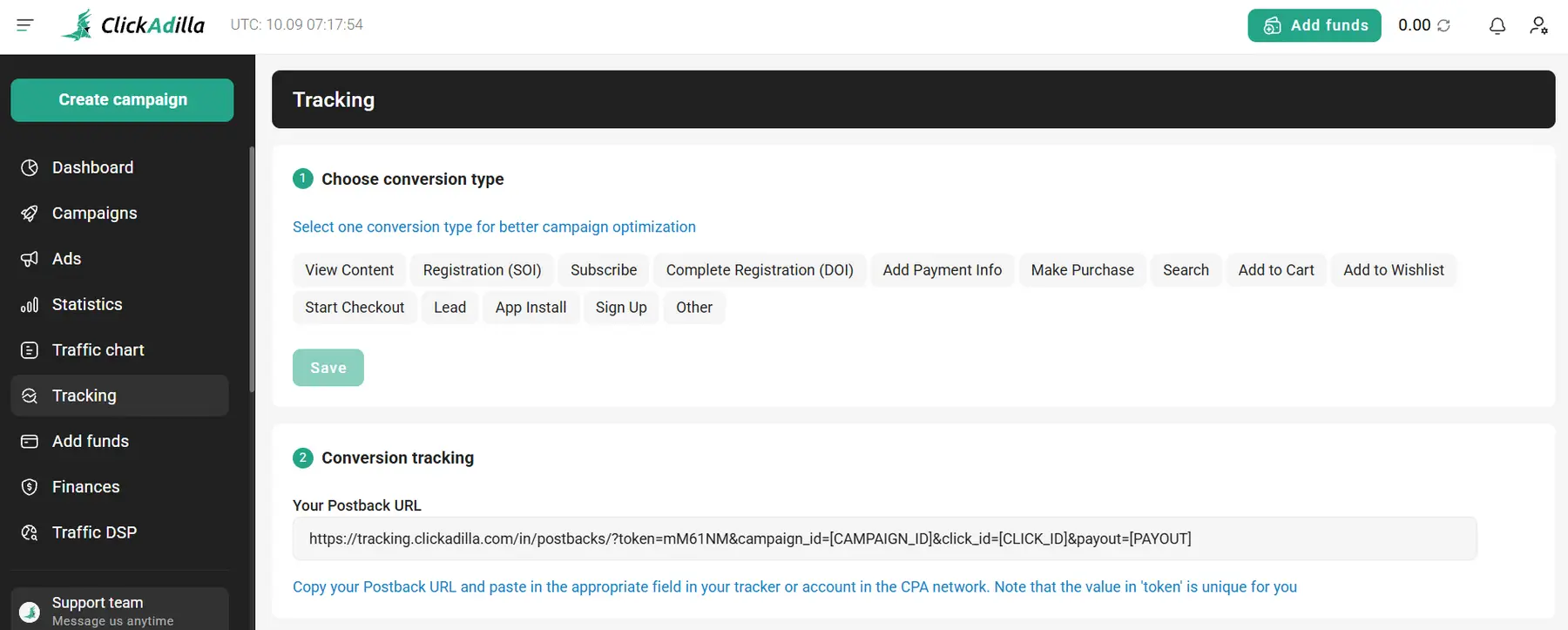
The postback URL lives under Tracking, then Conversion tracking. Copy it into your tracker and pass [CLICK_ID] in your campaign link.
Tracking Tokens Worth Adding to Every Campaign URL
These macros feed your tracker the data you need for zone-level cuts.
| Token | What it passes | Why we use it |
|---|---|---|
| [CLICK_ID] | Unique click ID | Matches conversions back to clicks |
| [SPOT_ID] | Ad placement ID | Zone-level blacklisting |
| [DOMAIN] | Referring domain | Site-level cuts |
| [CAMPAIGN_ID] | Your campaign ID | Keeps reports clean across campaigns |
| [PRICE] | Your bid in USD | Auto cost tracking in the tracker |
| [COUNTRY_ISO_CODE] | Visitor country | GEO splits on multi-country runs |
| [OS_TYPE] and [BROWSER_FAMILY] | Device and browser | Spotting weak device segments |
Format-specific creative IDs exist too, like [POPUNDER_CREATIVE_ID] and [IN_PAGE_AD_CREATIVE_ID]. Add them when you rotate several creatives.
Traffic Quality and Anti-Fraud Protection
Every pop network gets bot complaints on forums, ClickAdilla included. So we checked what protection actually exists.
What we didn't find is a named third-party fraud vendor or a public audit. That's common in this niche, but worth knowing.
ClickAdilla Pricing, Minimum Deposit and Payment Methods
There's no fixed price list. Cost depends on GEO, format, targeting and how many buyers want the same impression.
A Traffic chart in the dashboard shows volume and minimum prices by country and format. Check it before you set a bid.
That $5 floor is per campaign, not a deposit rule. The minimum deposit depends on the payment method and shows on the Add Funds page. For a real learning budget, plan on $500 or more. That's enough data to make cuts with confidence.
| Payment method | Type | What to know |
|---|---|---|
| Visa, Mastercard, Amex, JCB | Card | Card verification may be needed |
| Bitcoin | Crypto | Good for buyers who keep BTC on hand |
| USDT TRC20 | Crypto | Our pick for fast top-ups |
| Cryptomus, Coinbase | Crypto gateways | Handy if you hold several coins |
| Capitalist | E-wallet | Popular with CIS teams |
| Paxum | E-wallet | Common in the adult niche |
| Payoneer | E-wallet | Added in 2026. Emails must match and ID is checked |
| Wire transfer | Bank | Sent in EUR at the ECB rate. You cover the fees |
Most deposits land within a few hours. Some take up to 2 business days. Wire in the wrong currency and the money bounces back, which can take up to 2 months.
One more thing. When the balance hits zero, every campaign stops at once. If you scale, turn on auto payment so a winner doesn't go dark overnight.
Refund Policy and Fine Print
Translation? Deposit in steps. Don't park $5,000 you might want back later.
Marketplace Flat Deals, Traffic DSP and the RTB Exchange
Marketplace flat deals let you reserve a premium placement for a set number of days. No auction. The spot is yours. You buy it from a deal card, and the team contacts you in chat to launch.
Traffic DSP lets you connect outside traffic sources that support RTB or XML. You build campaigns once in ClickAdilla and run them across those sources. You pay a fixed fee for the service, and you need your own account with each source.
The RTB marketplace is the programmatic side for DSPs and SSPs.
How to Launch Your First ClickAdilla Campaign Step by Step
We set up every first pop campaign the same way. You can build and get approval before funding the account.
- Create Your Advertiser Account: Sign up at app.clickadilla.com. It takes about a minute. Pick a personal or company profile. You can switch later.
- Set Up Your Tracker and Postback First: Add ClickAdilla as a traffic source in your tracker. Most trackers have it as a template. Paste the ClickAdilla postback URL into the tracker. Then copy the tracker's campaign link with tokens like [CLICK_ID] and [SPOT_ID].
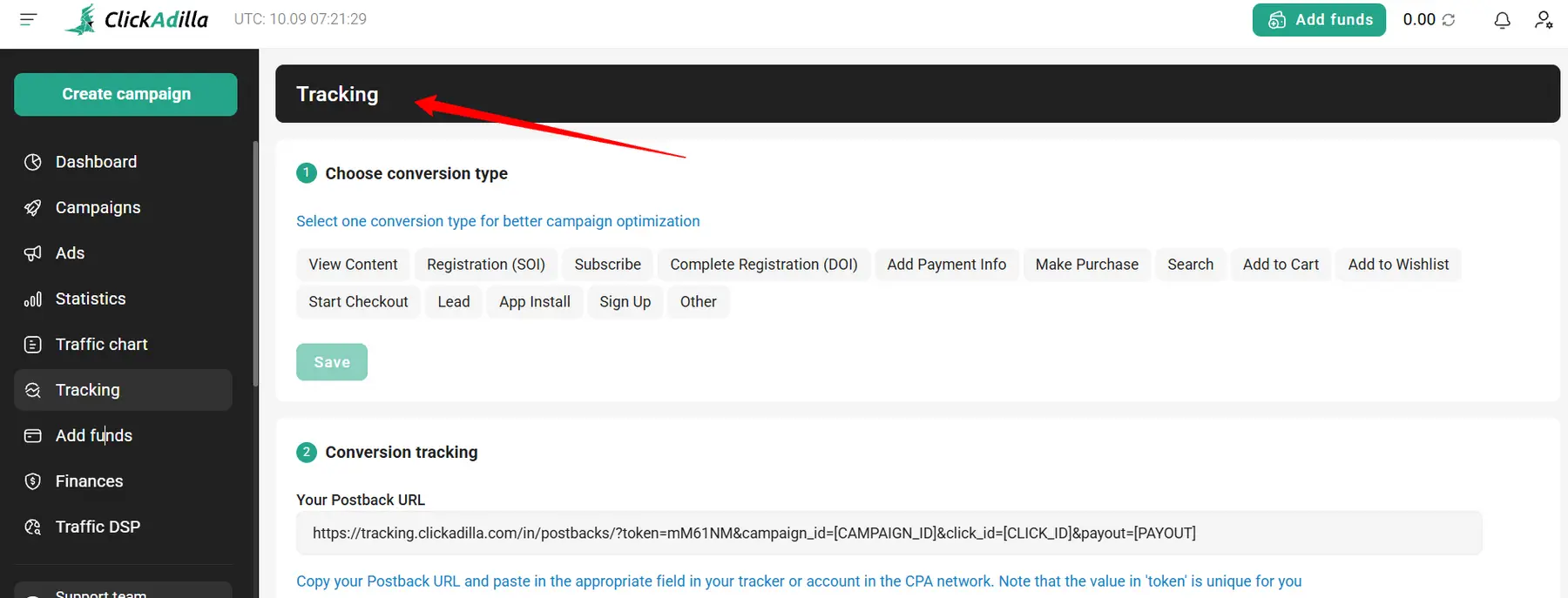
- Create the Campaign and Pick a Format: Click Create campaign. Choose Popunder for your first run. It needs no creatives. Use clear names like “Pop_US_Dating_SmartCPM_v1” so reports stay readable later.
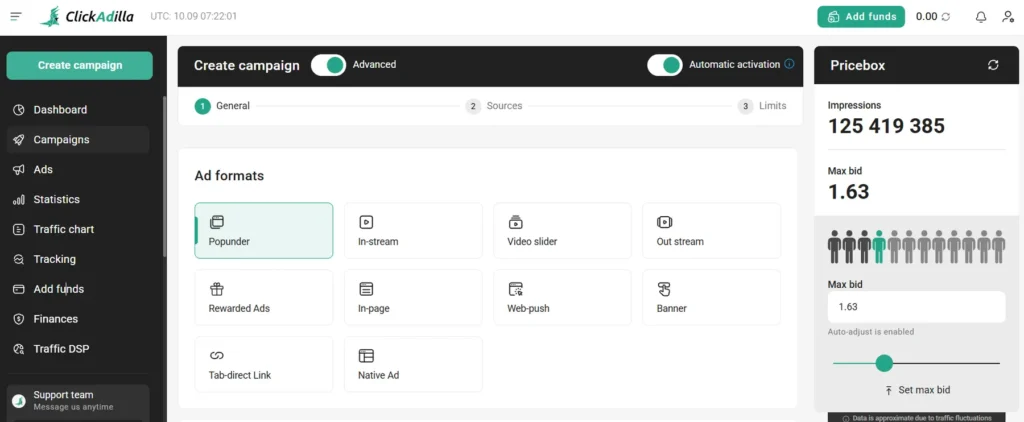
- Choose the Pricing Model and Bid: Start with CPM or flip on Smart bidding. Check the Traffic chart for the minimum price in your GEO. Bid at or slightly above the recommended price. Too low and you get scraps.
- Set Targeting and Sources: Pick one GEO and one device type. Mixing desktop and mobile in one campaign muddies your data. Select all sources for the first run. Pick a traffic type if you want Search or X traffic only.
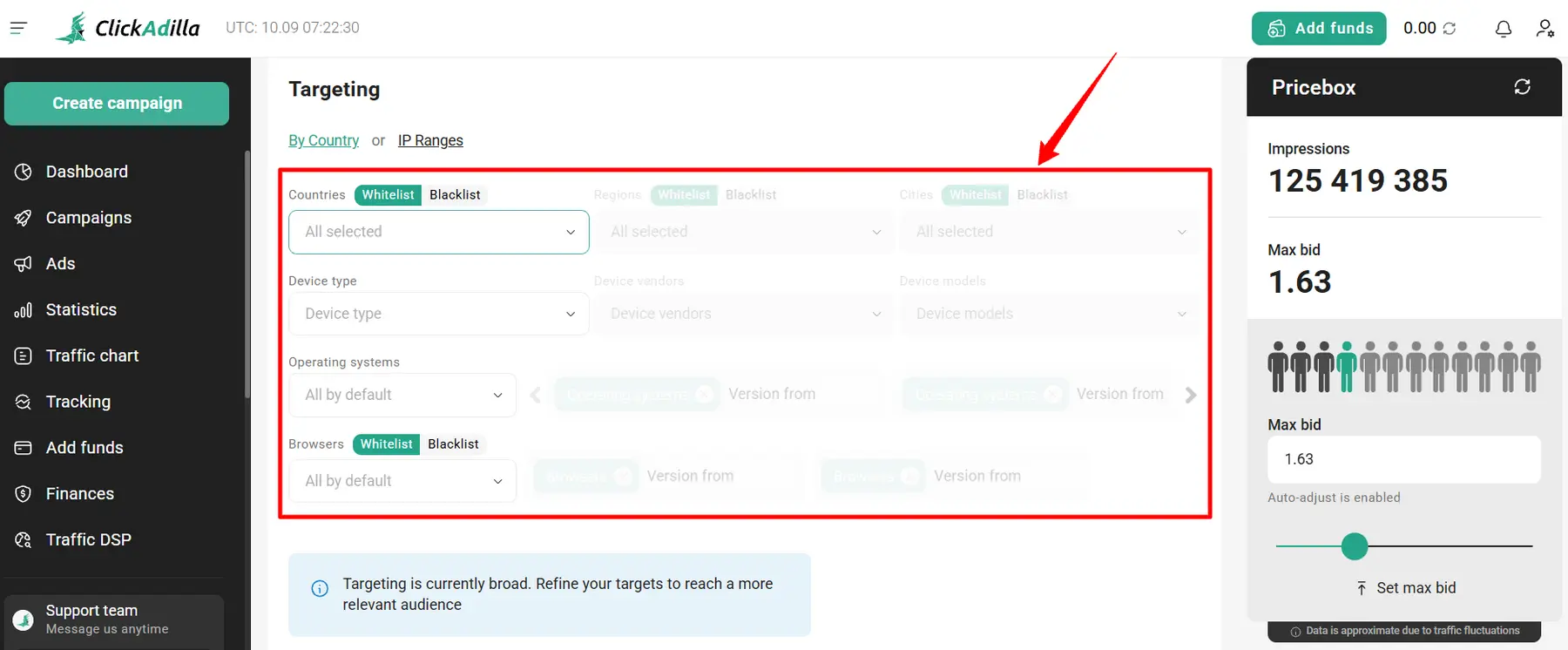
- Add Limits and Frequency Caps: Set a daily cap and a total cap. Add a frequency cap like 1 per 24 hours. Decide on Autoadjust now. Leave it on for volume or switch it off for price control.
- Submit for Moderation and Fund the Account: Submit the campaign. Approval usually takes 5 to 15 minutes. Holidays can add up to a 12-hour delay. Top up with USDT or a card. Once funds land, traffic starts.
Set up an automated rule once you know your break-even numbers.
What a $200 Japan Dating In-Page Case Tells Us
ClickAdilla's head of accounts ran a small In-Page dating campaign in Japan and shared every setting. It's a vendor case, so we treat it as a best-case example. Still, the setup is a useful template.
| Setting | Value |
|---|---|
| Offer | Dating smartlink |
| GEO and format | Japan, In-Page, mobile |
| Tracker | Keitaro |
| Bidding | Smart CPM with a bid above recommended |
| Frequency cap | 1 per 24 hours |
| Zone cap | $8 to $10 per zone from day one |
| Creatives | Japanese only |
| Spend vs revenue | $200 spent, $278 back |
| ROI | +39% |
Three takeaways stood out.
Registration to first impression took about 15 minutes. That matches what we saw on launch speed.
Where ClickAdilla Falls Short
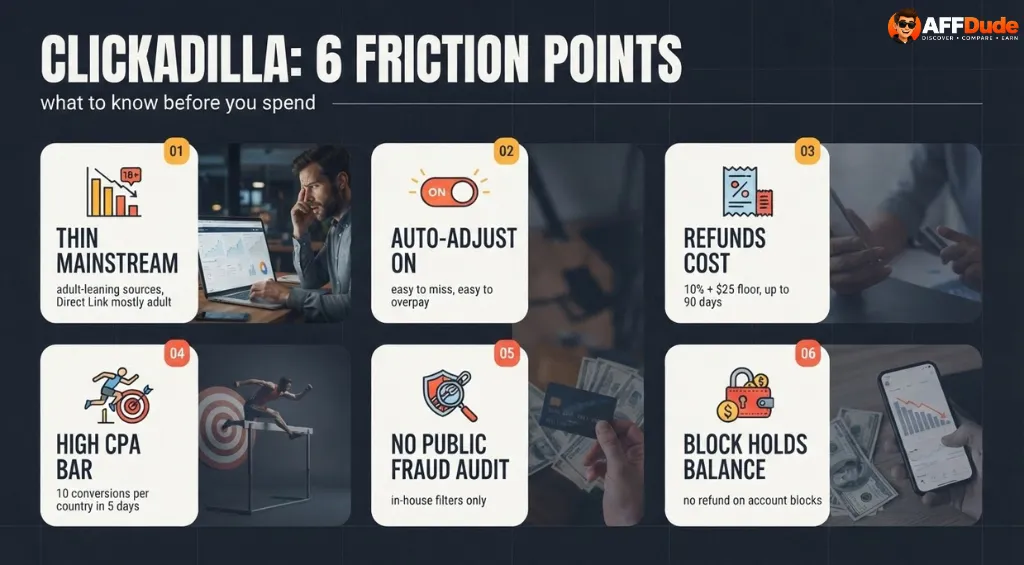
These are the things that bugged us.
ClickAdilla vs Other Advertising Networks
Most of our readers run more than one pop network. So we stacked ClickAdilla against the usual suspects.
| Ad Network | ClickAdilla | PropellerAds | Adsterra | HilltopAds |
|---|---|---|---|---|
| Core formats | Pop, In-Page, Push, Banner, Native, Video, Direct Link | Pop, Push, In-Page, Interactive, Telegram Mini Apps, Paid Social | Pop, In-Page, Social Bar, Interstitial, SmartLink, Native, Banner | Pop, In-Page, VAST video, Video Slider, Banner, MultiTag |
| Auto bidding | Smart CPM, CPM Goal, CPC Goal | CPA Goal 2.0 | Smart CPM, CPA Goal | CPA Goal, Auto Optimization |
| Claimed reach | 20B+ impressions, 200+ GEOs | 15B+ daily impressions | 248 GEOs | 273B+ monthly impressions, 250+ countries |
| Stands out for | Adult heritage, low entry, Smart CPM on video | Huge push volume, AI campaign builder | Social Bar, big direct publisher base | Wide payment list, video formats |
Our read? PropellerAds wins on sheer push scale. Adsterra has the widest mainstream mix. HilltopAds is strong on video.
ClickAdilla wins on entry cost. Its $5 campaign floor undercuts Adsterra's $25 campaign minimum and HilltopAds' $100 deposit. It's also a strong pick for adult and dating pops. We'd run it as the second or third source in a rotation, not the only one.
ClickAdilla Publisher Payouts, Ad Tag and Traffic Buyouts
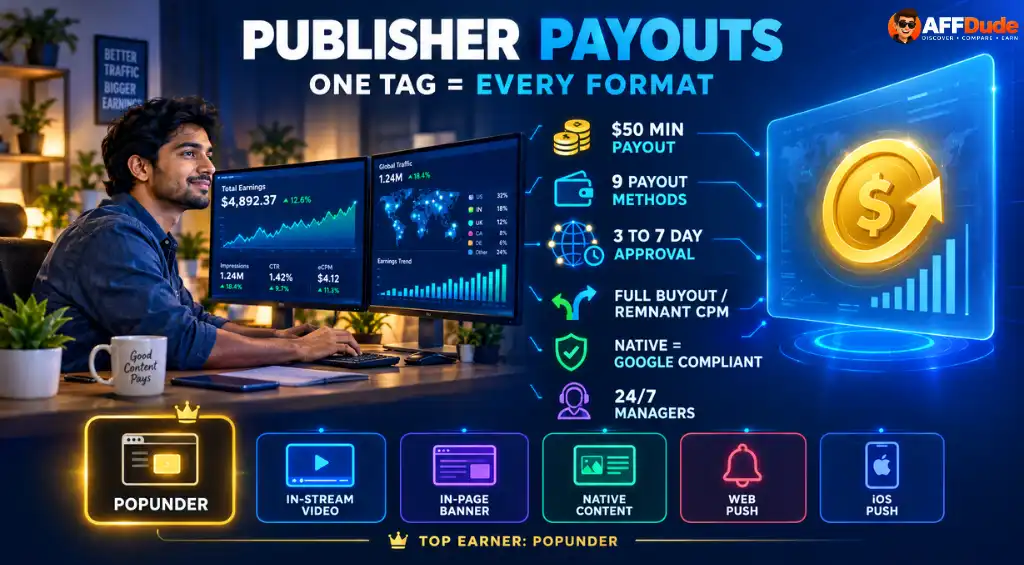
Popunder is the top earner for most publishers here, which tracks with the advertiser demand we saw.
Support, Account Managers and the Referral Program
Support is one of ClickAdilla's better points. No tickets and no multi-day waits.
The manager is worth using. Ask for whitelists that work in your GEO and vertical. They see data you don't.
Our Verdict on ClickAdilla
| Area | Our rating | Why |
|---|---|---|
| Ease of launch | Strong | Fast approval, no creatives needed for pops |
| Bidding tools | Strong | Smart CPM, Goal models, rules and retargeting |
| Tracking | Strong | Wide tracker list and clean tokens |
| Payments | Strong | Cards, crypto, e-wallets, Payoneer and wire |
| Mainstream inventory | Average | Possible, but needs source filtering |
| Refund terms | Weak | Fees, minimums and long waits |
| Fraud transparency | Average | In-house checks, no public audit |
🏁 The Dude's Bottom Line: ClickAdilla is a legit, low entry traffic source for affiliates who live on pops and In-Page push. Smart CPM and automated rules take a lot of grunt work off your plate.
It's not a brand safe mainstream network, and the refund terms punish over-depositing. Start small, track everything, kill bad zones fast and scale what converts.
The Dude abides.
Recommended Articles

User reviews
Your experience matters.
Used ClickAdilla? Help other affiliates understand what to expect.
Write a review
No user reviews for ClickAdilla yet. Used them? Write the first one.
Share your experience with ClickAdilla
FAQ
How do advertisers run and target ads directly on Telegram through Clickadilla?
Advertisers can launch targeted campaigns directly inside Telegram channels using specialized ad placements.
Does Clickadilla support server-to-server (S2S) postback tracking for conversion optimization?
Yes, it fully supports S2S postback tracking with dynamic tokens for precise conversion tracking.
Can media buyers integrate external traffic sources using RTB or XML feeds on Clickadilla?
Yes, Clickadilla supports RTB integration and XML traffic feeds for advanced programmatic media buyers.


