ExoClick
Advertising platform serving advertisers and publishers through its ExoClick brand
ExoClick is a premier global advertising network offering innovative ad formats, real-time bidding, and advanced targeting tools to help advertisers and publishers maximize digital revenue.
Find your next audience.
Review the details, save your shortlist, and check the provider’s current terms.
Sign Up- Ad formats
- Video / Pre-roll
Check eligibility and any method-specific limits in the full terms below.
Dude Verdict
ExoClick is a massive, high-volume ad exchange offering exceptional RTB tech, AI Smart Bidding, and diverse ad formats—making it an essential network for scaling adult and mainstream campaigns.
- Offers / Quality8.3
- Payouts / Pricing8.1
- Tracking / Tech8.4
- Support8.0
Pros
- · Massive global scale with billions daily impressions.
- · Over twenty diverse converting ad formats available.
- · Advanced granular audience targeting and retargeting tools.
- · Robust real time analytics and reporting dashboard.
- · Flexible automated bidding and API integration options.
Cons
- · High account deposit threshold for new advertisers.
- · Steep learning curve for beginner media buyers.
Buying terms
- Managed
- Yes
Ad formats
- Video / Pre-roll
Strong GEOs
- Worldwide
ExoClick is a Barcelona based ad network and ad exchange that serves 20 billion geo targeted ads a day across 65,000+ publisher platforms.
For affiliates, that means one of the biggest self-serve pools of adult web traffic, entertainment traffic and members area inventory on the market.
ExoClick is worth your budget if you run dating, AI dating, cams, iGaming or creator offers and already track conversions.
The ExoClick minimum deposit is $200. Campaigns can run from $20. Smart Bid needs roughly 30 conversions before it optimizes properly.
Skip it if you want cheap set and forget traffic with zero tracking. ExoClick rewards buyers who optimize.
We run push, popunder, native and video on ExoClick for our own offers. So this ExoClick review skips the brochure and covers what we actually switch on, what we switch off, and where money quietly leaks.
What Is ExoClick and How the Ad Exchange Works
Benjamin Fonzé founded ExoClick in Barcelona in 2006, and he still runs it as CEO. The company sits inside EXOGROUP, and its ad serving tech comes from sister company EXADS.
ExoClick turns 20 in 2026. To mark that, the brand rolled out a new logo and a fully redesigned website.
Two products run side by side.
Buyers can work self-serve, automate through the platform API, or plug in programmatically with OpenRTB 2.4 and 2.5.
Traffic leans hard toward phones. In the 2026 Media Kit, 78.7% of ExoClick ads land on mobile devices. India, the United States, Brazil, Germany and France lead daily impressions, followed by China, Mexico, Japan, Indonesia and the UK.
| ExoClick at a glance | Detail |
|---|---|
| Founded | 2006, Barcelona, Spain |
| Founder and CEO | Benjamin Fonzé |
| Parent | EXOGROUP |
| Daily ads served | 20 billion, geo targeted |
| Ad formats | 20+ across web, mobile, video and native |
| Mobile share | 78.7% of ads served |
| Pricing models | CPC, CPM, Smart CPM, Smart CPC, CPV, Smart Bid |
| Minimum deposit | $200 prepaid |
| Smallest campaign | $20 |
| Support | 24/7 Customer Success and account managers |
ExoClick Ad Formats Worth Your Budget
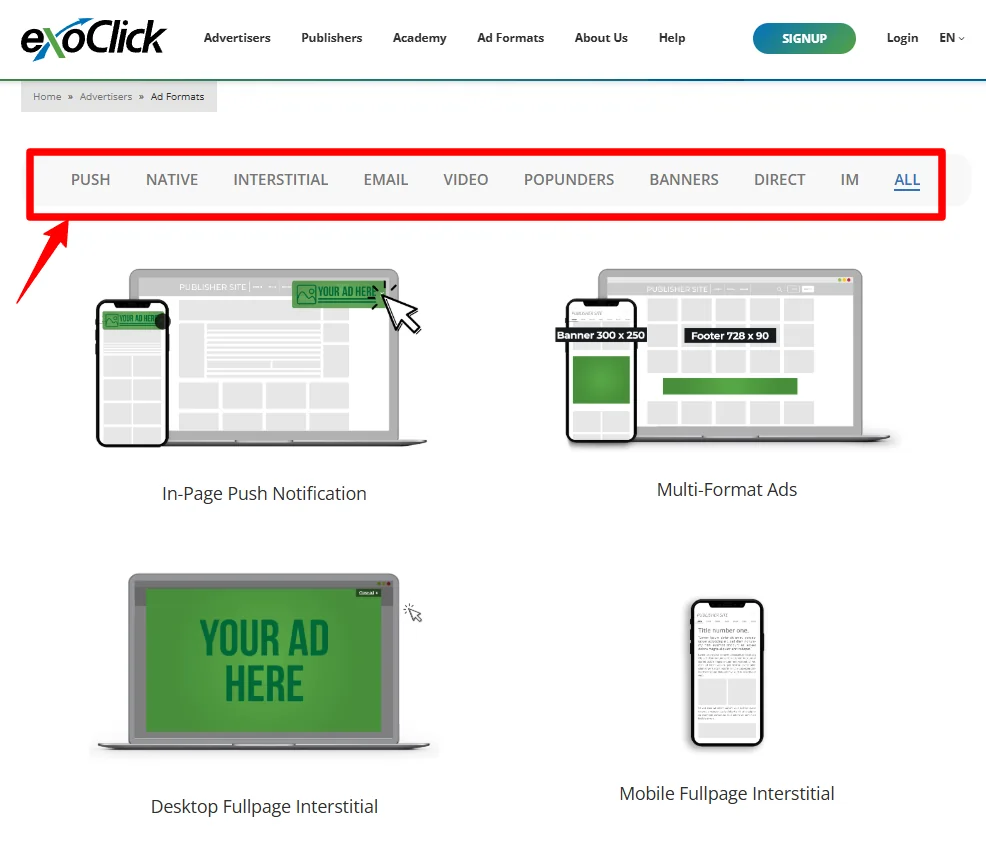
ExoClick lists 20+ ExoClick ad formats. We do not use all of them. The table below shows every format, which pricing models it accepts, and the vertical where we think it earns its keep.
| Format | Best vertical (our pick) |
|---|---|
| Banner | Dating, cams retargeting |
| Sticky Banner | Ecommerce, creator platforms |
| Popunder and Mobile Popunder | iGaming, utilities, dating |
| Instant Message and Mobile Instant Message | Dating, live cams |
| Desktop and Mobile Fullpage Interstitial | AI dating, iGaming |
| Direct Link (by request) | High volume CPA offers |
| Email Clicks | Dating, members offers |
| In Stream Video (VAST) | Streaming, VoD, games |
| Vertical Video (VAST) | AI companion, creator platforms |
| Video Slider | Cams, VoD |
| Outstream Video | Ecommerce, brand offers |
| In Video Banner (VAST) | Games, streaming |
| Native Recommendation Widget | Nutra, ecommerce, AI dating |
| Push Notifications | Utilities, dating |
| In Page Push | Dating, iGaming |
| Mobile Banner | Broad mobile offers |
| Multi Format zones | Scaling winners |
| Responsive Display Ads | Extra native reach |
Push Notification Ads and In Page Push Ads
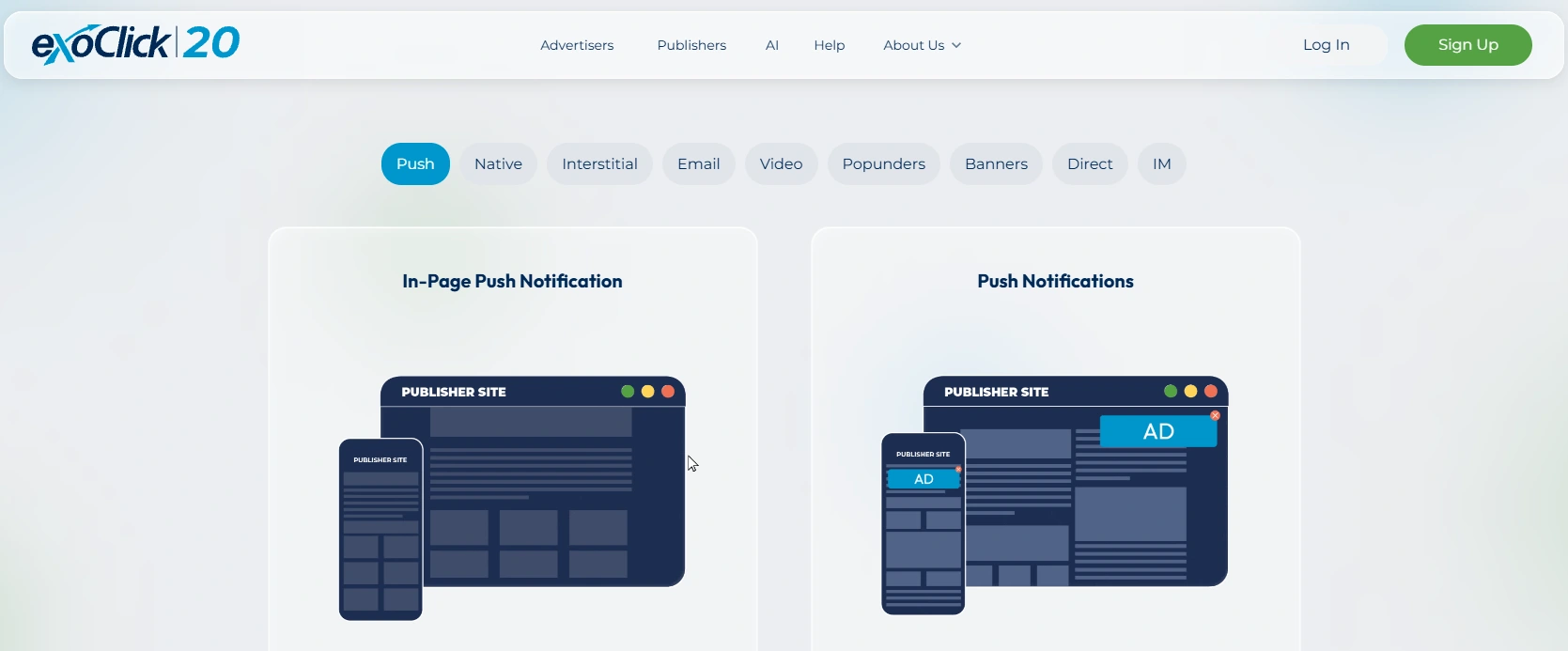
Classic push notification ads go to users who opted in on a publisher site. Users get them even when they are not browsing.
In page push ads look the same but render inside the page, so no opt in is needed. A publisher can show up to two per page. If an interstitial fires at the same moment, the interstitial wins.
Popunder Traffic and Fullpage Interstitial
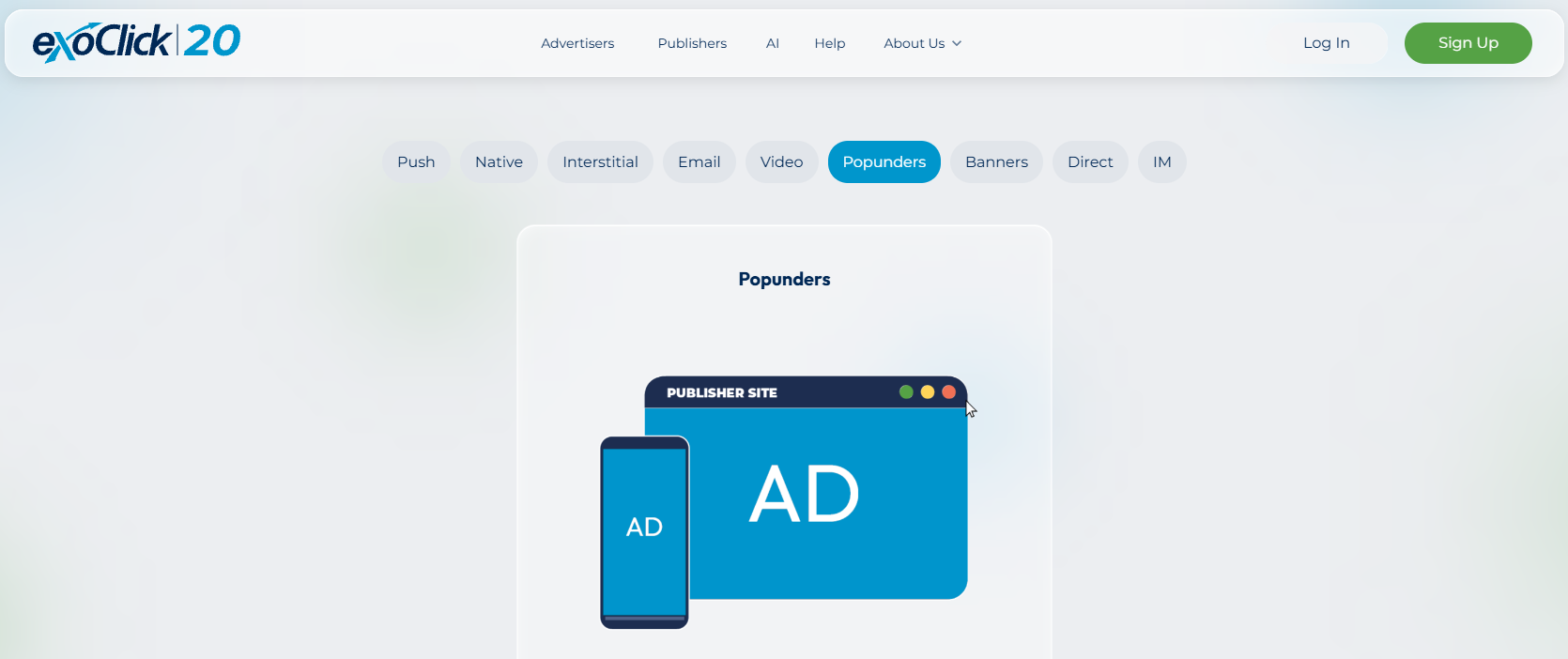
Popunder traffic opens our landing page in a new tab behind the publisher page. Popunders accept CPM, Smart CPM and Smart Bid only. No CPC here.
The Desktop Fullpage Interstitial is a 1600×900 takeover that shows on desktop, Smart TV and console screens. The mobile version is 900×1600 and closes itself if the phone turns sideways, unless we use an iframe lander.
Dude Tip: When we prospect new pop sources, frequency capping stays at 1 impression per 24 hours. Once a zone proves itself, we loosen the cap on that zone only.
Native Recommendation Widget with Video Thumbs
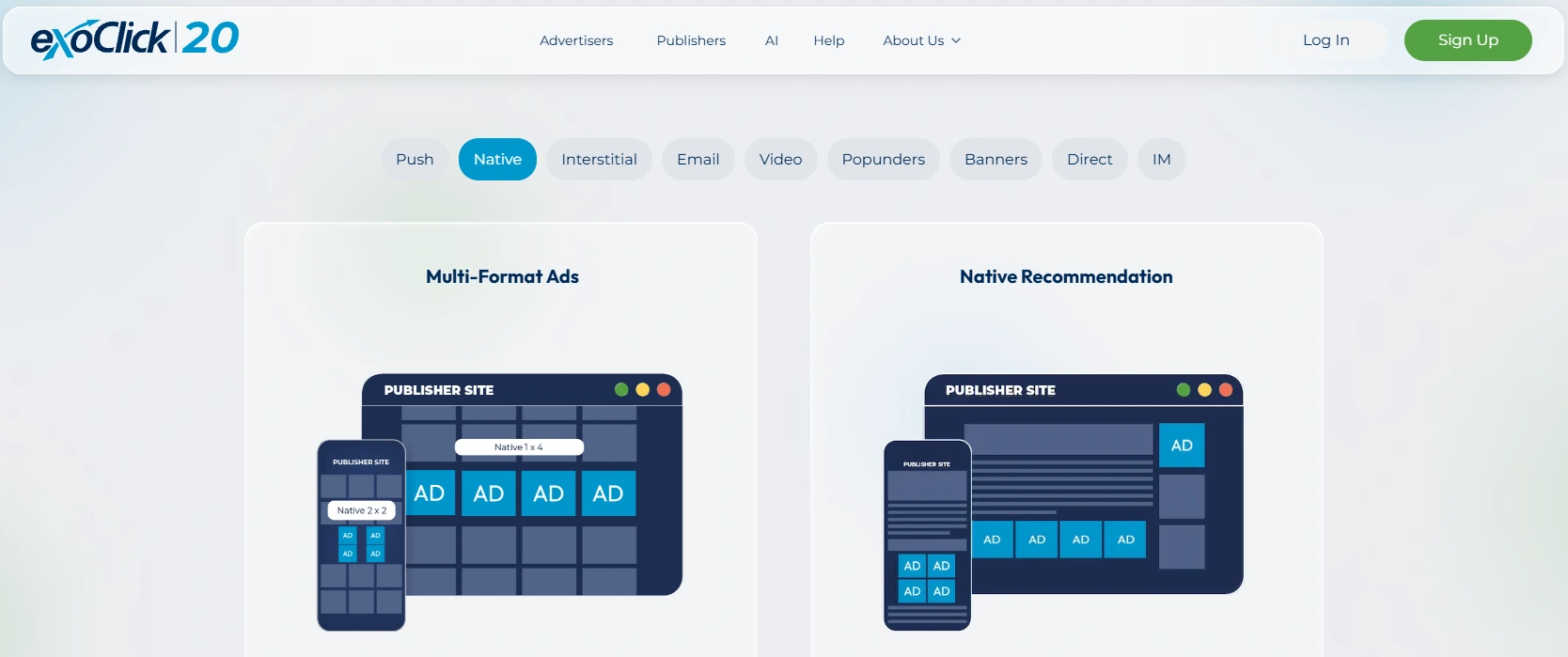
ExoClick runs a full native ad network through its Recommendation Widget. Each ad is an image, a title, a description and a brand name.
Native titles accept Dynamic Tokens, such as a city name, and ExoClick translates token output into 12 languages including Spanish, German, Japanese, Thai and Indonesian.
Two checkboxes matter at setup. “Only Native Zones with Title” filters out zones that hide headlines. “Responsive Display Ad Zones” pushes the same creative into banner zones, and it comes switched on.
In Stream Video, Outstream and the New Vertical Video Format
In stream video ads play inside publisher video players over VAST. Creatives run 10 to 30 seconds, and the skip button appears at 5 seconds. A CPV view counts after 10 seconds at normal speed.
We split desktop and mobile video into separate campaigns. Player setups differ so much that view rates and click rates never line up between the two.
The headline launch of 2026 is Vertical Video (VAST), a Reels style 9:16 format that sits between organic clips in TikTok style feeds.
Picking Vertical Video locks the zone type automatically. ExoClick's design team can also produce on spec 9:16 creatives for buyers without vertical assets.
Dude Take: Users can swipe a vertical ad away in zero seconds. So the hook lives in frame one. Our best vertical creatives show the offer before the first second ends.
Two quieter video options round things out. The Video Slider slides in from the bottom right with a close button. Outstream plays muted once more than 50% of it is visible and never shows in containers under 200px.
Multi Format Zones and Responsive Display Ads
Multi Format zones let a publisher merge up to ten Banner or Native zones into one slot. The ads compete, and the highest eCPM wins the space.
For buyers, that means existing banners and native creatives reach extra placements with zero new design work.
Responsive Display Ads work in a similar spirit. Native campaign content gets reshaped to fit Banner, Instant Message, Sticky Banner and Fullpage Interstitial zones that publishers have opened to native demand.
Make Money Move: Leave RDA on for the first few days, then compare RDA zones against pure native zones in your stats. Keep it if eCPA holds, untick it if banner placements drag the average.
Two more formats deserve a mention. ExoClick Direct Link is a CPC format sold on selected publishers by request, often shown as full page tabs or back button offers. Email Clicks sends a personalized email from a publisher's opt in list, and the CTA lands on our offer.
ExoClick Bidding Models Explained for Media Buyers
Every campaign competes in a live auction ranked by eCPM. How that eCPM gets calculated depends on the pricing model, and that choice shapes everything after launch.
Smart CPM versus CPC and When We Use Each
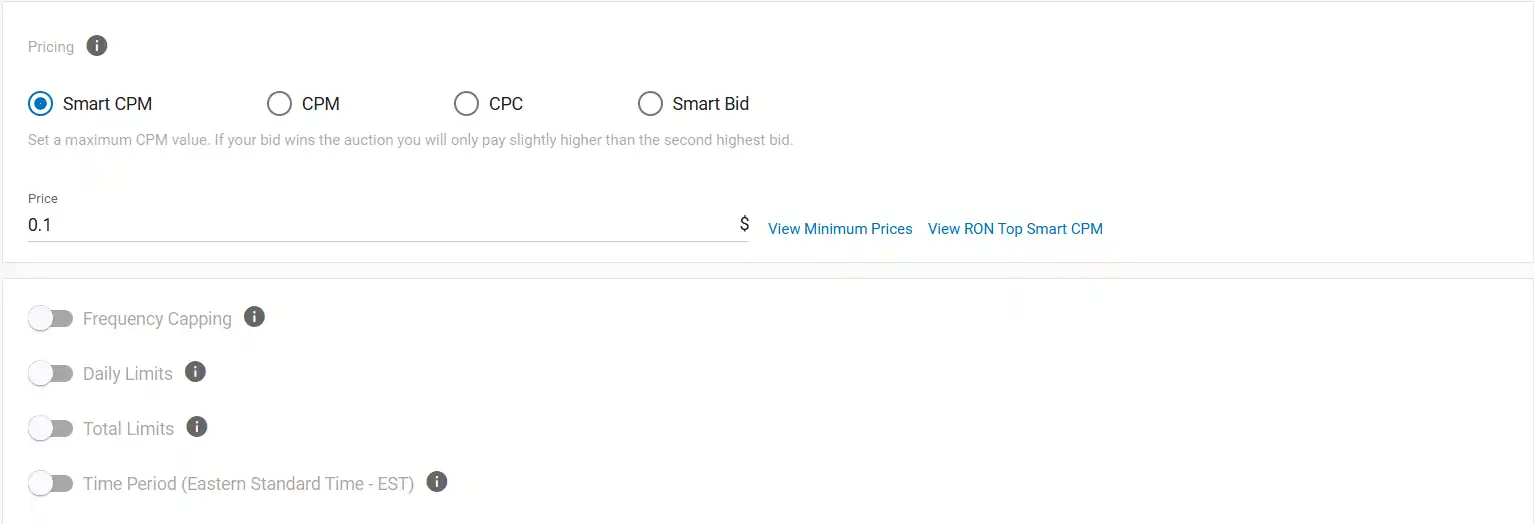
Smart CPM is our default. We set a maximum CPM, and ExoClick charges only what is needed to hold the top spot in that segment. We pay our full max only when another buyer matches or beats it.
Plain CPM charges the exact bid every time. ExoClick recommends it for RTB traffic, and we keep it for that job.
CPC works differently. eCPM equals the bid multiplied by CTR, so a strong creative can win placements with a modest bid. CPC shines on segments with huge impressions and weak CTR.
Budget Burn Alert: Pick the pricing model before launch, not after. A CPC campaign that finally works cannot flip to Smart Bid, so we clone it into a new Smart CPM campaign instead.
ExoClick Smart Bid with Target CPA and Target ROAS
Smart Bid is ExoClick's AI pricing model. It sets each bid from the likelihood that a user converts. It also refuses to run without working conversion tracking.
Setup asks for four things.
Expect meaningful optimization at around 30 conversions. There is no minimum budget, yet a higher target value or thousands of targeted zones need more spend before data turns useful.
Two side effects catch people out. Switching to Smart Bid wipes any custom zone bids. And Bidder cannot run on a Smart Bid campaign.
Our routine is simple. Launch on Smart CPM, collect conversions, then switch. ExoClick carries that conversion history straight into Smart Bid from day one.
ExoClick Bidder Rules We Keep Switched On
The ExoClick Bidder is a rules engine for non Smart Bid campaigns. It does two jobs.
Our standard algorithm on new campaigns looks like this.
- Automatic Bidding Optimization on, with the Maximum Test Budget left on Automatic, which equals 5x the conversion value.
- A zone rule that blocks on spend with zero conversions.
- A browser and OS rule that blocks when eCPA runs above payout.
- A site rule on ROI, so whole domains drop out once they bleed.
Up to 10 rules can sit in one algorithm, and each fires on its own. The data window runs from today back to 180 days, with 30 days as default.
Budget Burn Alert: Bidder can push a hot zone to several times the original bid. On Bidder campaigns we always set a hard daily budget, because a scaling zone can blow past a soft one.
Reading ExoClick Traffic Estimates Without Getting Burned
The Traffic Estimates panel shows available impressions for our targeting. Realistic intake is usually just 2 to 5% of that number, unless we hold top eCPM on every targeted zone.
IP, domain, keyword, retargeting and ad schedule filters are not counted in the estimate. New sources take 24 hours to show up.
Daily limits reset at midnight New York time. “Quick Delivery” spends as fast as traffic allows, while “Distribute throughout the day” checks spend velocity every 15 minutes and slows things down.
ExoClick Targeting Options for Affiliate Campaigns
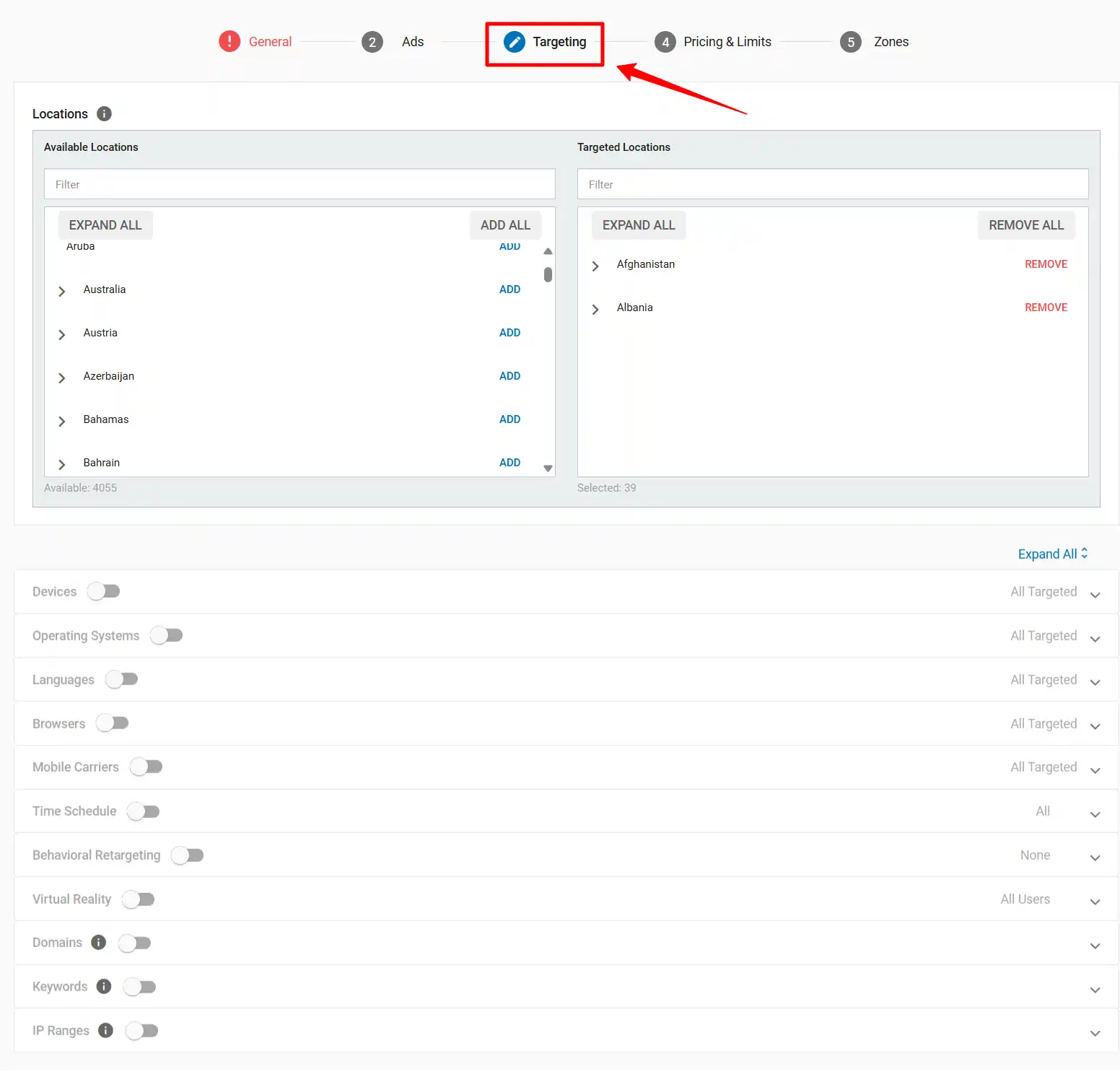
Targeting is where ExoClick pulls ahead of most rivals. Almost every layer supports Target Selected or Block Selected.
| Targeting layer | What it controls | How we use it |
|---|---|---|
| Location (mandatory) | Countries and regions | Separate campaigns for Tier 1 and Tier 3 GEOs |
| Devices | Console, desktop, mobile, Smart TV, tablet | Mobile only for vertical video and push |
| OS and OS versions | Web, mobile and console OS by version | Block old Android builds on app offers |
| Browsers | Every major browser | Cut browsers that break our lander |
| Languages | Browser language | Match lander language, always |
| Mobile carriers | Carriers or Wi‑Fi only | Carrier billing subscription offers |
| Ad schedule | Days, hours and timezone | Dayparting around peak conversion hours |
| Retargeting | Users who hit conversion goals | Exclude buyers, chase cart abandoners |
| VR | All, VR only, non VR only | Niche VR offers only |
| Domains | Whitelist or blacklist inside the network | Lock winners into a whitelist campaign |
| Keywords | Terms from domains and zone tags | Contextual campaigns for niche offers |
| IP ranges | CIDR target or block | Extra carrier precision on 3G and 4G |
| Proxy Types | Seven proxy categories | Clean lead gen traffic |
| Age Verification Status | Verified or Not Verified (SFW) | Compliant premium inventory |
| Email Passing | Clicks with or without an email | Lead offers that prefill forms |
Proxy Type and Age Verification Targeting
Proxy Type targeting reads how a user connects. ExoClick sorts traffic into No Proxy, Consumer Privacy, VPN, Hosting, Browser Relay, Anonymous and Corporate.
On lead gen we block Hosting, Anonymous and Browser Relay first. Datacenter and relay traffic rarely turns into paying users. On VPN offers, VPN users are obviously fair game.
Age Verification targeting splits users into Verified and Not Verified (SFW). ExoClick integrates with AgeGO on the publisher side, which matters now that age checks are law in at least 23 US states, the UK, France, Germany, Italy and Spain.
Keyword, Domain and Zone Level Control
ExoClick keywords come from site domains and from tags publishers send through their zones. Matching is case sensitive and order sensitive.
Not sure which keywords exist? Add the {tags} token to the campaign URL. The tracker then shows which keywords each zone sends, and we build lists from real data.
Zone level optimization happens in Step 5 of campaign setup.
Any campaign that targets or blocks more than 1,000 URLs or 2,500 zone IDs gets deactivated automatically. Past that size, we switch from a blacklist to a whitelist.
Behavioural Retargeting Setup That Actually Works
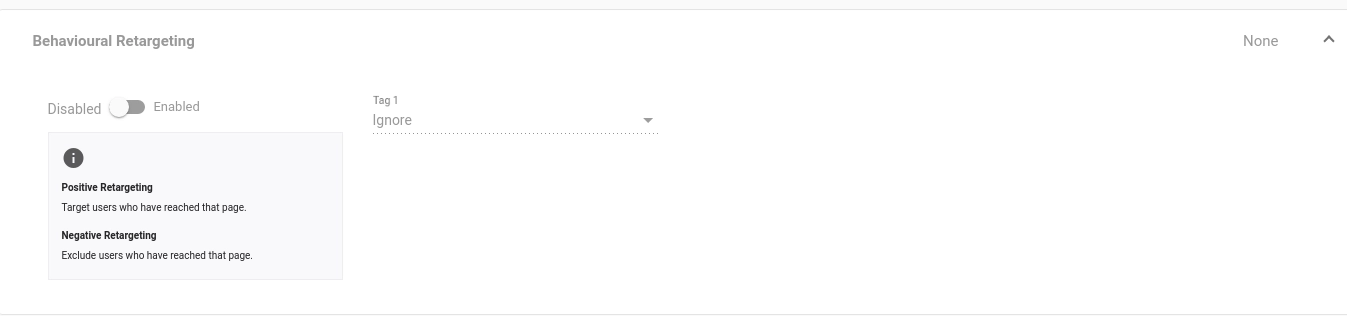
ExoClick retargeting uses conversion goals as audiences. Each goal gets Positive, Negative or Ignore.
We place three pixels. G1 on the lander, G2 on checkout, G3 on the thank you page. Then we split campaigns.
Positive retargeting needs a big audience pool and a winning Smart CPM bid. CPC is a poor fit here, because it cannot guarantee the top slot.
ExoClick Marketplace for Direct Zone Buying
The Marketplace tab lists every traffic source, its ad spots, and daily impressions and clicks. Data runs two days behind, and RTB zones need at least 1,000 queries to appear.
Filters cover format, placement, allowed product category, category, country, device and traffic type. Clicking Buy on any zone opens a campaign already pointed at that zone.
We use the Marketplace like a shortlist tool. Filter by GEO and format, note the ten biggest zones, then launch one tight whitelist campaign on just those IDs.
ExoClick Conversion Tracking, API and Automation
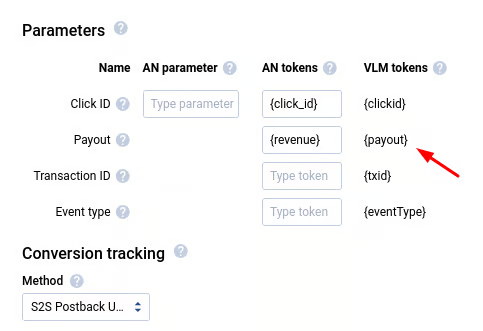
S2S Postback Setup with Voluum, Binom, Keitaro and RedTrack
ExoClick supports pixel tracking and S2S postback tracking. S2S is the recommended route, and the only one we trust for scale.
First, create a conversion goal. Pick a conversion type, such as lead, subscription, purchase, app install or COD purchase. Then choose No Value, Fixed or Dynamic value, decide whether to count one or every conversion, and set a window between 12 hours and 90 days. The default is 24 hours.
Next, add the {conversions_tracking} token to the campaign URL behind the click ID parameter your tracker expects. Then fire this postback from the tracker.
http://s.magsrv.com/tag.php?goal=GOAL_ID&tag={clickid}&value={payout}ExoClick publishes setup guides for Voluum, Binom, Keitaro and RedTrack, along with BeMob, CPV Lab Pro, Skro, ThriveTracker, Peerclick, AdsBridge, Affise, TUNE, Cake, AppsFlyer, Kochava and Shopify.
Video buyers should keep a pixel on the target page too. After a 10 second view, ExoClick drops a cookie, so users who later type the brand name directly still count as conversions.
ExoClick Public API for Bulk Campaign Management
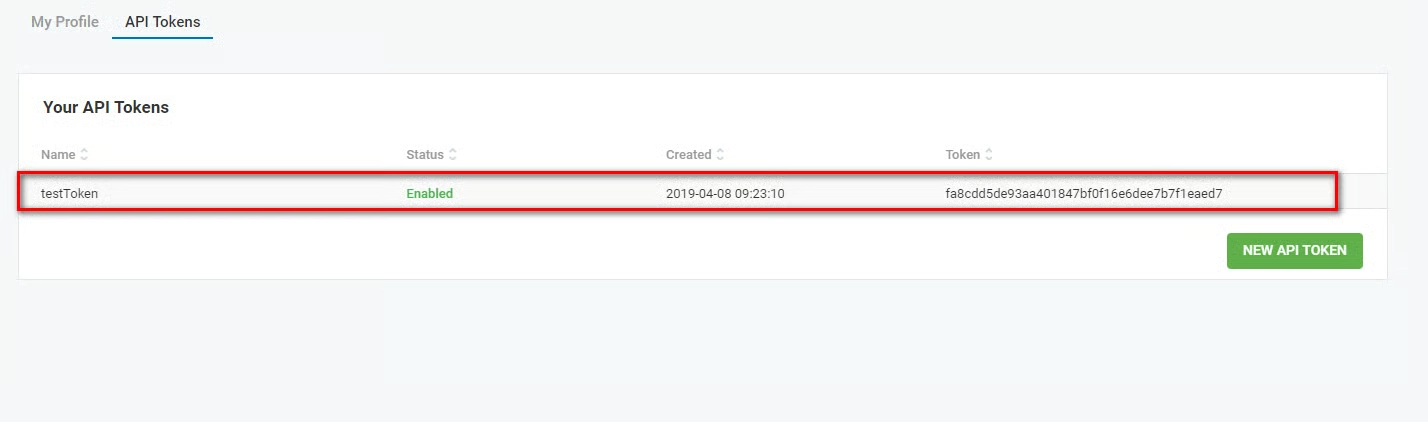
The ExoClick API automates nearly everything inside the admin panel.
Stats refresh roughly every 60 seconds and export to CSV. The API ships with PHP, cURL and Postman examples. Pagination and rate limits apply, so our scripts pace their calls.
A separate Ad Placement API serves publishers and app builders, while OpenRTB covers DSPs that want to bid directly.
ExoClick MCP Server for AI Assisted Reporting
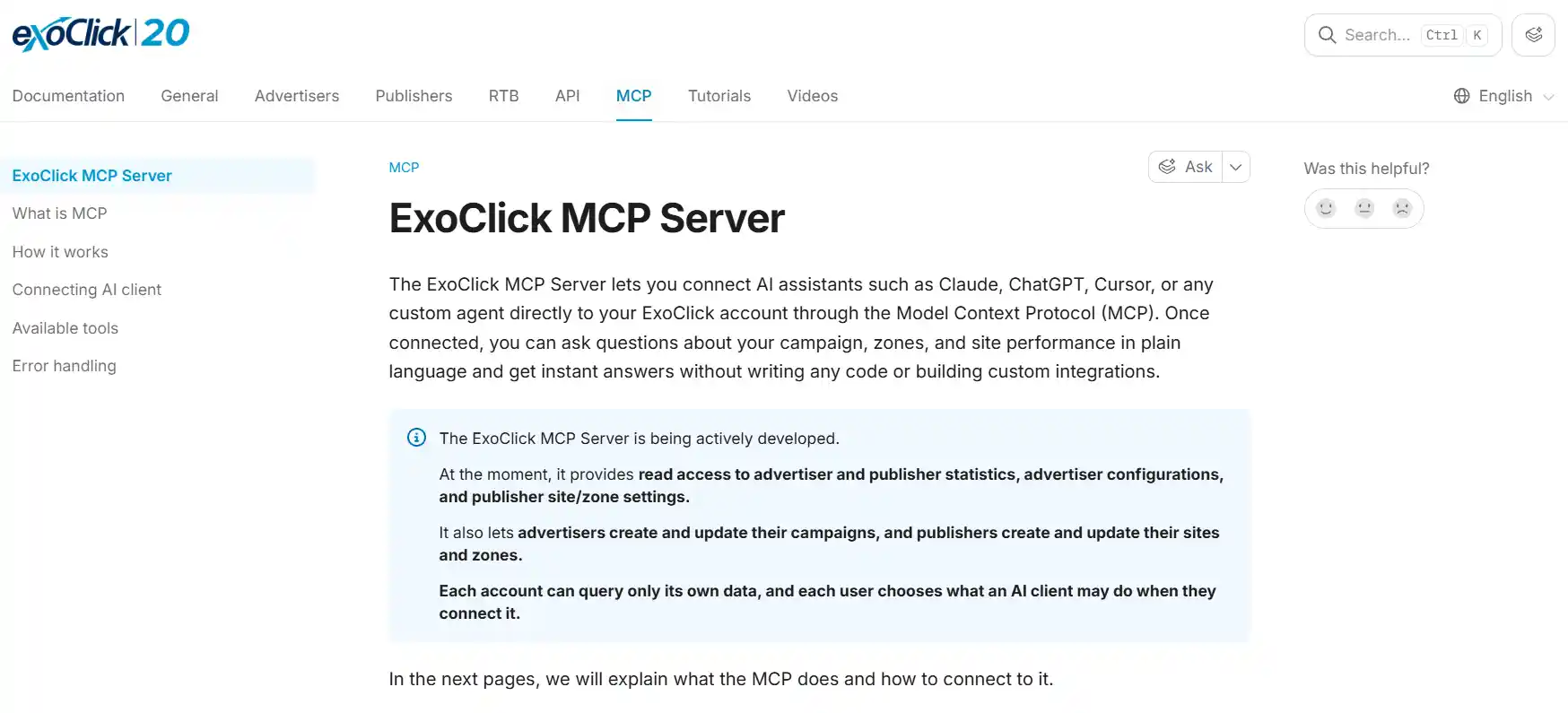
The ExoClick MCP Server is the feature we did not expect to love. It connects AI assistants straight to account data.
The server URL is https://mcp.exoclick.com/mcp. It works with Claude, Claude Code, ChatGPT and Cursor, and authorizes through OAuth in the ExoClick admin panel.
Each connection gets Read, Write or No access per capability.
Our daily prompts are boring and useful. “Which zones had the lowest CR yesterday?” “What is my eCPA by country this month?” “Pause the variations on campaign X.”
Every change gets summarized before anything is written, and new campaigns arrive paused. Asset uploads, Smart Bid campaigns, archiving and behavioural retargeting are not supported through MCP yet.
Make Money Move ExoClick keeps a public skills repo on GitHub with ready prompts, including daily top campaigns and period over period stats analysis. Load those first and save an hour of prompt writing.
Dynamic Contextual Ads for One Campaign, Many Niches
Dynamic Contextual Ads let one campaign change its creative per page. ExoClick passes page context through Dynamic Tokens such as {tags}, and our own endpoint decides which image, headline and lander to show.
DCA fits live streaming, dating, VoD and product specific offers. Half built, it underperforms plain static ads, so we only run it with a real rules engine behind it.
Step By Step Guide to Launching Your First Profitable ExoClick Campaign
This is the exact launch order we follow on every new offer.
- Step 1: Fund the account and lock it down
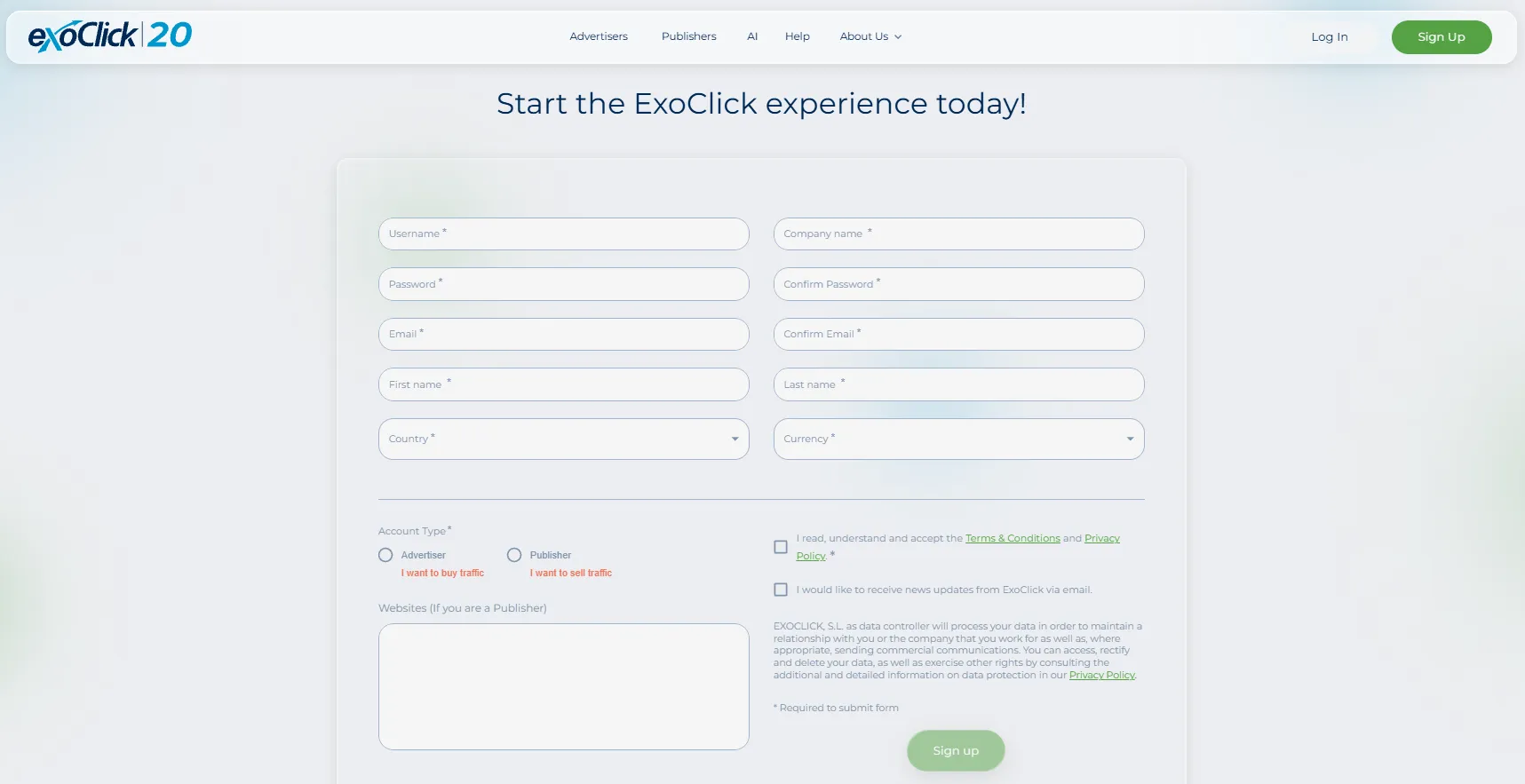
Open the Payments tab and finish the profile. Non EU buyers add a personal ID, passport or company number. EU buyers need a valid VAT number.
- Step 2: Create a conversion goal and connect the tracker

Build the goal in Campaigns, Conversion Tracking. Choose S2S, copy the postback into the tracker, and fire one test conversion to confirm an “OK” response.
- Step 3: Fill in General details
Name the campaign with GEO, format and offer so stats stay readable. Add a group, select categories, then pick the ad format and zone types.
- Step 4: Add variations and landing pages
Upload at least three creatives. Use a Landing Page Group to rotate landers, and add {conversions_tracking} along with zone and site tokens.
- Step 5: Set targeting
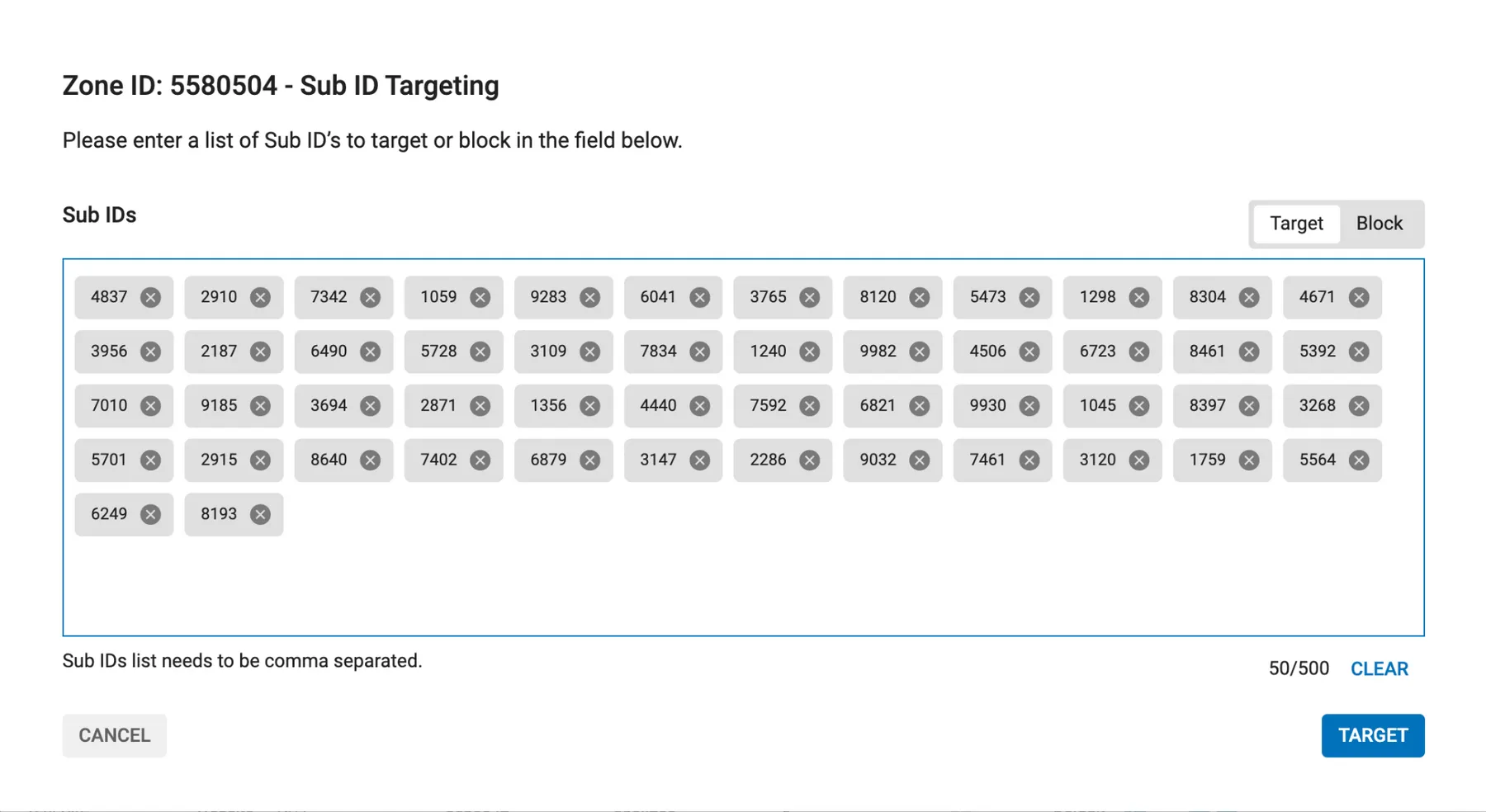
One GEO, one device type and the matching language. Block Hosting and Anonymous proxies on lead offers, and add an ad schedule only after a week of hourly data.
- Step 6: Choose pricing and limits
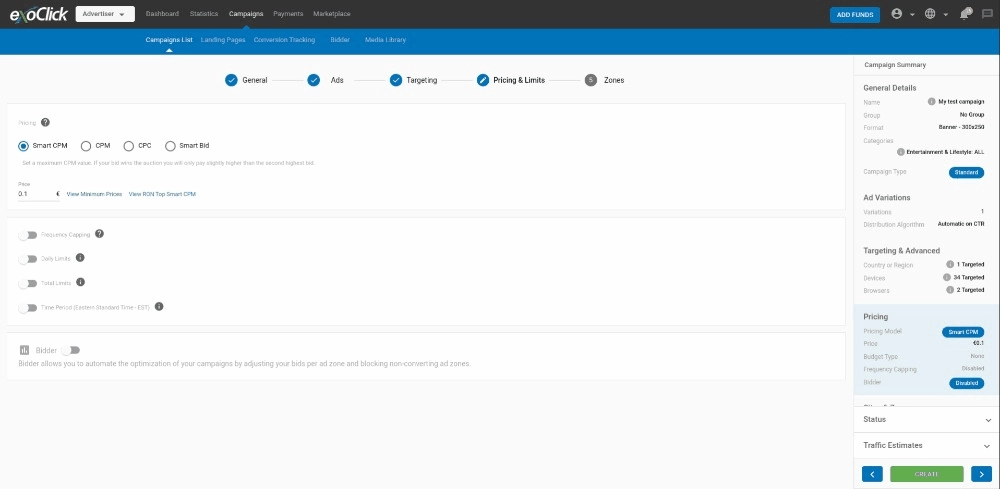
Pick Smart CPM. Check “View Minimum Prices” and “View RON Top CPM”, then bid competitively, because slow data delays every optimization.
Set frequency capping to 1 per 24 hours and add a realistic daily budget.
- Step 7: Pick zones and launch
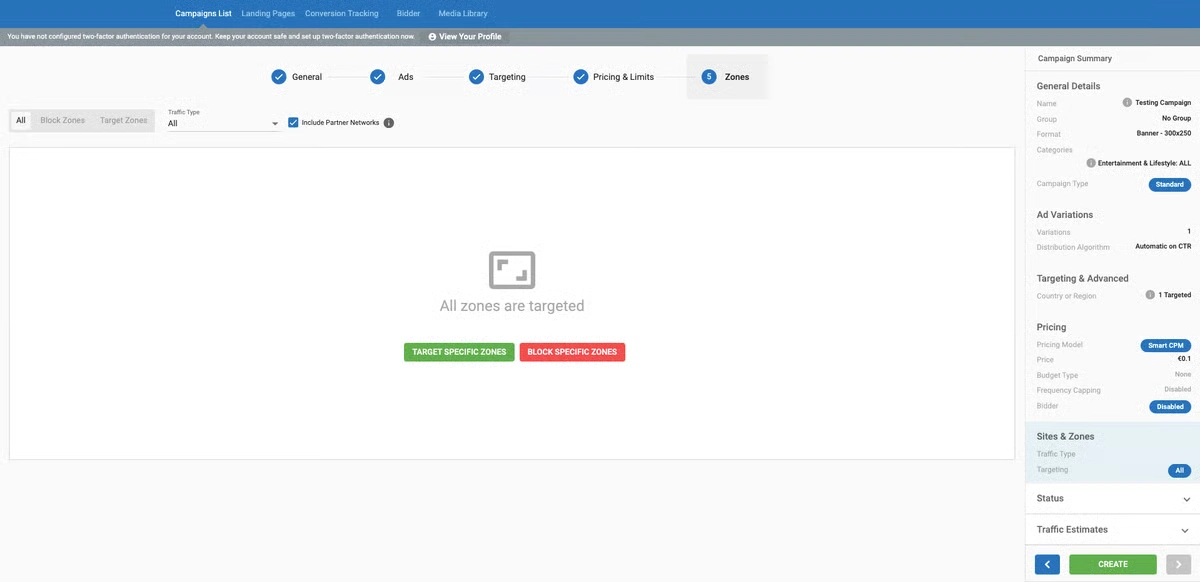
Choose the traffic type, decide on partner networks, and paste any blacklist from previous campaigns. Click Create.
- Step 8: Optimize, then automate
After the first conversions, attach a Bidder algorithm and cut losing zones. Around 30 conversions, clone the winner into Smart Bid with a Target CPA.
ExoClick Pricing, Minimum Deposit and Payment Methods
ExoClick works on prepayment only. There is no credit line for new buyers.
| Item | Detail |
|---|---|
| Minimum deposit | $200 on every payment method |
| Smallest campaign budget | $20 |
| Credit or debit card | Instant, with saved cards and auto recharge up to a 10K limit |
| Multi currency card pay | Shows the exact amount in local currency before paying |
| UnionPay | Available only to advertisers based in China |
| Wire transfer | Proforma with a Reference ID, credited on arrival |
| Paxum | Instant |
| Crypto | Two gateways, one with country restrictions, personal wallets only |
| VAT | EU buyers without a valid VAT number pay 21%. Spain always pays 21% |
Everything except wire lands instantly. Invoices download as PDF from the same tab.
There is no fixed CPM price list. Floors move with format, GEO, category, device and network type, so we read “View Minimum Prices” inside each campaign before setting any bid.
Best Verticals on ExoClick in 2026
On ExoClick's Members Area traffic, dating takes 61.1% of clicks, cams take 27.1% and VoD takes 7.3%. That split tells you where the audience already spends money.
| Vertical | Formats we pair | Why it works |
|---|---|---|
| Dating and AI dating | Instant Message, In Page Push, Native, Vertical Video | Chat style formats match the product, and AI companion offers fit vertical feeds |
| iGaming | Popunder, Fullpage Interstitial, In Page Push | Full screen formats give room for bonus messaging |
| Nutra | Native, Banner | Advertorial landers sit well behind native titles |
| Ecommerce | Native, Outstream, Sticky Banner | Shopify tracking and COD conversion types are built in |
| Creator platforms | Vertical Video, Native video thumbs | Short clips preview the creator experience |
| Streaming and VoD | In Stream, Video Slider, In Video Banner | The audience is already watching video |
| Utilities and VPN | Push, Popunder | Simple offers convert on fast, single step landers |
Where ExoClick Falls Short
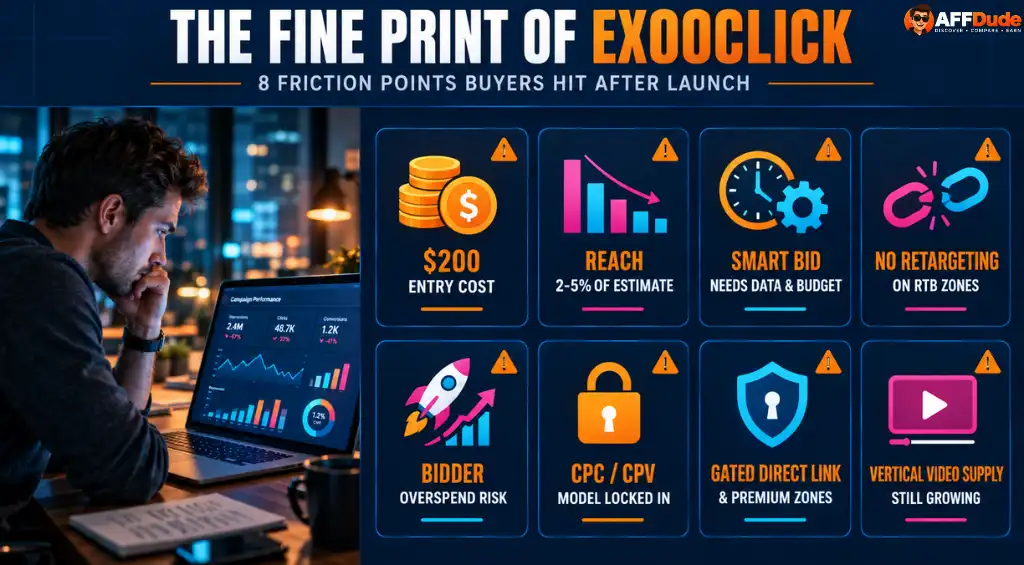
No network is perfect, and ExoClick has real weak spots.
ExoClick vs TrafficStars, TrafficJunky, Adsterra and PropellerAds
Searchers love the ExoClick vs Adsterra question. In practice these networks sit in different lanes, and we run several of them side by side.
| Network | Inventory focus | Where it shines | Where ExoClick wins |
|---|---|---|---|
| ExoClick | Adult, entertainment, members area and mainstream, network and exchange | Format range, targeting depth, Bidder, Smart Bid, MCP | Baseline |
| TrafficStars | Adult and mainstream self serve network and exchange | Big adult tube supply and flexible bidding | Proxy and Age Verification targeting, Vertical Video, MCP Server |
| TrafficJunky | Premium adult properties under Aylo | Access to top branded adult tubes | Wider publisher pool and deeper automation |
| Adsterra | Mostly mainstream with some adult | Popunder and Social Bar volume for broad offers | Members area traffic and adult dating depth |
| PropellerAds | Mainstream push, in page push and onclick | Mainstream utility volume | Adult inventory, native and video formats |
Our split is simple. Adult dating, cams and AI companion offers start on ExoClick. Broad mainstream utilities go to Adsterra or PropellerAds first, and winning creatives then get ported across.
FAQs Related to ExoClick
What is the ExoClick minimum deposit, and can I start with less?
The minimum deposit is $200 on every method, prepaid. Inside that balance, one campaign can run on as little as $20, so a single deposit covers several small GEO tests.
Why is my ExoClick campaign getting no traffic?
The usual suspects are a bid under the top bid, contradicting targeting such as Android with iPhone only, keywords no zone sends, Age Verification in a GEO without verified users, or labels the zones block. Real intake is often only 2 to 5% of Traffic Estimates.
How many conversions does ExoClick Smart Bid need?
About 30. That is when optimization becomes efficient, and it is also the point where the Maximize Target CPA or ROAS option becomes available. No conversion tracking means no Smart Bid at all.
Can I run mainstream offers on ExoClick?
Yes. ExoClick sells entertainment and mainstream inventory, publishers can serve SFW ads, and buyers can target Age Verification Not Verified (SFW) users. Choose categories carefully in Step 1 so the offer matches the audience.
Which trackers work with ExoClick S2S postback?
Voluum, Binom, Keitaro, RedTrack, BeMob, CPV Lab Pro, Skro, ThriveTracker, Peerclick, AdsBridge, Affise, TUNE, Cake, AppsFlyer, Kochava and Shopify all have setup guides. Postbacks go to s.magsrv.com.
Can I manage ExoClick campaigns from ChatGPT or Claude?
Yes. Add https://mcp.exoclick.com/mcp as a custom connector and authorize through the ExoClick panel. Read access answers stats questions, and Write access edits campaigns after each change is confirmed.
Our Verdict on ExoClick in 2026
| Category | Score | Reason |
|---|---|---|
| Traffic volume | 4.8 | 20 billion daily ads and 65,000+ publisher platforms |
| Targeting | 4.7 | Proxy, Age Verification, keyword, IP and Sub ID control |
| Automation and AI | 4.6 | Smart Bid, Bidder, full API and an official MCP Server |
| Formats | 4.5 | 20+ formats with Vertical Video added this year |
| Beginner friendliness | 3.6 | Heavy panel, optimistic estimates, locked pricing models |
| Entry cost | 3.8 | $200 minimum deposit, prepaid only |
ExoClick earns its spot as a core traffic source for adult dating, AI dating, cams, streaming and iGaming buyers. Twenty years in, the platform still ships meaningful features, and the MCP Server shows it is building for how media buyers work now.
Bring tracking, bid with intent, and let Bidder clean up. Treat ExoClick like a lottery ticket, and the $200 disappears fast.
Recommended Articles

User reviews
Your experience matters.
Used ExoClick? Help other affiliates understand what to expect.
Write a review
No user reviews for ExoClick yet. Used them? Write the first one.
Share your experience with ExoClick
FAQ
What automated bidding strategies and pricing models does ExoClick offer advertisers?
It provides CPM, CPC, CPV, Smart CPM, Smart CPC, and AI Smart Bidding algorithms.
Does ExoClick provide full REST API access for campaign management and automation?
Yes, advertisers can programmatically manage campaigns, targeting, and analytics using ExoClick's REST API.
What unique optimization feature helps maximize ad placement yields on ExoClick?
Its Multi-Format Ads automatically serve the highest-performing ad format in a single tag.