Galaksion Shuffle Box: 3-in-1 Ad Format Setup Guide for 2026
 12 min read
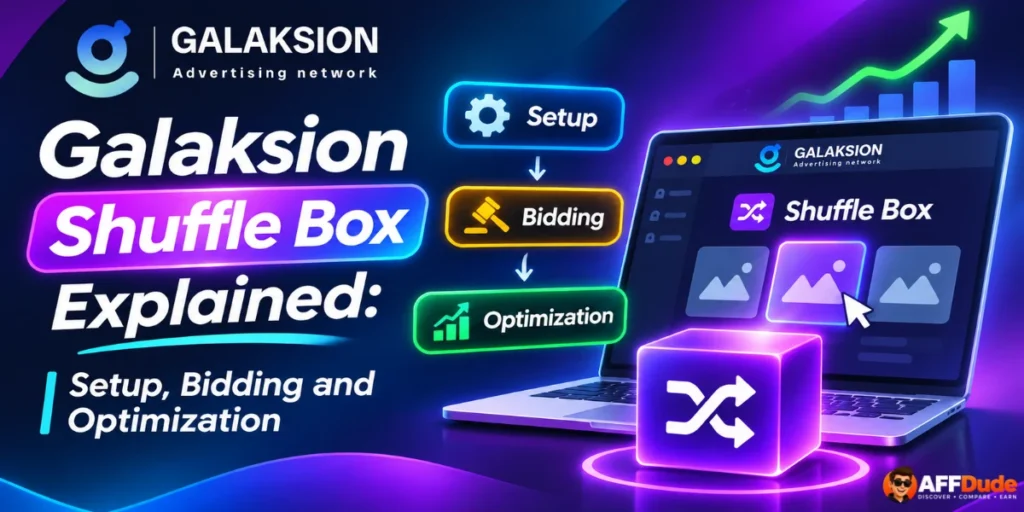
Galaksion Shuffle Box is a 3-in-1 ad format that runs Mobile Push-up, Interstitial and On-Page Notification ads from a single tag. Every page refresh or ad interaction shows the user a new subformat with one of the top-performing creatives from Galaksion's tested database.
You can build the creative pool yourself, or leave it to the system. Traffic shifts toward the creatives with the best eCPM, and you can buy on CPM, CPC, Smart CPM, Smart CPA or Smart CPC.
Launch fresh banners on Monday. Check them on Wednesday. CTR has dropped by half, and you're back in the design tool instead of scaling.
That's ad fatigue, dude. Users learn to ignore the same banner within days.
Galaksion built Shuffle Box to break that cycle. Three formats, one campaign, and creative rotation that runs on autopilot.
Here's how it works, how to set it up in a few clicks, and what to tweak once the first data lands.
Reader deal: Register on Galaksion with the promo code AFFMAVEN15 and get a 15% bonus on your first deposit.
Galaksion Shuffle Box Features at a Glance
Shuffle Box is available only on Galaksion. The network sources 100% direct traffic across 200+ GEOs, with no bots, resell or remnant inventory.
| Spec | Shuffle Box |
|---|---|
| Subformats | Mobile Push-up, Interstitial, On-Page Notification |
| Integration | One tag covers all three subformats |
| Creatives | Generated from Galaksion's database of tested creatives, plus your own assets if you upload any |
| Rotation logic | Based on the individual eCPM of each creative |
| What the user sees | A new subformat on every page refresh or ad interaction |
| Pricing models | CPM, CPC, Smart CPM, Smart CPA, Smart CPC |
| Extra optimization features | Graphics Card Targeting, Custom Rates and more |

Galaksion Coupon Code: Get 15% Off Shuffle Box
exclusive
Use Galaksion code AFFMAVEN15 for 15% off Shuffle Box and test high-performing mobile push, interstitial, and notification ads.
SAVE UP TO 15%
What Shuffle Box Changes for Media Buyers
Shuffle Box takes creative production off your plate and puts three formats behind a single bid.
| Task | Classic Display Setup | With Shuffle Box |
|---|---|---|
| Campaigns | Three campaigns, three budgets | One campaign for all three subformats |
| Creative selection | Scroll through templates, set up a test for each subformat | Pool generated from a library of tested creatives |
| Creative freshness | Redesign banners every few days | The Galaksion team keeps adding new winning concepts and designs to the database |
| Budget balancing | Rebalance the rotation by hand | More traffic goes automatically to the creatives with the best eCPM |
| Expanding a Popunder campaign | Build a new campaign from scratch | Tick one box to duplicate it with Shuffle Box |
A few of these deserve a closer look.
The result is higher CTR from optimized creative delivery, with very little effort on your side. You bring the offer. Galaksion takes care of most of the setup.
When to Test Shuffle Box on Your Offers
Two situations make the most sense.
Keep the test plan simple. Set a daily budget, launch, and give Shuffle Box 3 to 5 days to collect data before you switch off weak creatives.
How to Launch a Galaksion Shuffle Box Campaign in 5 Steps
1. Create your Galaksion advertiser account
Sign up as an advertiser. Enter the code AFFMAVEN15 to get a 15% bonus on your first deposit.
2. Pick Shuffle Box and your pricing model
Open Campaigns → Create and select Shuffle Box in the Formats field. Then choose a business model.
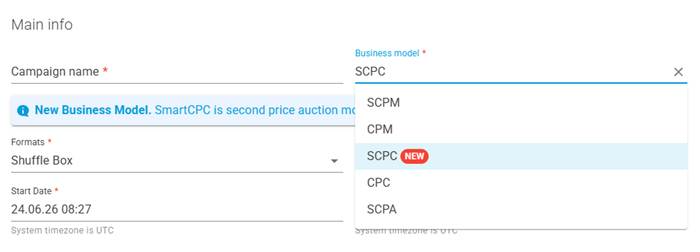
Shuffle Box selected in Formats, with all five business models in the dropdown.
| Model | Shown in Galaksion as | Type |
|---|---|---|
| CPM | CPM | Classic cost per thousand impressions |
| CPC | CPC | Classic cost per click |
| Smart CPM | SCPM | Second-price auction model |
| Smart CPA | SCPA | Second-price auction model |
| Smart CPC | SCPC | Second-price auction model |
Picked CPC or Smart CPC? You can also cap daily and total campaign clicks. The minimum value for each field is 1,000.

Click limits, available on CPC and Smart CPC.
Next, add your targeting. Your Galaksion manager can suggest a starting bid for the GEO you picked.
3. Fill in the Creative upload fields, or leave them empty
This step is optional. Fill in every field, only some, or none.
Leave the fields empty and Galaksion builds the whole pool from its own library. Add any of your own details, and the system works them into the pool.
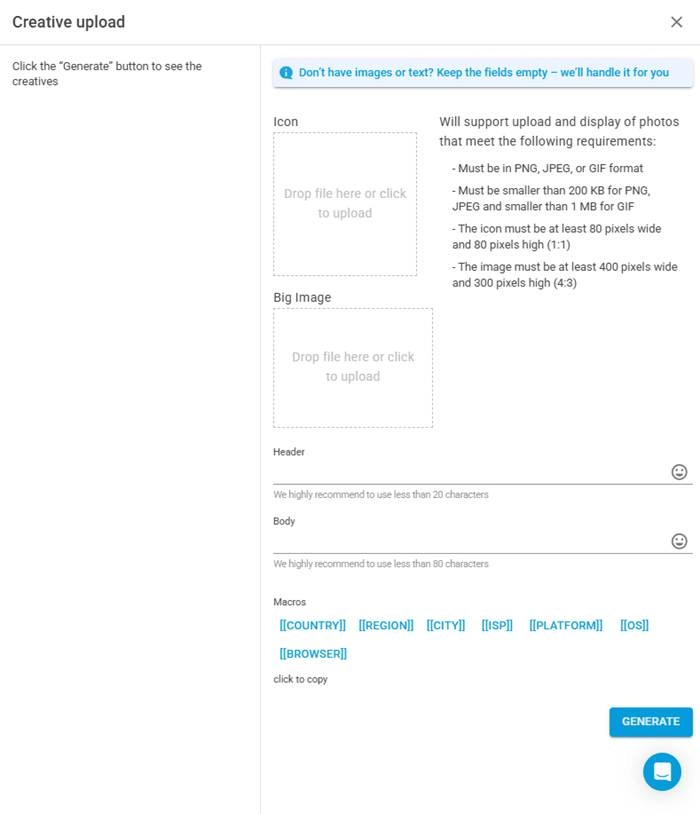
The Creative upload window. Empty fields are fine, since Galaksion fills the gaps.
If you upload your own assets, these are the limits the form shows.
| Field | Requirement |
|---|---|
| File format | PNG, JPEG or GIF |
| File size | Under 200 KB for PNG and JPEG, under 1 MB for GIF |
| Icon | At least 80 × 80 px (1:1) |
| Big Image | At least 400 × 300 px (4:3) |
| Header | Under 20 characters recommended |
| Body | Under 80 characters recommended |
| Macros | [[COUNTRY]], [[REGION]], [[CITY]], [[ISP]], [[PLATFORM]], [[OS]], [[BROWSER]] |
4. Click Generate
The system builds your creative pool and shows every creative in the rotation.
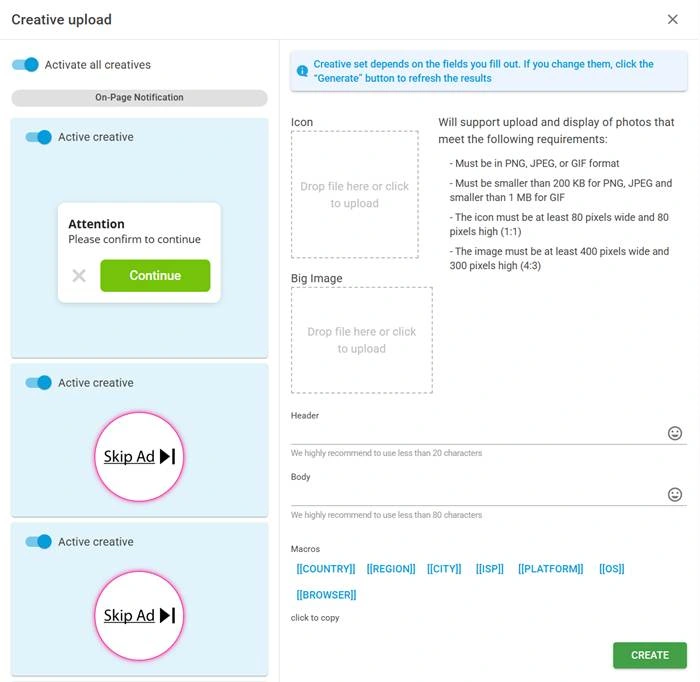
Your generated pool, with a switch for each creative.
5. Launch and start testing
That's it. Your Shuffle Box campaign is live and collecting data.
Add Shuffle Box to a Popunder Campaign with One Checkbox
Creating a Popunder campaign? Galaksion offers to duplicate it with Shuffle Box.
Tick Duplicate campaign with Shuffle Box. The system copies your settings into a parallel Shuffle Box campaign and builds its pool from Galaksion's creative library.
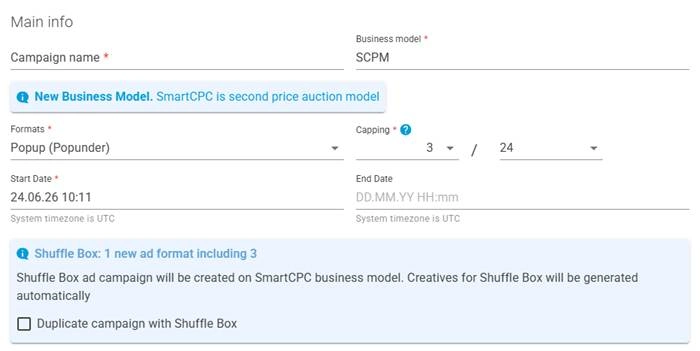
The duplicate option appears right in the Popunder setup screen.
One thing to check before you save. Popunder and Shuffle Box rates can differ, so double check the bid. The notice in the setup screen also says the duplicated Shuffle Box campaign is created on the SmartCPC model.
Done. Two formats now work for the same offer.
Where to Find Shuffle Box Stats in Your Galaksion Account
Push-up, Interstitial and On-Page Notification work as one format, so Shuffle Box gets its own statistics.
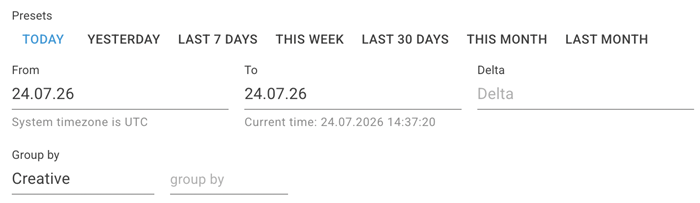
Set Group by to Creative.
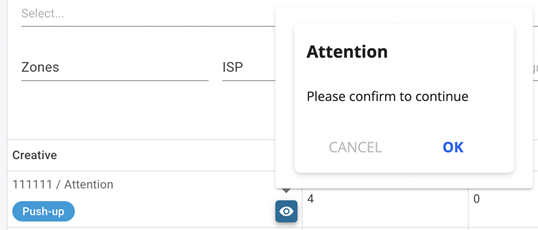
Each row shows its subformat, and the eye icon opens a preview.
4 Ways to Optimize Shuffle Box Once Data Comes In
Turn off weak creatives
Disable underperformers any time without pausing the campaign. Your budget then goes to the creatives that bring results.
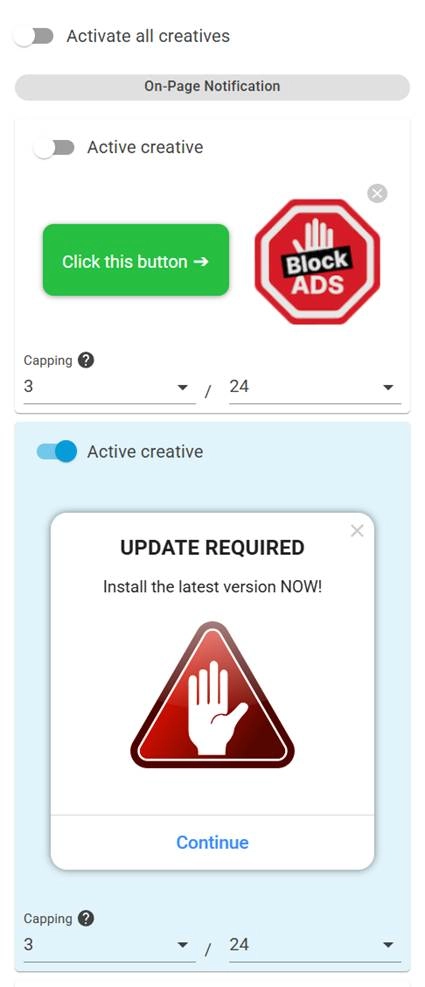
Switch individual creatives off without stopping the campaign.
Set capping and frequency
When you edit the campaign, set capping for each creative separately.
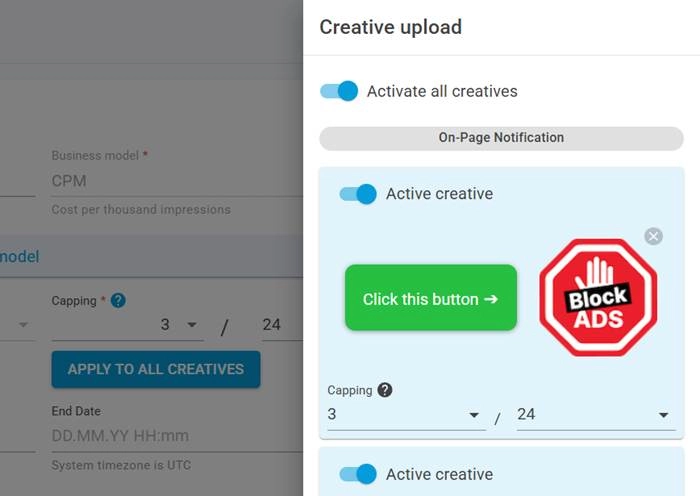
Capping set per creative.
Or apply one value to all creatives at once.

One capping value for the whole pool.
Use Custom Rates to whitelist faster
Set custom bids for zones that perform well. You don't need to launch a separate whitelist campaign.
Regenerate the pool after edits
Changed anything in the Creative upload section? Click Generate again to refresh your creative inventory.
Your day-to-day job comes down to three things. Pick the offer, set the bid and check the stats regularly.
Things to Know Before You Test
FAQs About Galaksion Shuffle Box
Do I need my own creatives for Shuffle Box?
No. Leave the Creative upload fields empty and Galaksion builds the full pool from its library of tested creatives.
Which ad formats are inside Shuffle Box?
Mobile Push-up, Interstitial and On-Page Notification, all served through one tag.
Which pricing models does Shuffle Box support?
CPM, CPC, Smart CPM, Smart CPA and Smart CPC. The Smart models are Galaksion's second-price auction models.
How does Shuffle Box decide which creative to show?
It tracks the eCPM of every creative and sends more traffic to the leaders.
How long should a Shuffle Box test run?
Give it 3 to 5 days to collect data before you switch off weak creatives.
Can I add Shuffle Box to an existing Popunder campaign?
Yes. When you create a Popunder campaign, tick Duplicate campaign with Shuffle Box. Then check the bid, since rates can differ.
Is Galaksion Shuffle Box Worth a Test?
If ad fatigue keeps killing your display creatives, yes. Shuffle Box handles creative production, rotation and format mixing for you. You stay focused on offers, bids and numbers.
It fits best next to a Popunder campaign that already works, or as a low-effort first step into display.
Test it on your own offers. Sign up on Galaksion, use the promo code AFFMAVEN15 and get +15% on your first deposit.
Recommended Articles