
Most adult ad platforms make you choose between control and convenience. Manual bidding gives you precision but eats hours. Automated bidding saves time but hides what it is actually doing to your campaign.
JuicyAds built Adsistant to solve both problems at once, and it remains one of the most underused tools in adult advertising today.
This article breaks down exactly what JuicyAds Adsistant is, how it works under the hood, and how to configure it so your campaigns run efficiently without requiring constant manual attention.
What JuicyAds Adsistant Actually Is
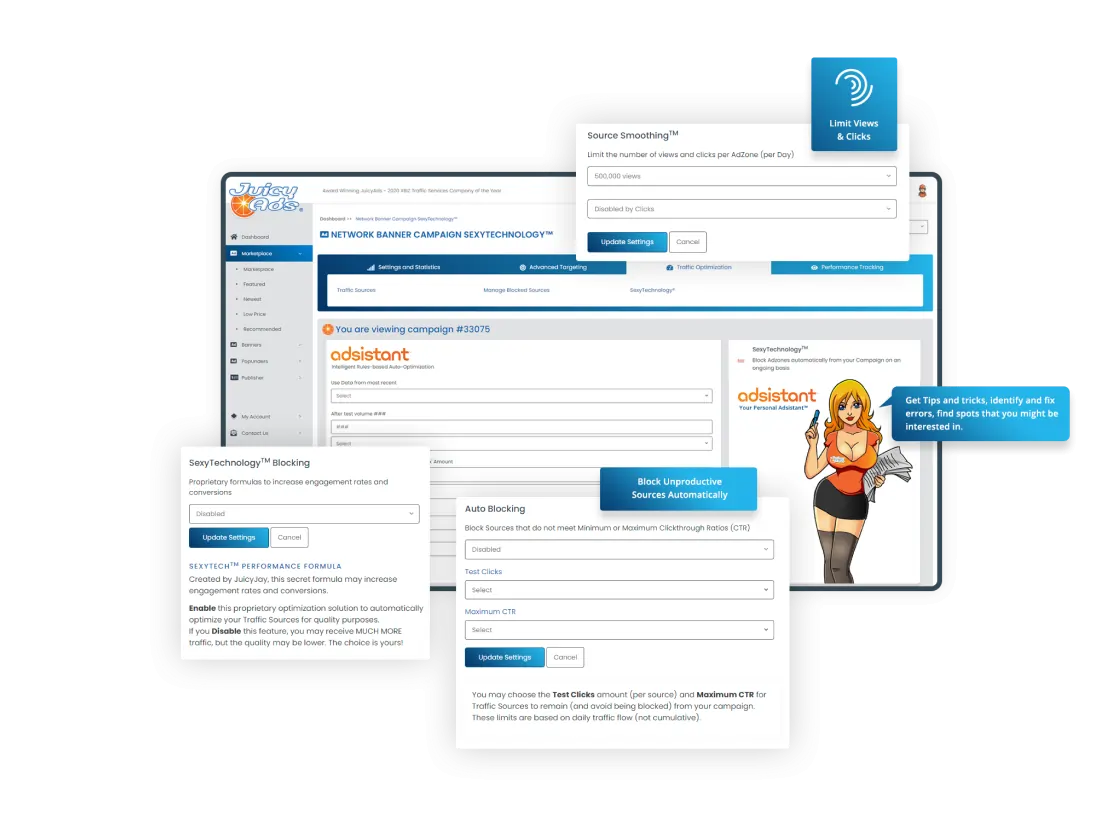
Adsistant is a rule based campaign automation engine built directly into the JuicyAds advertiser dashboard. It lets you define logical conditions tied to your campaign performance data and set automated responses when those conditions are met.
The simplest way to understand it is as an IF THEN ELSE system. You define a condition (IF this performance threshold is crossed), you define a consequence (THEN take this action), and optionally a fallback (ELSE do something different or do nothing). The engine monitors your campaign data continuously and fires the appropriate action when the rule criteria are satisfied.
Adsistant was originally launched in 2015 under the name AutoBlock, focused on a single use case blocking underperforming traffic sources automatically.
The platform redesigned and relaunched it as Adsistant v2 in 2023, adding bid management, SimpleCPA logic, Source Smoothing, and multi condition rule building that turned it from a blocking tool into a full campaign automation layer.
The cost is zero. Adsistant is included with every JuicyAds advertiser account with no limits on the number of rules or campaigns it can run simultaneously.
Rule Building: How the Logic Works in Practice
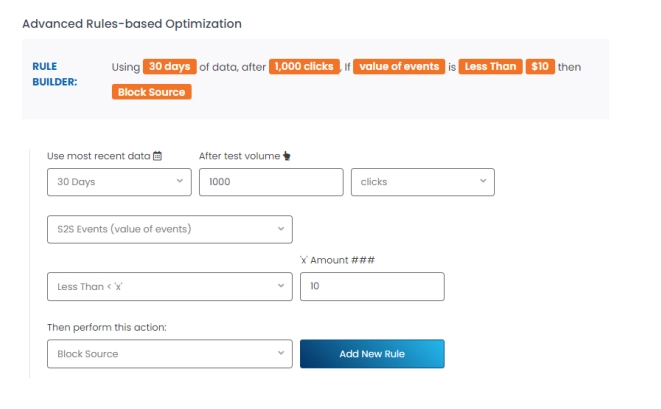
Rules inside Adsistant are built around campaign performance metrics pulled directly from your live traffic data. The metrics you can use as conditions include CTR, CPM, CPA, number of clicks, number of impressions, and conversion data passed back via the postback URL.
A practical rule for a performance campaign looks like this. IF a traffic source delivers more than 500 clicks AND CTR drops below 0.3 percent THEN block that source automatically.
That single rule removes the manual work of reviewing traffic source reports daily and cutting dead zones by hand. Once active, the rule fires the moment a source hits those exact thresholds, regardless of whether you are logged in or not.
You can stack multiple conditions inside one rule using AND logic, which means all conditions must be true simultaneously before the action fires. This prevents premature blocking based on small sample sizes.
Requiring a minimum impression or click count before a CTR check fires is one of the most important setups any Adsistant user should implement, as it ensures data is statistically meaningful before any source gets cut.
SimpleCPA: Setting a Real Cost Per Acquisition Target
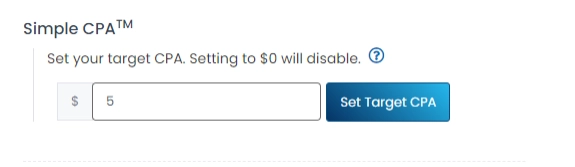
SimpleCPA is the performance bidding layer inside Adsistant. You define a target cost per lead or cost per conversion for each traffic source, and Adsistant automatically blocks any source where the actual CPA exceeds that target.
This works through postback tracking. When a conversion happens on your landing page or offer, a postback fires back to JuicyAds with conversion data tied to the traffic source ID. Adsistant reads that data and compares the real CPA against your defined target.
If the source is over target after a statistically meaningful volume, Adsistant blocks it. If a previously blocked source starts converting after a reset period, the rule can be configured to allow re evaluation.
For any advertiser running lead gen, cam offers, or subscription adult products, SimpleCPA removes the guesswork from source management entirely. You define what a profitable lead costs, and Adsistant enforces it automatically across every source in your campaign.
Source Smoothing: Ending Uneven Traffic Distribution
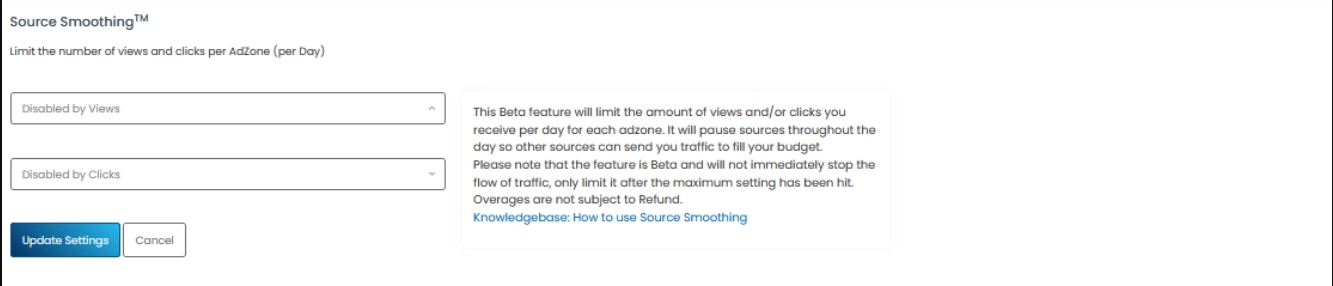
Source Smoothing is a separate feature within Adsistant that addresses a common problem in run of network campaigns. Without any distribution controls, traffic delivery tends to concentrate on a small number of high volume sources.
Those sources receive the majority of your budget while dozens of other potential sources never receive enough traffic to generate meaningful performance data.
Source Smoothing distributes your campaign traffic more evenly across available sources so each one reaches an adequate impression threshold before Adsistant evaluates its performance.
The practical effect is that you gather real data on more sources in less time, which leads to better blocking decisions and a broader base of proven traffic after optimization settles.
For advertisers who have noticed their RON campaigns consolidating too quickly around the same two or three zones every run, Source Smoothing directly corrects that pattern.
Adsistant vs SexyTechnology: Which One Does What
JuicyAds includes two automation systems and they serve different functions. Understanding which one to configure for which goal saves a lot of confusion.
SexyTechnology is the platform level traffic quality and anti fraud filter. It runs automatically on all accounts without any configuration required and handles tasks like bot detection, click fraud filtering, and domain quality scoring. You do not set rules inside SexyTechnology. It works in the background on your behalf without any input.
Adsistant is the performance optimization layer. It does not focus on fraud. It focuses on whether real human traffic from a given source is converting profitably for your specific offer.
These two systems operate on completely different data sets and serve different purposes, which means running both simultaneously is exactly what JuicyAds recommends.
The Data Window That Makes Rules Accurate
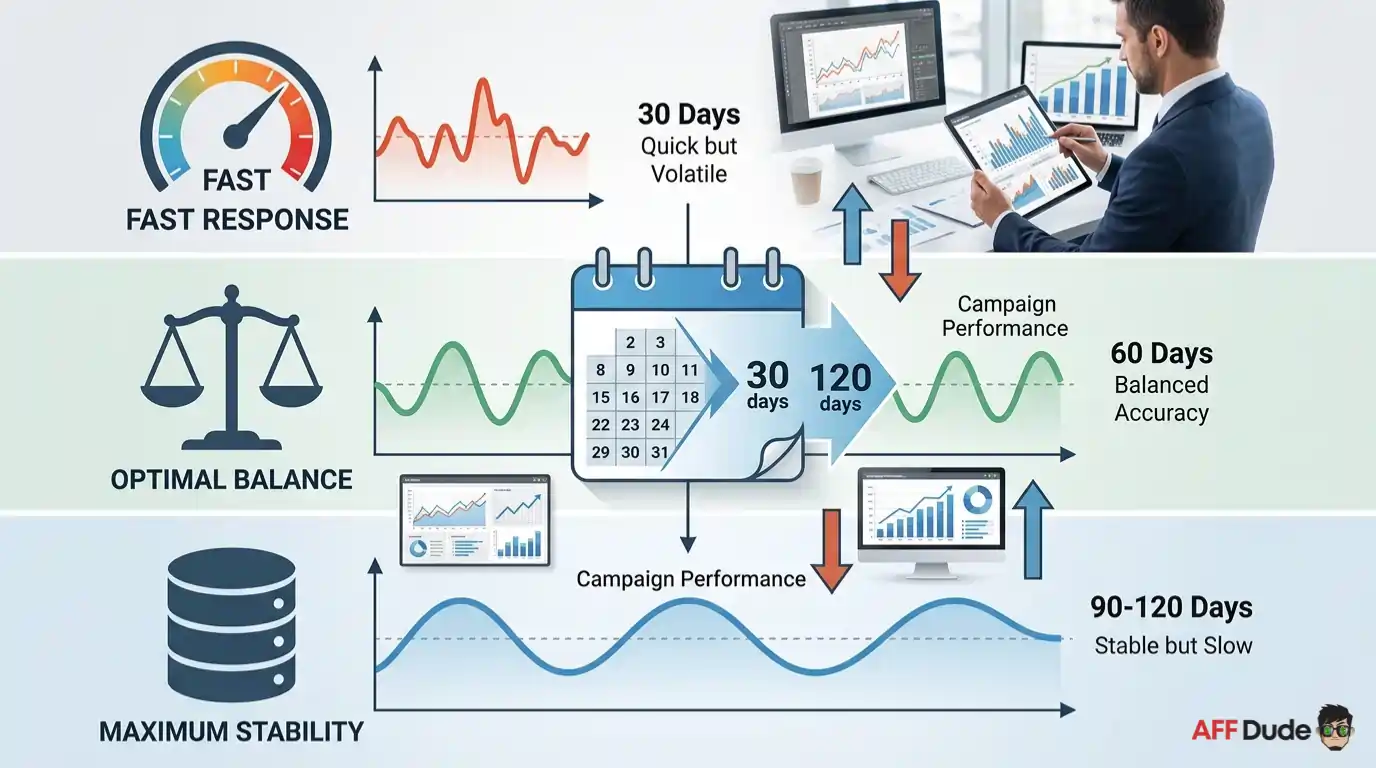
One detail that significantly affects how well Adsistant rules perform is the lookback window you configure for data analysis. Adsistant supports lookback ranges from 30 to 120 days.
A 30 day window is the most responsive, catching performance shifts faster but also reacting to short term fluctuations that may not represent a source's true long term value.
A 90 to 120 day window builds rules on a larger data set, which is more stable but slower to respond to genuine performance drops. For most adult campaign types, a 60 day window balances speed and statistical accuracy well.
The right setting depends on your campaign volume. High impression campaigns with thousands of daily events can use shorter windows because the data accumulates faster. Lower volume campaigns need longer windows to avoid firing rules on insufficient data.
Getting Started with Adsistant Today
Log into your JuicyAds advertiser account, open any active campaign, and navigate to the Adsistant panel. Create your first rule with a minimum click condition of at least 200 to 300 clicks before any blocking action fires. Pair that with a CTR floor and a CPA ceiling if you have conversion tracking active.
Turn on Source Smoothing for any RON campaign. Start with one rule per campaign and watch how it changes your traffic source distribution over the first week.
Adsistant is free, always on, and built for exactly this use case. There is no reason to run JuicyAds campaigns without it.
Recommended Articles

Affiliate Disclosure: This post may contain some affiliate links, which means we may receive a commission if you purchase something that we recommend at no additional cost for you (none whatsoever!)