Affiliate SEO After AI Overviews: What to Track Beyond Search Console
 15 min read
Quick Dude Answer: Search Console is still useful after AI Overviews, but it is not enough for affiliate SEO measurement. Google says sites appearing in AI features such as AI Overviews and AI Mode are included in overall Search Console traffic, inside the Web search type.
The Dude Cheat Sheet:
- Search Console shows clicks, impressions, CTR, and position — but not whether the click came from an AI Overview, a citation, or a normal result.
- Pew Research (2025) found only 8% of AI summary visits ended in a result click, vs 15% without one.
- Ahrefs (2026) reports AI Overviews cut top-ranking CTR by up to 58%.
- Semrush tracked AI Overview presence rising from 6.49% of queries in January 2025 to 24.61% in July, including commercial and transactional searches.
- Affiliates must track query buckets, AIO exposure, affiliate CTR, EPC, approval rate, and revenue per page — not just sessions.
- Build a 5-layer dashboard: Search Console, Semrush, Moz, GA4/GTM, and your affiliate tracker.
Dude Take: In 2026, SEO after AI Overviews is not measured by “did traffic go up?” It is measured by “which queries still create money after Google answers first?”
Why Search Console Alone Is Not Enough
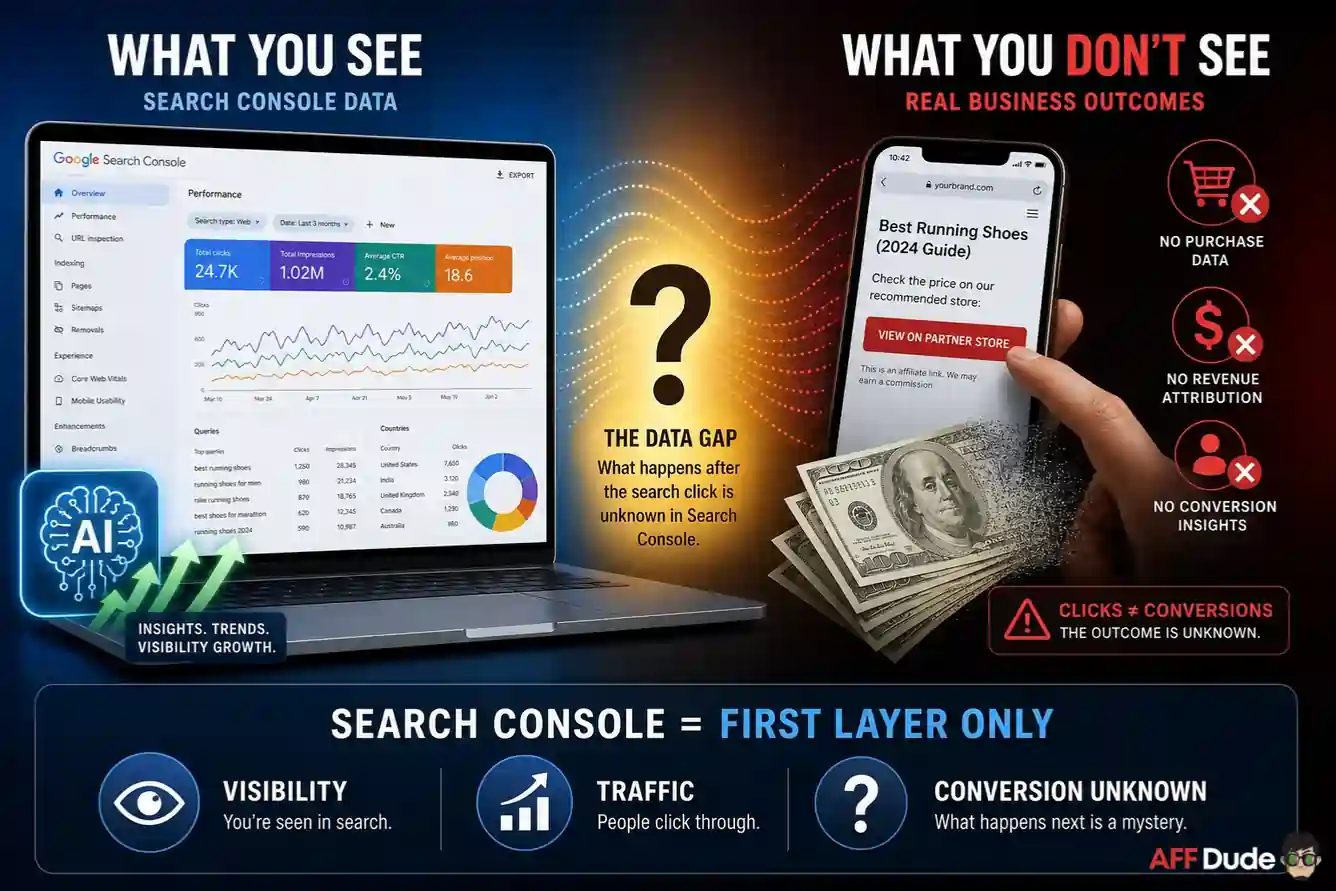
Google's own AI features documentation says AI Overviews and AI Mode are included in overall Search Console traffic, specifically in the Performance report under the Web search type. Google also says clicks from search results pages with AI Overviews can be higher quality, meaning users may spend more time on site.
That sounds nice. But Dude is an affiliate, so Dude asks the next question: did they click the offer?
Search Console cannot answer that. It does not tell you whether the user clicked from a citation inside the AI Overview, from a normal organic result below it, from an image result, or from a source preview.
Search Engine Land reported in 2025 that AI Mode performance would show in Search Console, but without a separate breakout.
Search Engine Journal echoed the same pain in May 2026 after Google improved AI search links but still did not give SEOs separate click data.
So the problem is not that Search Console is useless. The problem is that Search Console is the first layer, not the whole dashboard. It tells you what happened at the search surface. It does not tell you whether the click was valuable, whether affiliate link CTR improved, or whether your organic revenue survived the traffic compression.
The Click Problem Is Real
This is not only a feelings-based SEO panic. Pew Research tracked U.S. Google users in March 2025 and found users were less likely to click links when an AI summary appeared.
Pew's analysis found users clicked a traditional search result link in 8% of visits with an AI summary, compared with 15% without one. Only about 1% of visits with an AI summary included a click on a source link inside the summary.
Ahrefs updated its AI Overview CTR research in 2026 and reported that AI Overviews reduced clicks to top-ranking content by 58%, up from its earlier 34.5% finding. Semrush also found AI Overviews expanded during 2025: they appeared on 6.49% of tracked queries in January, peaked at 24.61% in July, and sat at 15.69% in November.
Semrush also found AI Overviews moving into more commercial, transactional, and navigational queries, not only informational searches.
For affiliate sites, this is the important bit. Losing informational clicks is annoying. Losing comparison and buyer-intent clicks is money damage.
If you want the traffic-side explanation first, read AFFDude's guide on AI search and zero-click searches. This article is the measurement layer: how to know whether the lost clicks were noise, research traffic, or actual commission pressure.
Budget Burn Alert: Do not refresh content only because pageviews dropped. Refresh because a money query lost CTR, affiliate clicks, EPC, or revenue. Pageviews are not payroll.
The AFFDude Measurement Stack
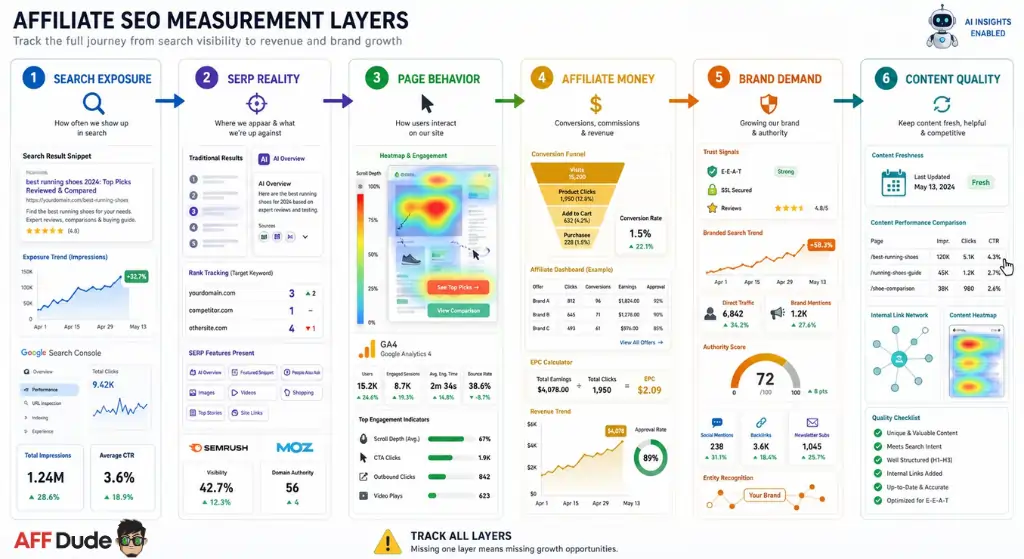
Affiliate SEO after AI Overviews needs a layered dashboard. Search Console gives you search exposure. SEO tools give you SERP and AI visibility context. Analytics tells you what users did on the page. Affiliate networks and trackers tell you whether the click became money.
| Layer | What To Track | Tool Fit | Why It Matters |
|---|---|---|---|
| Search exposure | Impressions, clicks, CTR, average position, query buckets | Google Search Console | Shows where visibility changed |
| SERP reality | AI Overview presence, ranking shifts, SERP features, competitor movement | Semrush, Moz, manual SERP checks | Explains why CTR moved |
| Page behavior | Engagement, scroll, CTA clicks, outbound clicks | GA4, GTM, tracker events | Shows whether visitors still act |
| Affiliate money | Affiliate clicks, EPC, conversion rate, approval rate, revenue per page | Affiliate network, tracker, postbacks | Shows whether SEO still pays |
| Brand demand | Branded searches, direct traffic, mentions, authority signals | Search Console, Moz, Semrush | Shows if the site is becoming a trusted entity |
| Content quality | Refresh date, table clicks, comparison use, internal link path | CMS notes, heatmaps, events | Shows which assets actually help decisions |
The table is the dashboard. If you only track layer one, you will overreact. If you only track revenue, you will miss early warning signs. If you track all layers, you can see whether AI Overviews are stealing low-quality traffic, eating money clicks, or pushing better-qualified users into fewer but stronger sessions.
Step 1: Build Query Buckets, Not One Big SEO Report
The first AFFDude move is grouping queries. Do not look at all organic queries together. AI Overviews do not affect all intent equally.
Create buckets like this:
| Bucket | Example Query Type | What To Watch |
|---|---|---|
| Informational | “what is CPA marketing” | Impressions up, clicks down, low revenue risk |
| Comparison | “Voluum vs Binom“ | CTR, affiliate clicks, table engagement |
| Commercial list | “best CPA networks for beginners” | Offer clicks, EPC, ranking stability |
| Troubleshooting | “postback not firing” | Engagement, internal links, tool clicks |
| Branded | “AFFDude tracking guide” | Brand demand and trust |
| AI-risk long-tail | Complex questions with many subtopics | AIO presence, citation, CTR compression |
Search Console lets you filter and compare by query, page, country, device, and date. Use that. Export monthly data, group queries by intent, and compare the same buckets over time.
A broad organic traffic decline might look scary, but if commercial query affiliate clicks are stable, the site may be healthier than the traffic graph suggests.
Dudistics: Query bucket
A query bucket is a group of searches with the same job. Dude does not mix “what is affiliate marketing” with “best tracker for native ads” because one teaches, the other can pay.
Step 2: Track AI Overview Exposure
Search Console does not give a clean AI Overview filter, so you need outside context. This is where Semrush fits naturally.
Use Semrush to monitor keywords that trigger AI Overviews, compare competitors, spot SERP feature changes, check which pages are gaining or losing visibility, and map content gaps around commercial queries.
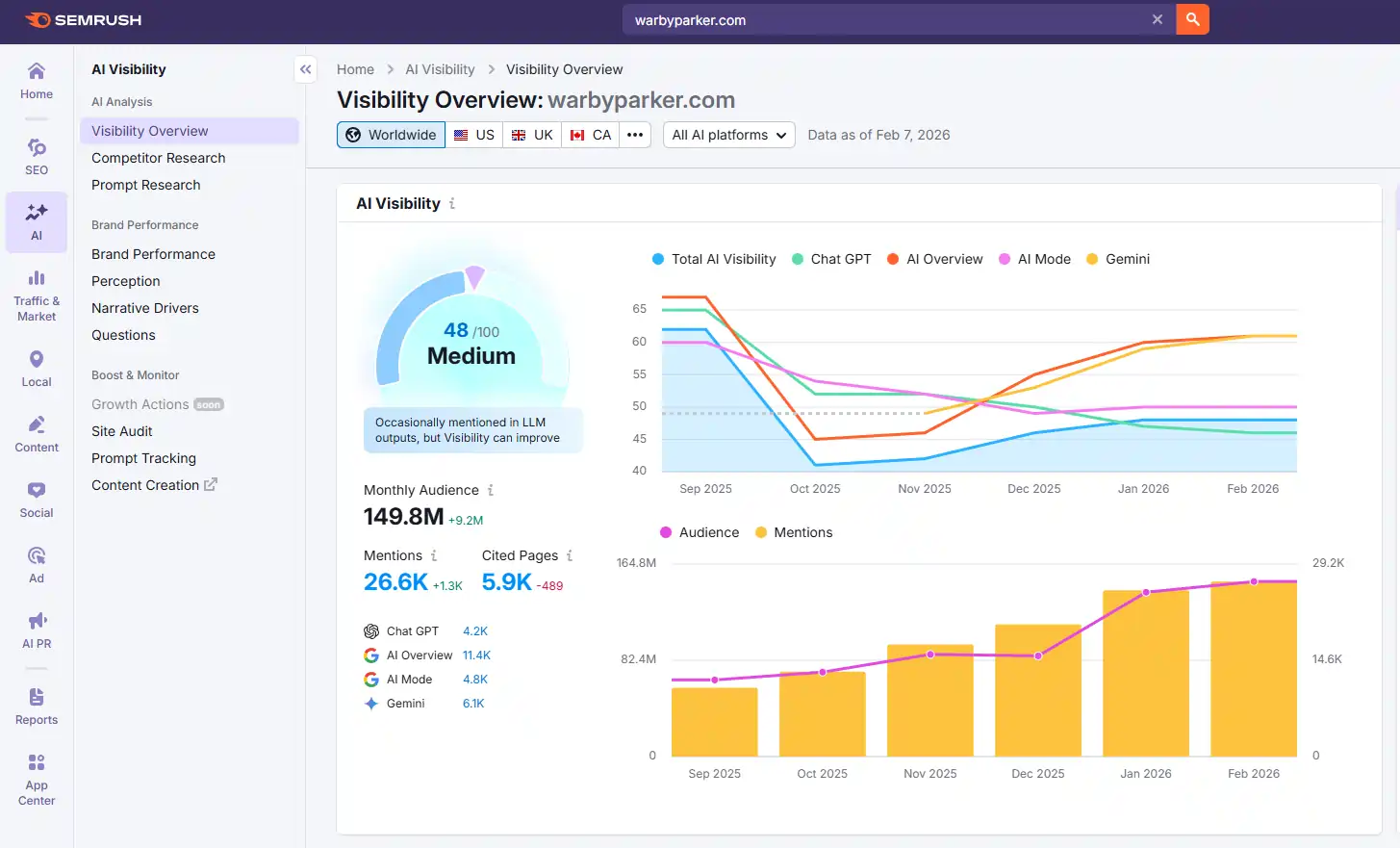
Semrush also has AI visibility tools that can help track brand presence across AI surfaces. Do not treat any AI visibility score as gospel. Treat it as directional data. The useful question is not “is the score perfect?” It is “are we appearing more often for the prompts and queries that can create revenue?”
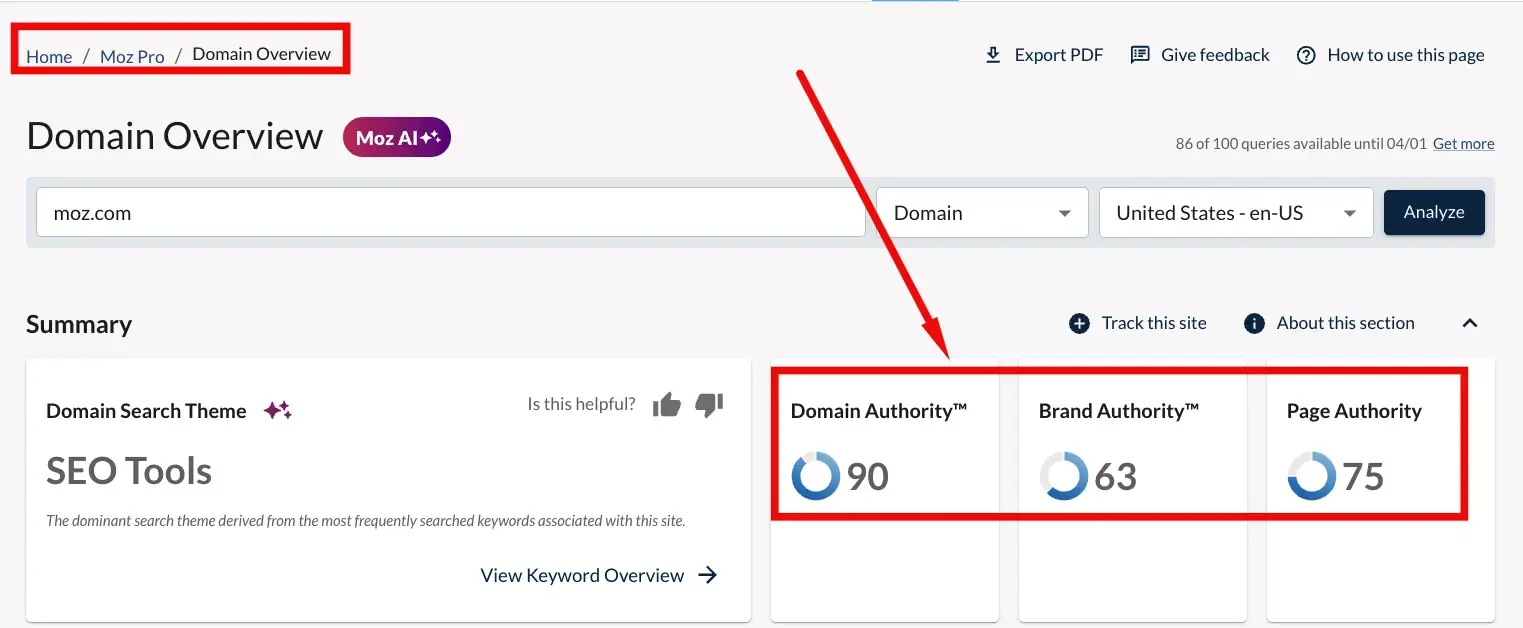
Moz can also help in a different way. Moz is useful for authority checks, link profile review, competitive research, and brand/domain strength context.
In AI search, brand and entity trust matter more than ever, so Moz's authority-style metrics can be useful as a quick diagnostic. Just do not confuse a third-party score with Google's actual ranking system. It is a compass, not the engine.
Dude Tip: Use Semrush for AI/SERP exposure and Moz for authority context. Then confirm the money inside your own tracker. Tools explain the battlefield. Your EPC tells you who actually won.
Step 3: Measure Affiliate Click Quality
Affiliate SEO teams often stop at organic sessions. That is a rookie mistake. The page exists to move a qualified user toward a decision, not to collect pageviews like shiny stones.
Set up events for:
Keep the list short and useful. The goal is not to track every twitch. The goal is to know whether users are reaching the parts of the page that make money.
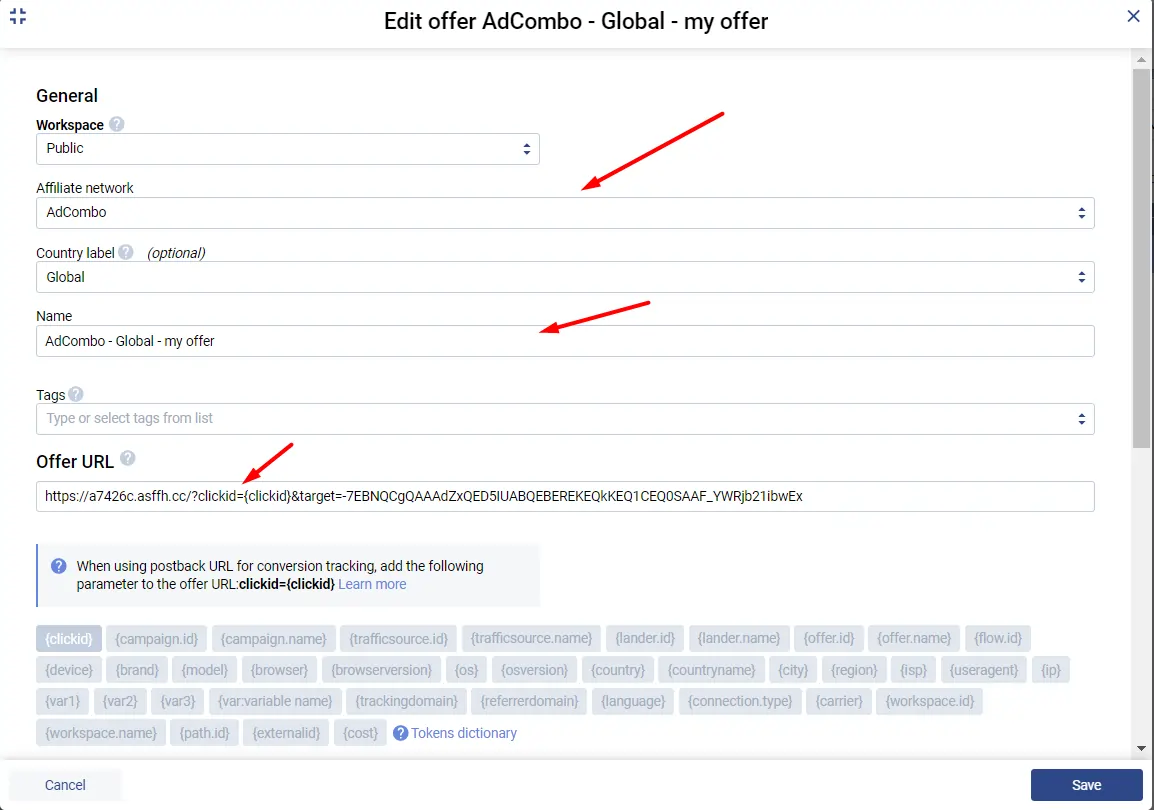
If you use Google Tag Manager, connect outbound affiliate click events properly. AFFDude already has a deeper setup guide for Voluum and Google Tag Manager, and beginners can start with affiliate tracking basics. Once those clicks are visible, compare affiliate CTR before and after AI Overview exposure increases.
Here is the Dude math:
Organic sessions down 25% but affiliate outbound CTR up 40% may be acceptable. Organic sessions flat but affiliate CTR down 30% is a problem. Clicks are not equal. A comparison-query visitor is worth more than a definition-query tourist.
Step 4: Track Revenue Per Page, Not Only Rankings
Rank tracking still matters, but rankings do not pay invoices. Revenue per page is the cleaner affiliate metric.
For each key page, track:
| Metric | Why Dude Cares |
|---|---|
| Organic clicks | Shows incoming search demand |
| Affiliate outbound clicks | Shows commercial intent on page |
| Affiliate CTR | Shows how well the page moves users |
| EPC | Shows traffic quality |
| Approval rate | Shows whether conversions are real |
| Revenue per 1,000 organic sessions | Normalizes traffic changes |
| Revenue per page | Shows which pages deserve updates |
| Query bucket mix | Explains why revenue changed |
This matters because AI Overviews can change the type of visitor who reaches you. Google says AI Overview clicks may be higher quality. That might be true on some pages. On others, the AI answer may satisfy the user and leave you with fewer buyers. You will not know unless page revenue and affiliate events are tied together.
If you publish statistics or trend pages, connect them to commercial paths carefully. A page like affiliate network statistics may not convert directly, but it can assist users toward network comparisons, tracking guides, or email capture. That assisted value should be measured separately from last-click revenue.
Step 5: Watch Brand Demand And Source Identity
AI search is pushing affiliates toward brand-building whether they like it or not. Generic review sites are easier to replace. Recognized sources are harder to ignore.
Track branded searches in Search Console. Track direct traffic. Track mentions from other sites. Track whether people search for your brand plus topic, like “AFFDude AI Overview SEO” or “AFFDude CPA networks.” Those queries are small at first, but they are trust signals.
This is where content quality connects to measurement. A page about AI Overviews SEO for affiliate sites should not only chase AI SEO keywords. It should also make readers remember AFFDude as the source with useful operator thinking. That is how a site becomes more than another commission page.
Make Money Move: Add a branded-query widget to your monthly SEO dashboard. If non-branded clicks fall but branded demand rises, your site may be shifting from pure Google dependency toward owned authority.
The Dashboard Dude Would Build
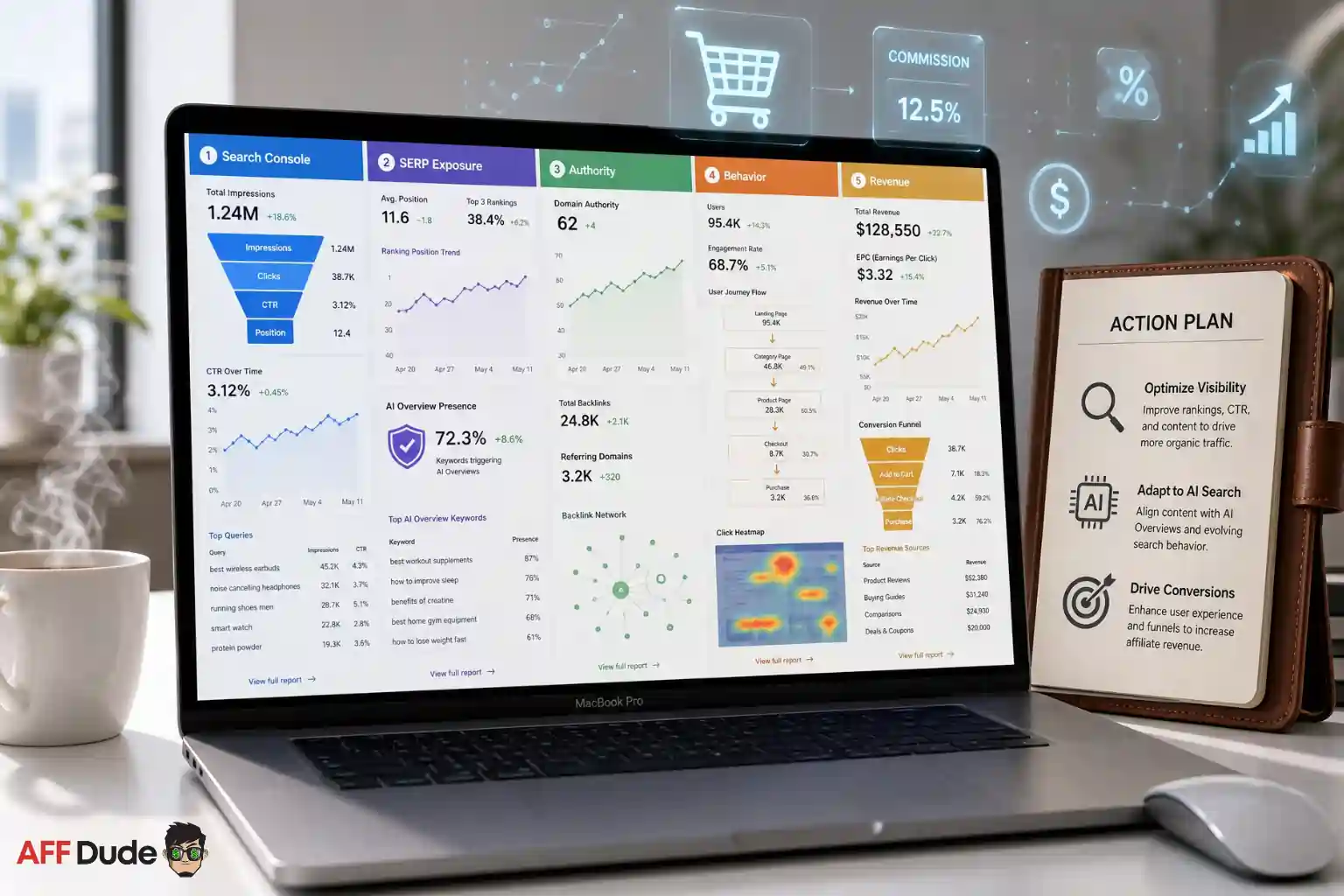
If I were setting this up for an affiliate site, I would build one monthly dashboard with five tabs.
The first tab is Search Console query buckets. It shows impressions, clicks, CTR, and average position by intent. The second tab is SERP exposure from Semrush, including AI Overview triggers and competitor movement. The third tab is authority context from Moz and backlink/brand signals.
The fourth tab is GA4/GTM behavior, including CTA and affiliate outbound clicks. The fifth tab is revenue, including EPC, approval rate, reversals, and revenue per page.
Then I would add one decision column: action.
If impressions are up and CTR is down on informational queries, maybe the page needs a better hook or better internal links. If comparison clicks are down and AI Overview presence is up, the page needs a stronger decision asset, like a table, calculator, or updated pricing section.
If affiliate clicks are strong but approval rate is weak, the SEO page may be attracting the wrong buyer or overpromising the offer.
That is measurement with teeth. It tells you what to do next.
What To Fix First
Do not audit the entire site in one week. Pick pages with traffic, commercial intent, and revenue potential.
Start with pages that fit one of these patterns:
| Pattern | What It Usually Means | First Fix |
|---|---|---|
| Impressions up, CTR down | SERP changed or AI answer satisfies users | Rewrite title, intro, decision asset |
| Traffic down, affiliate CTR up | Fewer but better visitors | Protect page, improve CTA path |
| Traffic flat, revenue down | Offer, placement, or buyer quality issue | Check affiliate links, EPC, approval rate |
| Ranking stable, clicks down | AI Overview, ads, SERP features, or snippets changed | Review live SERP and strengthen click reason |
| Branded searches up | Authority improving | Build internal paths and email capture |
Frequently Asked Questions
Can Search Console show AI Overview clicks separately?
No. Google folds AI Overviews and AI Mode traffic into the overall Web search type in Search Console, with no dedicated filter for AIO clicks or impressions.
What is the most important metric for affiliate SEO after AI Overviews?
Revenue per page combined with affiliate outbound CTR. Sessions can drop while EPC rises if the remaining users carry stronger buyer intent — that is a healthier page, not a dying one.
How do I know if a page needs a refresh?
Refresh when a money query loses CTR, affiliate clicks, EPC, or revenue — not when pageviews dip. Commercial-intent click loss is real damage; informational traffic loss is often noise.
Which tools should I pair with Search Console for AIO tracking?
Semrush for AI Overview triggers and SERP features, Moz for authority context, GA4 + GTM for on-page events, and your affiliate tracker for money confirmation.
Budget Burn Alert: Do not let a content writer “refresh” a money page without the revenue data. They may rewrite the section that was converting.
Recommended Articles