
PopAds has long been a preferred popunder advertising network for affiliates and publishers seeking daily payouts and massive reach. While writing this PopAds review, I analyzed its current 2026 performance, updated publisher rates, and advanced advertiser targeting options.
G2 Rating: 4.6/5
AFFDude Rating: 4.7/5
Known for its $10 minimum deposit and no-minimum traffic requirements, PopAds remains a top choice for maximizing CPM rates and ROI. But with evolving ad tech competition, does its traffic quality still justify the investment?
I have broken down its essential features, including real-time bidding, traffic quality scoring, and payment proof to help you decide. Let's examine how PopAds features compare today and if it remains a profitable partner for your traffic monetization or media buying strategy! 🚀

🧪 How We Tested PopAds at Affdude
At Affdude we prioritize transparent reviews backed by real data and actual ad spend. Our team of expert media buyers tested PopAds for over 45 days with a dedicated budget of $2,500 to verify every feature.
We launched live campaigns across 3 major verticals including Sweepstakes and Utilities to analyze the pop traffic quality firsthand.
We specifically focused on the real time bidding system and optimized targeting settings for mobile devices in Tier 2 countries like Brazil and India.
Our experts also verified the daily payment proof and tested the AdScore traffic validation to ensure you get bot free visitors. This rigorous testing process ensures our PopAds review delivers the honest insights you need to dominate your affiliate marketing campaigns. 🚀
🤔 What is PopAds?
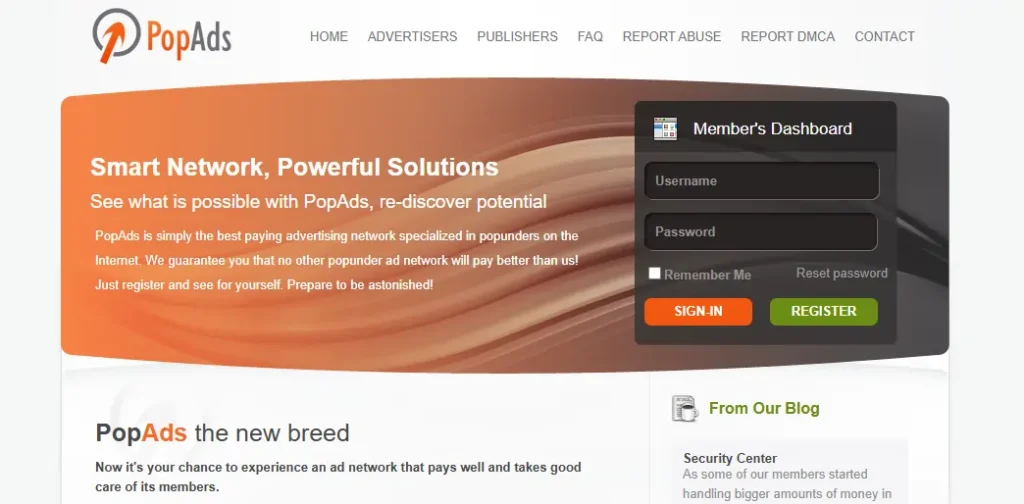
PopAds is a specialized popunder advertising network that connects publishers and advertisers through a real-time bidding (RTB) platform. Founded in 2010, it focuses exclusively on pop traffic formats like popunders, popups, and tab-unders rather than traditional display banners.
The platform is famous for its daily payment system and lack of minimum traffic requirements, making it accessible for new websites. It handles over 2 billion daily impressions across 200+ countries, serving verticals like entertainment, software, and gaming with high fill rates.
📊 PopAds Key Aspects
| Key Aspect | Details |
|---|---|
| Founded 📅 | 2010 |
| Headquarters 🏢 | Costa Rica, Poland, USA |
| Core Ad Format 🖼️ | Popunder, Pop-up, Tab-under |
| Traffic Volume 📈 | 2 Billion+ Daily Impressions |
| Pricing Model 💲 | CPV (Cost Per View) |
| Min Deposit 💳 | $10 (Advertisers) |
| Min Payout 💸 | $5 (Publishers) |
| Top Verticals 🎯 | Gaming, Gambling, Software, Utilities |
| Bidding System 🔨 | Real-Time Bidding (RTB) |
| Targeting 🎯 | GEO, Device, OS, Browser, ISP, Time |
| Referral Bonus 🤝 | 10% Lifetime Commission |
PopAds stands out because it allows publishers to set their own minimum bid prices, giving them control over their ad inventory value. Advertisers benefit from granular targeting options that drill down to specific ISP and device types for maximum ROI.
📈 PopAds For Publishers: Monetize Your Traffic
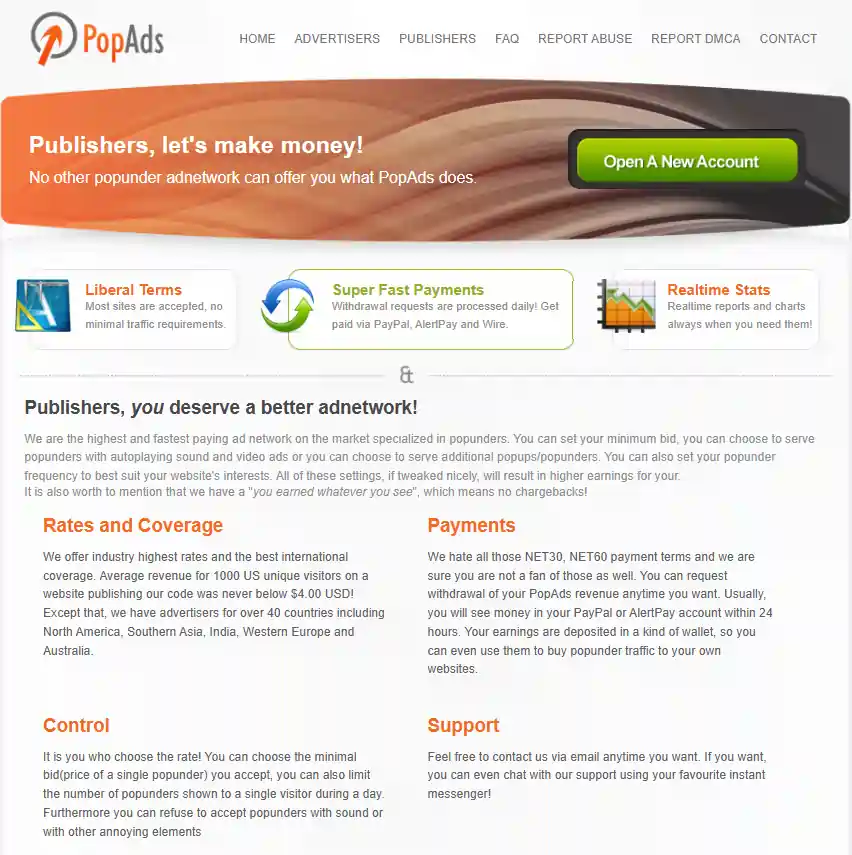
Publishers looking to monetize website traffic find PopAds particularly attractive due to its publisher-friendly policies and competitive earnings potential.
🚀 PopAds For Advertisers: Drive Quality Traffic
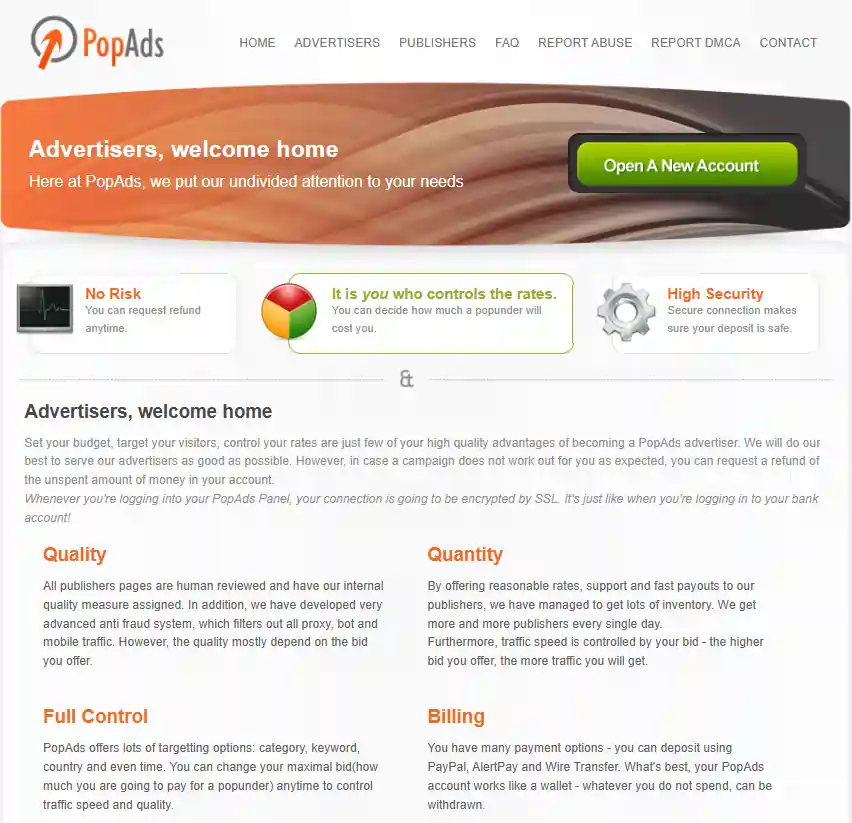
Advertisers gain access to sophisticated campaign management tools and extensive traffic inventory at budget-friendly entry points.
Advanced Targeting Capabilities 🎯
PopAds offers granular audience segmentation through:
How to Get Started with PopAds: Step-by-Step Guide 📝
- Step 1: Create Your Account
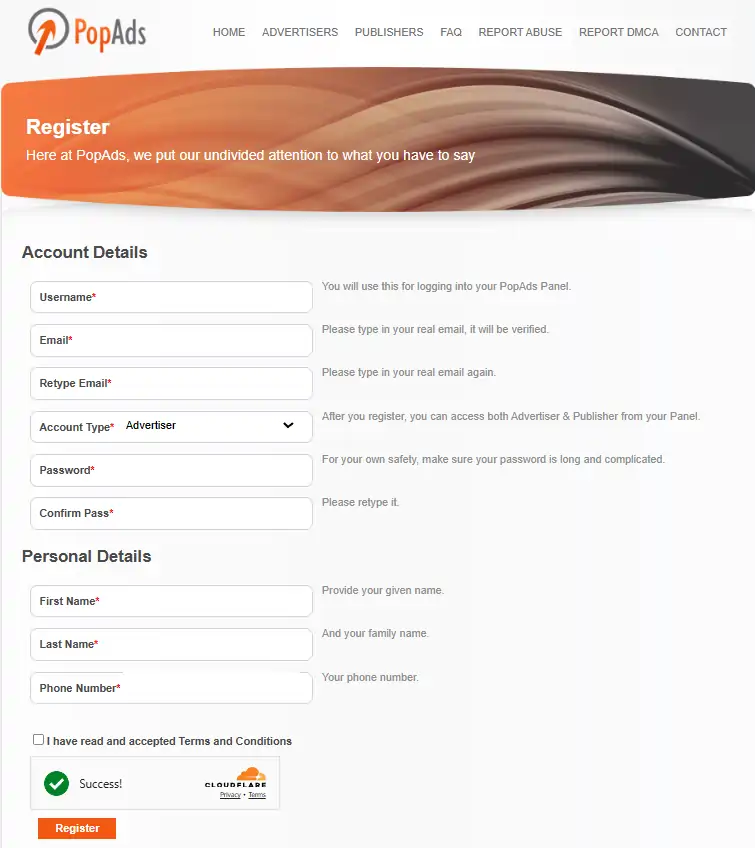
Visit PopAds.net and complete basic registration form with email and login credentials.
Important: Avoid using VPN or proxy during signup as PopAds blocks accounts detected with anonymization tools for fraud prevention.
If planning to use PayPal for deposits, register with same email address used for PayPal account.
- Step 2: Choose Your Role
Dashboard automatically includes both Advertiser and Publisher sections, allowing users to advertise and monetize without separate accounts.
- Step 3: For Advertisers – Fund Your Account
Go to the account funding section and choose the payment method. Deposit minimum $10 to begin creating campaigns.
- Step 4: For Advertisers – Create Campaign
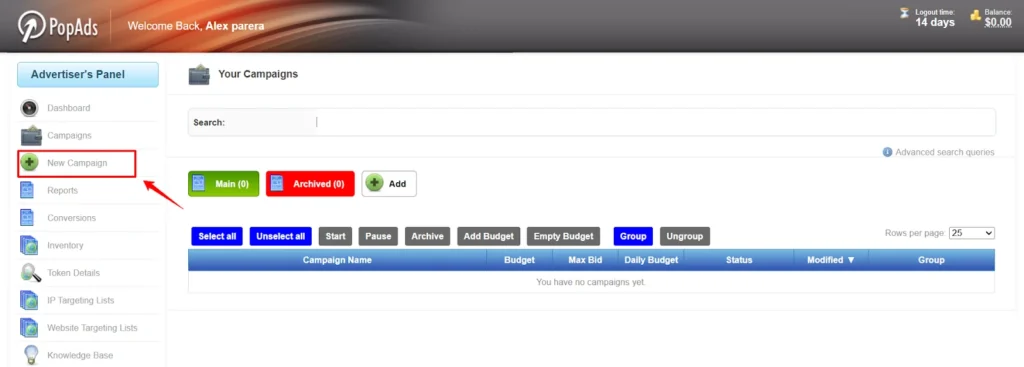
Access “New Campaign” section and configure settings:
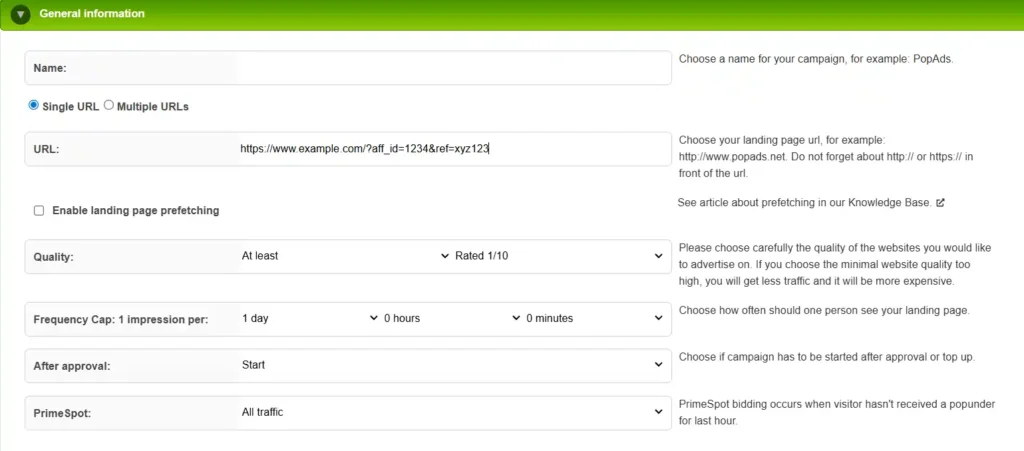
- General Information: Enter campaign name, choose single or multiple URL testing, enable landing page prefetching if desired.
- Quality Settings: Select website quality tier from 1/10 to 10/10, set frequency cap, choose Primespot or standard traffic.
- Budget Configuration: Set bid amount (minimum $0.0001), daily budget (minimum $2.50), and lifetime budget.
- Targeting Setup: Configure country, device, OS, browser, connection type, time schedules, and category preferences.
- Traffic Validation: Enable AdScore filtering to block bot and proxy traffic.
Submit campaign for approval, which typically completes within one business day.
- Step 5: For Publishers – Add Website
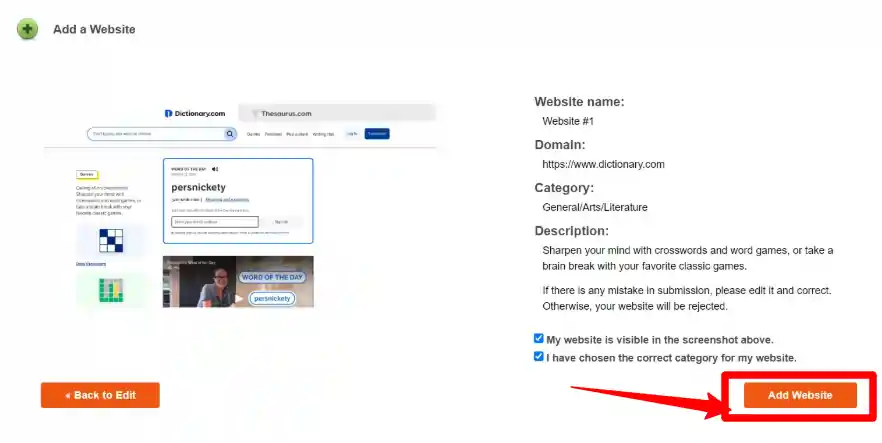
Go to the Publisher Panel and click “Add Website”. Enter site name, URL, description, and select appropriate category.
Choose allowed campaign types and ad formats for your site. Submit for approval, which takes up to two business days.
- Step 6: For Publishers – Generate Code
Once approved, access the “Code Generator” tab to retrieve ad code. Place code on website pages where popunder ads should trigger.
- Step 7: Monitor Performance
Use dashboard to track real-time statistics, campaign performance, earnings, and traffic quality metrics.
PopAds Pricing & Bidding System 💲
PopAds operates on Cost Per View (CPV) pricing where advertisers pay for each popunder impression delivered. Calculating CPM (Cost Per Mille) involves multiplying CPV by 1,000. Minimum bid starts at $0.0001 per view ($0.10 CPM), though competitive markets demand higher rates.
Publishers control earning potential through minimum bid settings determining acceptance thresholds for advertiser campaigns. Setting minimums too high reduces fill rates and total earnings, while excessively low minimums undervalue premium traffic. Optimal pricing balances advertiser demand with traffic quality.
PopAds Dashboard & Reporting 📊
PopAds maintains a functional interface prioritizing data access over modern aesthetics. Dashboard appears dated but delivers comprehensive reporting across advertiser and publisher sections.
Advertiser Reports Include:
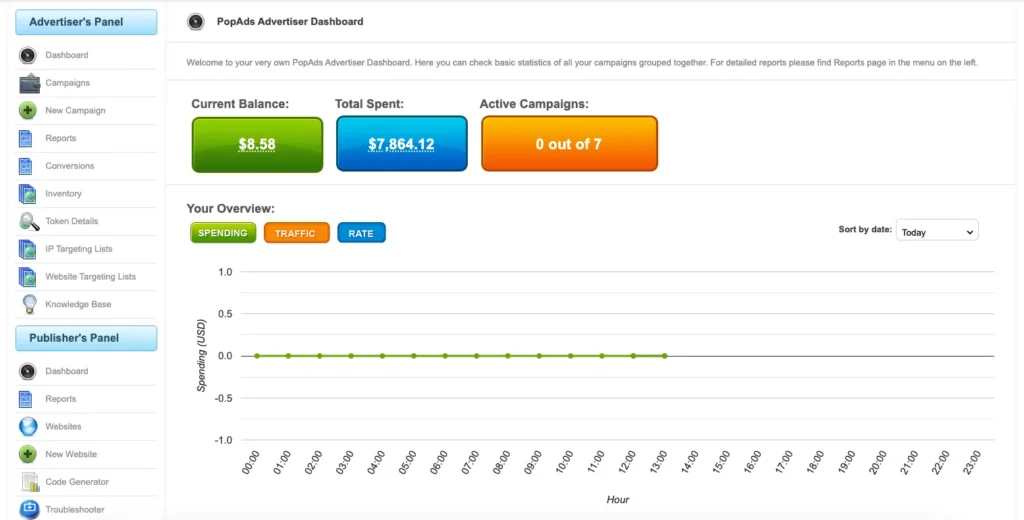
Publisher Reports Display:
Reports update hourly ensuring advertisers can optimize campaigns quickly based on fresh performance data.
PopAds Traffic Quality & Performance 🔍
Traffic quality varies significantly based on targeting settings and website quality filters applied. Advertisers report 98.5% clean traffic when utilizing AdScore validation and PrimeSpot options.
Quality Considerations
Conversion Tracking
PopAds provides postback URLs for firing conversion data to tracking platforms or affiliate networks. Once configured, campaign reports display conversion values, ROI calculations, and cost-per-acquisition metrics.
Popular tracking platforms including Bemob offer native PopAds templates simplifying token implementation. Manual setup requires proper macro mapping for accurate attribution.
PopAds Payment Methods 💳
PopAds supports diverse payment options accommodating global publishers and advertisers:
| Payment Type | Minimum Amount | Processing Time | Method |
|---|---|---|---|
| PayPal | $5 (publishers)$10 (advertisers) | Daily upon request | Global standard |
| Payoneer | $20 (publishers) | Daily upon request | 200+ countries |
| Wire Transfer | $2000 (publishers) | Weekly | Banks worldwide |
| Bitcoin | Varies | 1-3 days | Crypto option |
| USDT ERC20 | Varies | 1-3 days | Ethereum network |
| USDT TRC20 | Varies | 1-3 days | Tron network |
| Capitalist | Varies | 1-3 days | E-wallet |
| Credit Cards | $10+ | Instant | Visa/Mastercard |
Publishers enjoy automatic withdrawal options by setting custom earning thresholds. Once balance reaches the specified amount, PopAds processes payment automatically without manual requests.
PopAds Support & Resources 🛟
PopAds offers email-based support at support@popads.net responding within 2-3 hours during business days. Inquiries submitted outside working hours receive responses next business day,
Knowledge Resources:
While lacking dedicated account managers, the support team demonstrates solid product knowledge assisting with technical issues, campaign optimization, and payment inquiries.
PopAds Alternatives Comparison 🔄
| Feature | PopAds | PropellerAds | Adsterra |
|---|---|---|---|
| Minimum Deposit | $10 | $100 | $100 |
| Publisher Minimum Payout | $5 | $5 | $5 |
| Payment Frequency | Daily on request | NET30 | Bi-weekly |
| Traffic Volume | 1+ billion monthly | 12+ billion daily | 30+ billion monthly |
| Targeting Options | 20+ advanced filters | 15+ filters with CPA Goal | 20+ filters with Smart CPM |
| GEO Coverage | 250+ countries | 195 countries | 248 countries |
| Personal Manager | No | Available for large budgets | Available for qualified accounts |
| Anti-Fraud System | Proprietary AdScore + custom filters | AI-powered verification | Multi-layer verification |
Conclusion
PopAds remains a reliable choice for affiliate marketers and media buyers who need consistent traffic volume without high entry barriers. The platform's daily payout system and extensive inventory justify the investment for publishers and advertisers focused on cash flow and scalability.
AFFDude Rating: 4.7/5
If you are scaling campaigns with a flexible budget, the conversion velocity from its proven inventory can produce a solid return.
How much revenue are you missing by ignoring established traffic sources like PopAds? 🚀
Recommended Articles

Affiliate Disclosure: This post may contain some affiliate links, which means we may receive a commission if you purchase something that we recommend at no additional cost for you (none whatsoever!)