

Screen Studio is the Mac screen recorder that keeps showing up in every slick affiliate demo you scroll past.
If you build product demo videos, tutorials, or social media clips to sell your offers, you already get it. Shaky footage and a jumpy cursor tank your conversions fast.
Quick answer for the skimmers among us. The best Screen Studio coupon right now drops the annual plan to $9 a month, billed yearly at $108. That works out to up to 75% off versus paying month to month.
We have been paying for screen recording software since the ugly-cursor days. So we will hand you the real deal. That means the exact savings maths, the plans, and how to grab it without any hassle.
15% OFF
No Code Needed
What the Screen Studio Annual Deal Actually Saves You
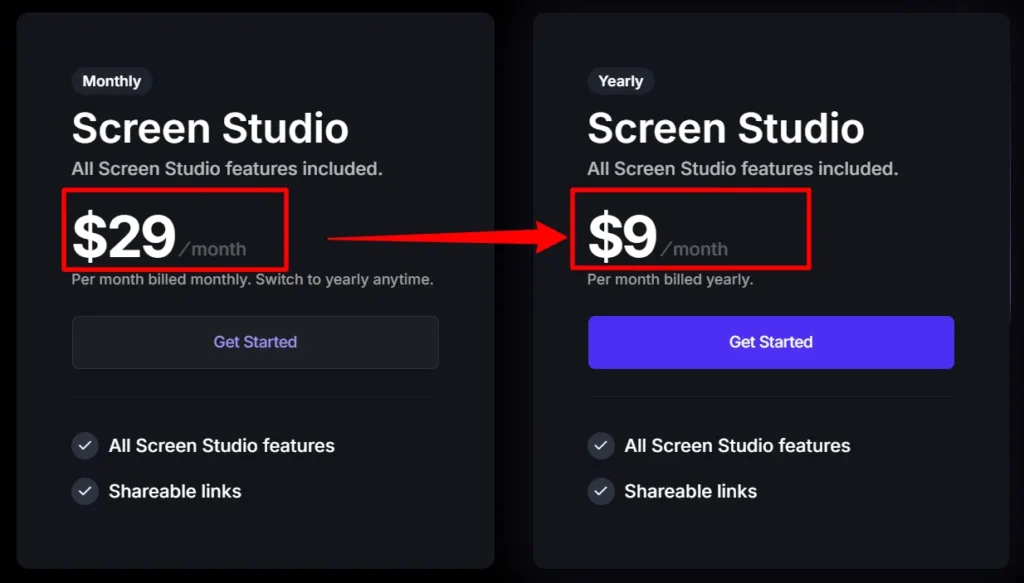
Let me be blunt about the money. The Screen Studio pricing shows two numbers, and the gap between them is huge.
Monthly billing sits at $29 a month. Keep that up for a year and you have handed over $348.
The yearly subscription is $9 a month, billed as one payment of $108. Same app, same features, way less cash.
So the annual billing discount saves you $240 across the year. That is 69% shaved off what the monthly folks pay.
Now here is the part that pushes the headline to 75% and beyond. If you have a valid .edu email, the education discount knocks 40% off that yearly price.
That brings the year down to about $64.80, roughly $5.40 a month. Against the monthly rate, you are now saving 81%. That is the real ceiling on this Screen Studio promo.
Screen Studio Pricing Plans and the Real Monthly Cost
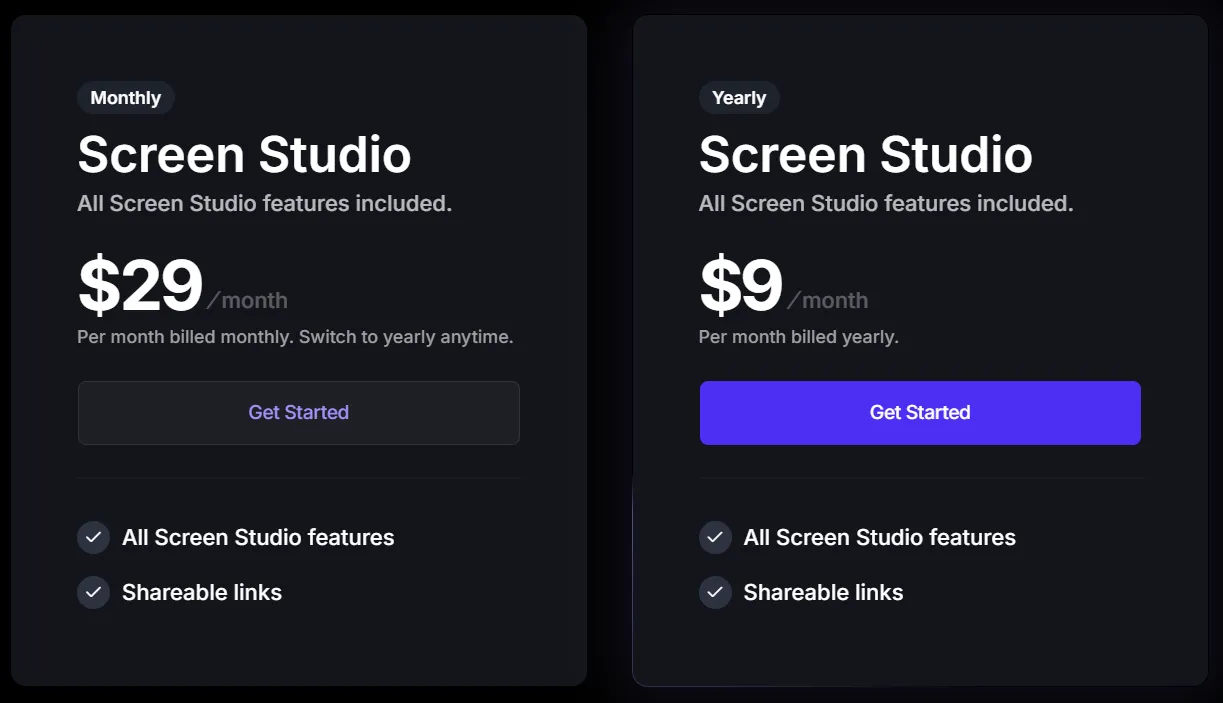
Let me lay the numbers out flat so you know exactly what you are paying.
Both plans hand you every feature. There are no locked tiers, no “pro only” toggles, no upsell page you have to email someone about.
| Screen Studio Plan | Price | Effective /mo | Devices | What you get |
|---|---|---|---|---|
| Monthly subscription | $29/mo ($348/yr) | $29.00 | 3 Macs | Full feature set, cancel anytime |
| Annual plan (billed yearly) | $108/yr | $9.00 | 3 Macs | Same full feature set, ~70% cheaper |
| Annual + .edu discount | $64.80/yr | $5.40 | 3 Macs | Everything, plus 40% student saving |
See the gap? The monthly plan costs $348 if you keep it for a full year.
The annual subscription does the same job for $108. That is a straight $240 back in your pocket.
Every plan covers up to three personal macOS devices. So your laptop, your studio Mac, and the mini in the corner are all sorted on one licence.
There used to be a one-time lifetime licence floating around. Screen Studio has since retired it, so the subscription model is the play now.
Screen Studio Coupon Codes and Deals Worth Grabbing
Right, here is the coupon cluster. These are the Screen Studio deals I would actually point a mate towards, each one aimed at a different kind of buyer.
Screen Studio Promo: $9/Month on the Yearly Plan
Drop from $29 to $9 a month the second you pick yearly billing. That is the headline annual discount, applied at checkout with no coupon code to enter.
Grab the $9/mo Rate »
Screen Studio Student Discount: Extra 40% Off With a Student Email
Got an eligible student email? Stack the 40% education discount on the annual plan and bring the total down to $64.80 for the year — roughly $5.40 a month.
Unlock the Student Price »
Save $240 on Screen Studio Annual Plans
Paying month to month burns through $348 a year. Switch to annual billing and keep $240 in your pocket instead. Same Screen Studio workflow, much less damage to the card.
Lock In the Saving »
Three Macs on One Screen Studio Subscription
One Screen Studio subscription covers up to three personal macOS devices. Run it across your MacBook, desktop and spare machine without paying for extra individual device licences.
Cover All Your Macs »How to Claim Your Screen Studio Discount?
This bit is stupidly easy, but I will walk you through it so nothing trips you up.
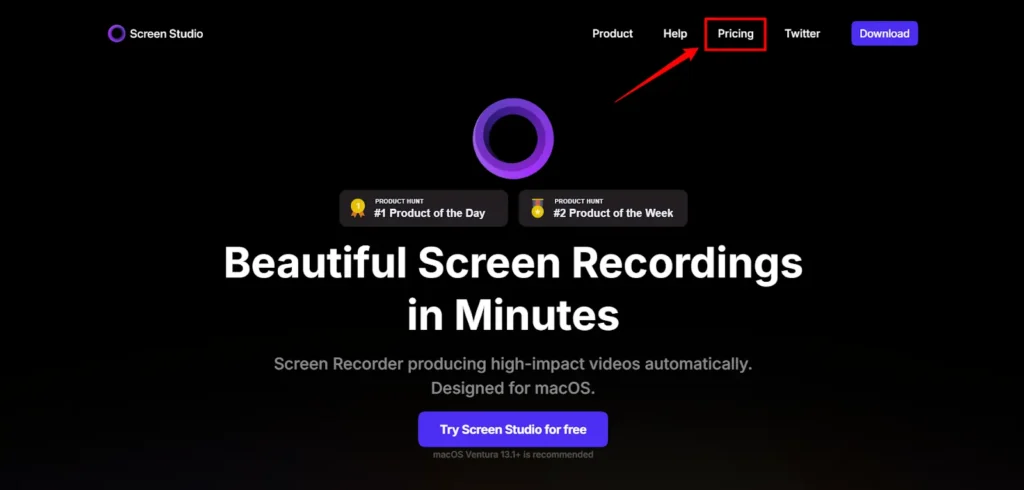
- Step 1: Head to the Screen Studio pricing page through the deal link. The page loads with the plan toggle front and centre.
- Step 2: Flip the toggle from Monthly to Yearly. Watch the price snap from $29 to $9 a month.
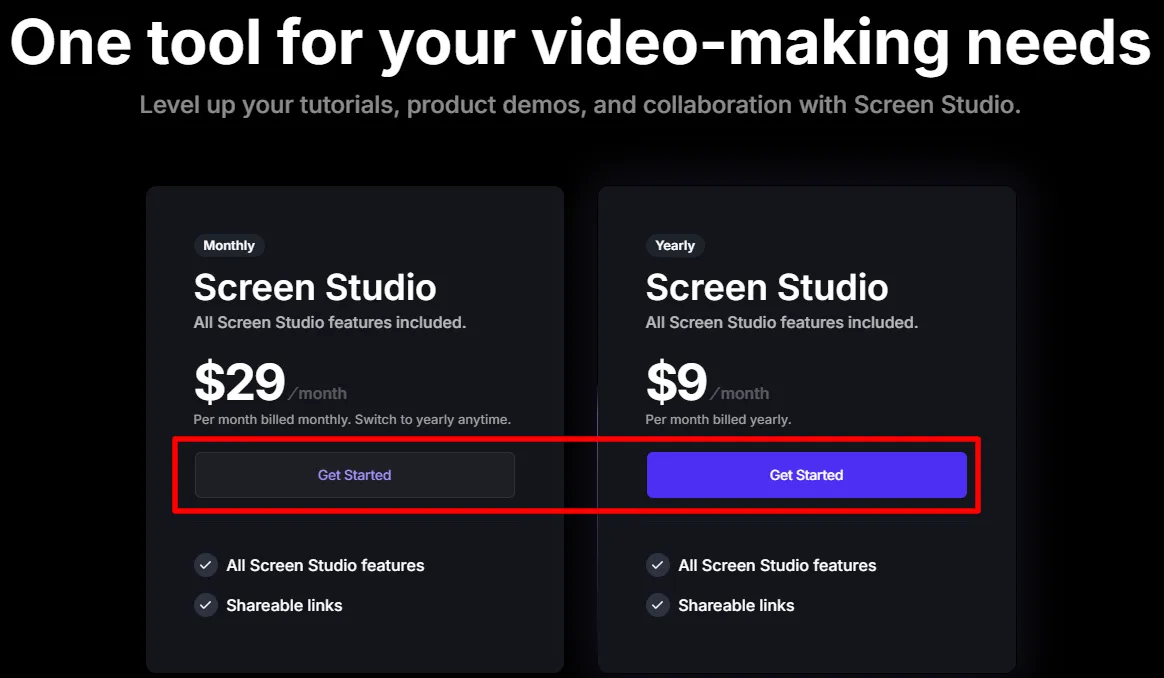
- Step 3: Hit Get Started and create your account with an email and password. It takes about thirty seconds.
- Step 4: Enter your payment details at checkout. The annual discount is already baked in, so you do not type any coupon code.
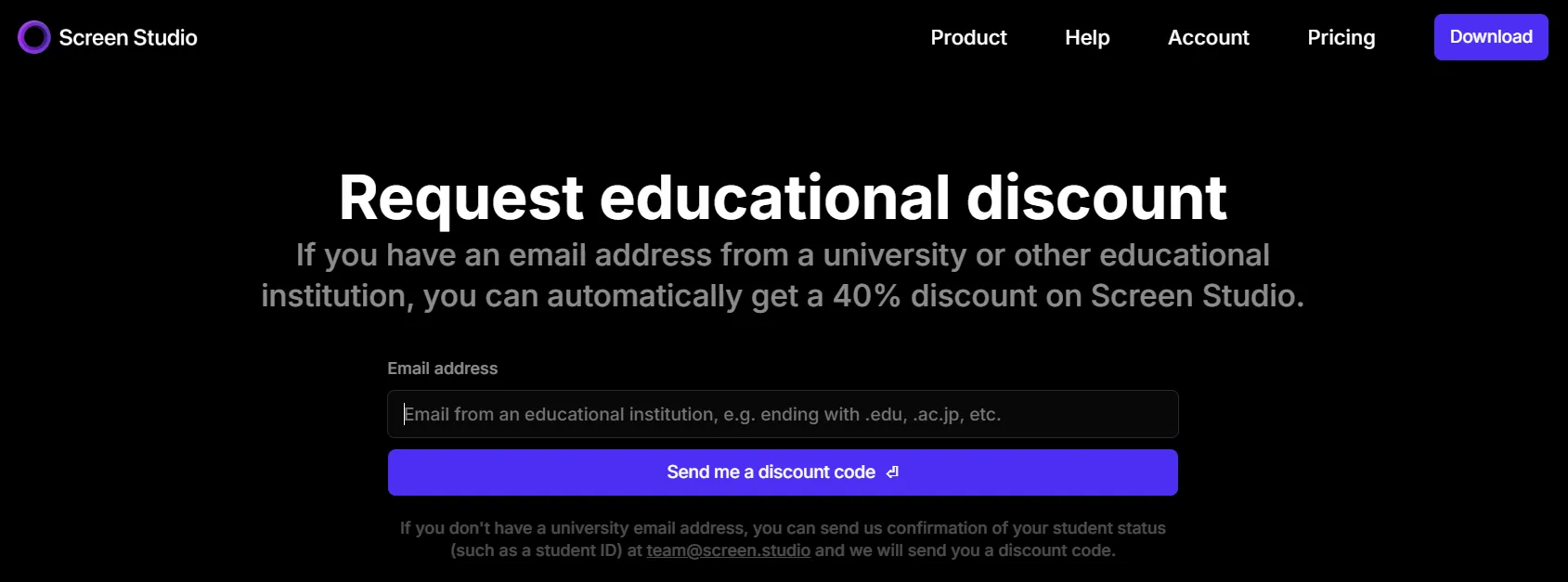
- Step 5: If you hold a .edu email, apply the student discount on the education page to shave off another 40%.
- Step 6: Confirm, download the app, and start recording. Your licence covers three Macs straight away.
That is the whole thing. No hidden minimum spend, no waiting on a confirmation email before the deal kicks in.

🚀 Pay $108 Once for Screen Studio, Record All Year Long
One yearly payment of $108 unlocks the full screen recorder for twelve months. You save: $240 versus the monthly route, plus you never think about it again.
Yearly billing is the discount
No Code Needed
Screen Studio Pricing Breakdown: Monthly vs Yearly Savings
Let me show you why the annual plan wins for almost everyone who records more than a handful of videos.
| Billing choice | You pay (1 yr) | You pay (3 yrs) | 3-year saving |
|---|---|---|---|
| Monthly subscription | $348 | $1,044 | none |
| Annual plan | $108 | $324 | $720 saved |
| Annual + .edu | $64.80 | $194.40 | $849.60 saved |
Look at that three-year column. The monthly plan stacks up to $1,044.
The yearly subscription does the identical job for $324. You keep $720 over three years, which is a chunky ad budget.
The break-even point is silly quick too. If you use Screen Studio for more than roughly four months, the annual coupon deal already costs less than staying monthly.
Most of us record year-round for our funnels. So paying monthly is basically handing money away for no reason.
Screen Studio vs the Other Mac Recorders
Fair question. Why not just grab a free tool or a rival app?
I have used most of them. Here is how the Screen Studio pricing stacks against the usual suspects.
| Tool | Price | Auto zoom | Cursor smoothing | Platform |
|---|---|---|---|---|
| Screen Studio | $9/mo yearly ($108/yr) | Yes, built in | Yes | macOS |
| Loom | Free tier, paid from ~$12.50/user/mo | No | No | Web, Mac, Win |
| ScreenFlow | One-time licence, higher upfront | Manual | Manual | macOS |
| OBS Studio | Free | No | No | Mac, Win, Linux |
Loom is a solid Loom alternative conversation starter, but it leans on cloud sharing over polish. Screen Studio wins on looks.
The automatic zoom and cursor smoothing are the magic. They turn a raw capture into something that feels edited without you touching a timeline.
OBS is free and mighty, but you will spend hours fiddling. For quick, gorgeous product demo videos, Screen Studio saves your afternoon.
⏱️ Ditch the Monthly $29 and Keep $720 Over Three Years
Commit to yearly and your three-year spend drops from $1,044 to $324. You save: $720, which is real money you can pour into traffic.
$720 OFF
No Code Needed
The Features That Actually Earn Their Keep
Alright, the deal is great, but a cheap tool is useless if it does not deliver. Here is what pulls its weight.
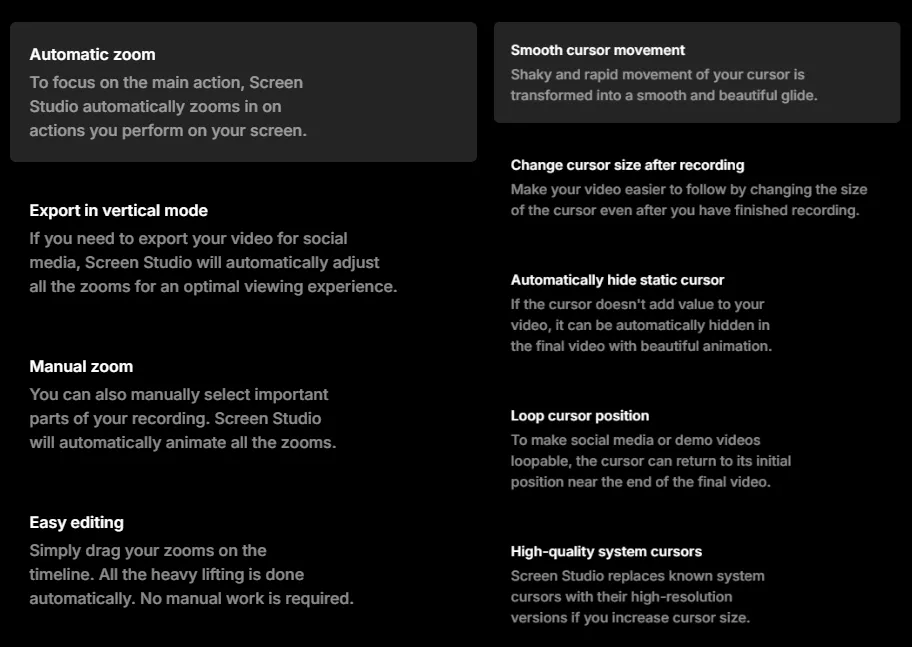
- Automatic zoom: Screen Studio zooms in on your clicks and the cursor moves on its own. Your tutorial videos suddenly feel produced, not thrown together.
- Smooth cursor movement: Your shaky, rapid mouse becomes a clean glide. It is the single feature people notice first.
- Vertical export for social: Flip a demo to vertical with one click and every zoom re-adjusts for social media videos. Great for shorts and reels.
- Webcam and system audio: Drop in a webcam overlay and record system audio for full courses. The selfie cam nudges aside so it never blocks your cursor.
- 4K and GIF export: Ship in crisp 4K export or squeeze it into a tidy GIF for docs and chats. Both are baked in.
- Record iPhone and iPad: Plug in over USB and capture mobile app demos with device frames. Handy if you promote app offers.
- On-device transcripts: Generate captions locally, so no footage leaves your machine. Nice for privacy-minded folks.
Every one of these ships on both plans. So the $9 annual subscription hands you the exact same toolkit as the pricier monthly route.
Which Screen Studio Plan Fits Your Setup
Not sure which route to pick? Here is my quick call by buyer type.
- You post demos every week: Go straight for the annual plan at $9 a month. You will clear the break-even in a month and pocket the rest.
- You only need it for one project: Take the monthly subscription at $29, record your batch, then cancel. Clean and simple.
- You are a student or tutor: Stack the education discount and pay $5.40 a month on yearly. Cheapest legit price going.
- You run multiple Macs: Any plan covers three devices, so grab yearly and spread it across your kit.
For most affiliate folks pumping out product demo videos, the yearly path is the obvious pick. The maths just does not favour monthly.
Screen Studio Pros and Cons, Honest Take
No tool is perfect, and I am not here to blow smoke. Here is the balanced view.
Pros
Cons
Net take? For quick, sharp screen recordings that sell, the value massively outweighs the niggles.
FAQs About Screen Studio Coupon
Is there a Screen Studio coupon code I need to enter?
The main Screen Studio discount comes from picking yearly billing, and it applies on its own. No code, no coupon field.
How much does Screen Studio cost per month?
The monthly plan is $29. The annual plan works out to $9 a month, billed once yearly at $108.
What is the biggest Screen Studio discount available?
Yearly billing gives you around 70% off versus monthly. Add a valid .edu email and the student discount pushes your total saving past 75%, down to $5.40 a month.
Does Screen Studio have a free trial?
You can trial the app and record with automatic zoom before you pay. Great way to check the fit first.
How many devices does one plan cover?
Every plan covers up to three personal macOS devices. So your whole Mac setup is sorted on a single subscription.
Can I cancel the annual plan?
You can cancel anytime and keep access until the end of your paid period. After that, you can still record but need an active plan to export.
Is the yearly plan cheaper than the monthly one long term?
Massively. Over three years, yearly costs $324 against $1,044 monthly. That is $720 saved.
Do students get an extra discount on Screen Studio?
Yes. A verified .edu email unlocks 40% off the annual plan, dropping it to $64.80 for the year.
The Bottom Line on the Screen Studio coupon
So that's the whole picture on the Screen Studio discount. Yearly billing is where the money sits: $9 a month against $29, or $108 once instead of $348. Students with a .edu address go lower still at $5.40.
No promo code to hunt down, and your licence covers three Macs. If screen recordings are part of how you sell, the annual plan pays for itself by month four. Flip the toggle to yearly and you're sorted.
Affiliate Disclosure: This post may contain some affiliate links, which means we may receive a commission if you purchase something that we recommend at no additional cost for you (none whatsoever!)